Website Migration WordPress: A Step-by-Step Checklist
The most common WordPress migration advice starts too late: take a backup, copy the files, import the database, then change DNS. That sequence can produce a working homepage while orders disappear, forms stop reaching the CRM, and valuable URLs return errors.
A successful file copy isn't a successful migration. The delivery team needs a business-continuity decision, supported by a frozen inventory, tested destinations, written acceptance gates, and an owner authorised to stop the launch.
Table of Contents
- Classify the Migration Risk Before You Touch Data
- Build a Complete URL Inventory From Five Sources
- How to Build and Test the Destination in Staging
- Map Redirects Before Launch, Not After
- Cutover Day Gates and Rollback Triggers
- Post-Launch Monitoring for the First 180 Days
- Decide Whether to Run This Migration Under Your Brand
Classify the Migration Risk Before You Touch Data
Classify the move before changing content or infrastructure. Separate hosting changes from domain changes, then record whether public paths will change. These decisions set the redirect scope, monitoring window, and cutover sign-off owner.
A hosting or CDN change that preserves public URLs is a low-risk move; a domain or path change is not. For qualifying site moves, Google's Change of Address documentation describes a notification period of 180 days after pre-checks pass. Keep redirects in place for at least 180 days, and longer while old URLs continue to receive Google Search traffic.
WordPress migration risk classes and monitoring windows
Use these windows as delivery controls, not as promises about search recovery.
| Migration class | How Google classifies it | Monitoring window | Risk level |
|---|---|---|---|
| Same domain, same URLs, identical content (hosting or CMS swap) | Move without user-visible URL changes | Until crawl and index counts match the baseline | Low |
| Same domain, changed URL structure | URL-changing site move | Until indexed pages and annotated traffic by template are stable against baseline | Medium |
| Domain change, same paths | Domain move; Change of Address available during the notification period | At least the notification period | Medium-high |
| Domain change plus rewritten content | Domain move with content changes; traffic losses can have several causes | At least the notification period, with template-level annotation | High |
A domain change alters every complete public address, even when the paths stay the same. Content rewrites add uncertainty because platform changes and relevance changes become harder to distinguish. Where the delivery schedule allows, preserve content through launch and plan editorial changes separately.
Put the classification in the project brief
This playbook covers moves into and away from WordPress. When WordPress is the source, begin with the live installation and check serialization in any database export passed to the receiving platform.
Record the migration class, redirect owner, monitoring owner, and cutover approver in a shared migration document. Set written go and no-go gates before the move, including the conditions that trigger a rollback. For recovery, follow a tested process for backing up a WordPress website, rather than assuming that the presence of backup files means restoration is possible.
For agencies handling concurrent projects, make migration classification a required project field. That keeps risk, monitoring responsibilities, and launch authority visible before cutover decisions are made.
Build a Complete URL Inventory From Five Sources
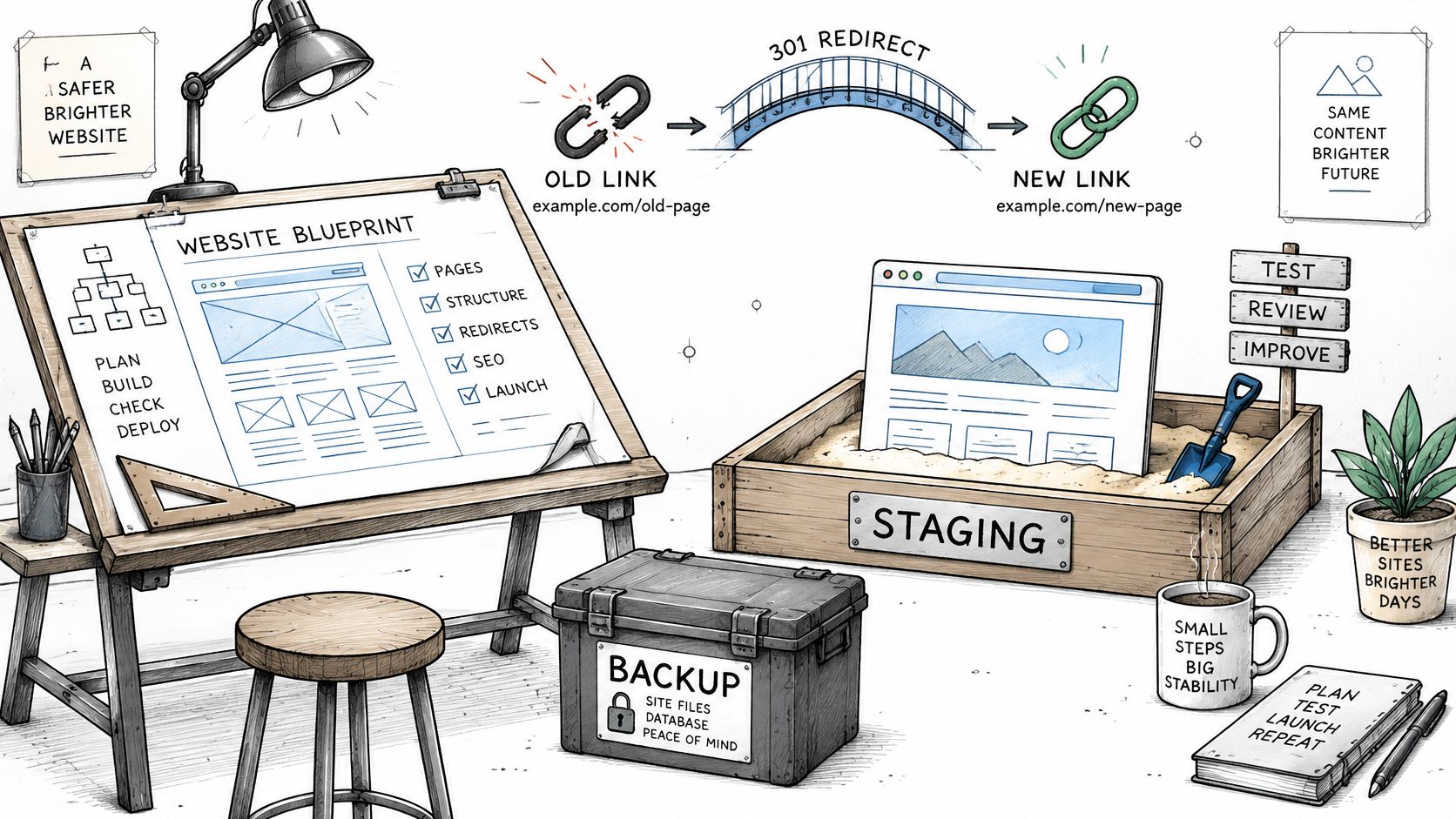
Start with a live-site crawl, then add search and server records. The crawl finds linked pages, but it can miss orphaned URLs that still receive visits or hold search value. Record every address people, search engines, and external sites may request.
Collect complementary evidence
- Live-site crawl: Capture internal links, paginated archives, taxonomy pages, attachment URLs, response codes, and canonical targets. Add other sources to find orphaned pages.
- Search Console exports: Review performance and indexing records for URLs Google already ranks or indexes. These records may reveal valuable pages missing from navigation.
- Analytics landing pages: Find URLs associated with sessions and conversions. Analytics alone will miss untracked pages and assets.
- XML sitemaps: Compare the URLs the site declares with actual responses. A sitemap entry does not confirm that a page is accessible or indexable.
- Server logs: Identify crawler requests, external referrer paths, and not-found URLs that still receive requests. Separate useful legacy demand from irrelevant automated traffic.
Freeze a reconciliation baseline
Merge exports by normalized URL while retaining the original requested address. Keep distinct language paths, query-driven content, and case-sensitive asset names separate.
Export SEO-plugin tables separately. Canonicals, meta titles, and noindex flags may not appear in the main content export. Add custom post types, multilingual versions, category and tag archives, media URLs, and downloadable files.
Keep content-type counts, response codes, destination decisions, and a dated inventory snapshot together. The cutover approver needs a fixed baseline while QA is underway. Set the redirect scope, monitoring owner, and sign-off owner in the project brief before cutover.
An inventory limited to published posts can appear complete while ranking tag archives and linked PDF attachments remain unaccounted for.
Assign each row a disposition: preserve, move, consolidate, or remove. Unassigned rows are unresolved scope and block sign-off.
How to Build and Test the Destination in Staging
Run a WP-CLI dry-run before changing WordPress URLs. Serialized settings, widgets, and page-builder data store string lengths, so raw SQL replacement can make values unreadable even when the import completes. A successful file copy or database import alone does not establish that the destination is ready.
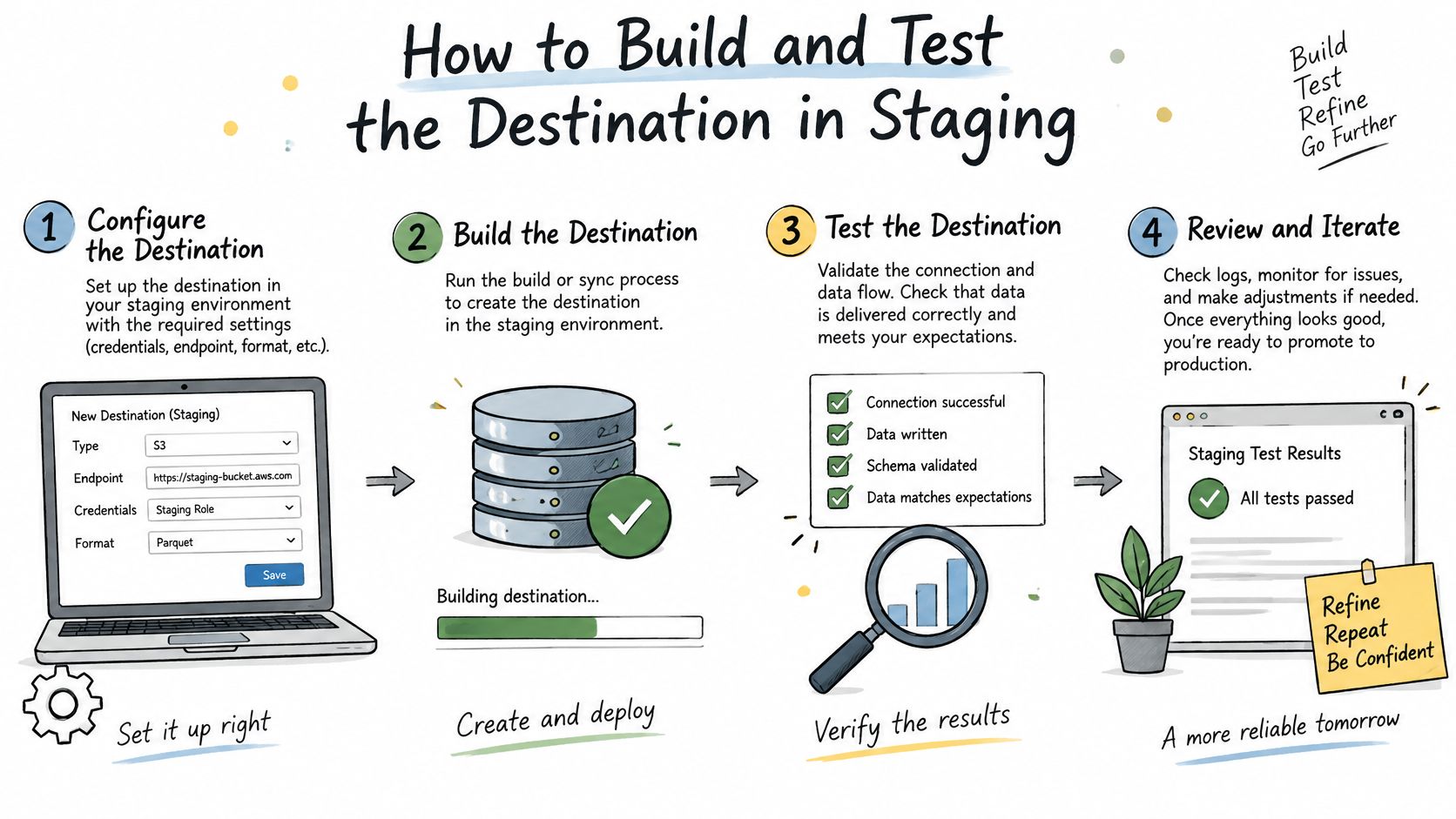
Marker.io's WordPress migration guide describes a controlled sequence of separate file and database backups, staging import, serialization-aware replacement, functional testing, and rollback preparation. Record evidence as each control is completed, so the team can assess readiness against the agreed go and no-go gates.
Prepare a recoverable destination
Inventory application dependencies. Extend the URL baseline with templates, plugins, integrations, forms, media, analytics, databases, scheduled tasks, and configuration owners. Record each plugin's business purpose. A name alone may not reveal the checkout rule or submission workflow that depends on it.
Back up files and SQL separately, off-site. Include uploads, custom code, configuration, and the complete database, then restore them into an isolated environment. Confirm that the restored copy is usable before relying on it for recovery.
Build staging with controlled access. Prevent indexing, restrict access appropriately, and isolate outbound email, payments, and webhooks. Production credentials or endpoints copied into staging can send real messages or create live records during testing.
Import the database and files. Record import errors and reconcile content and asset counts before changing URLs. For a move off WordPress, transform exports into the receiving platform's content model rather than assuming the database can run unchanged.
Update configuration and environment variables. Check asset locations, credentials, storage references, scheduled jobs, and integration endpoints. A missed setting can cause staging to read production assets or write to production services.
Validate transformations and behaviour
Run serialization-aware URL replacement, starting with a dry run. If WordPress remains in the workflow, use WP-CLI's
search-replaceoperation and review the proposed changes before execution. Limit replacement to intended tables and values, preserve an untouched export, and examine exceptions. For another platform, decode and transform serialized structures deliberately before mapping them into new fields.Flush permalinks and purge caches. Regenerate routing and clear application and delivery caches after configuration changes. Otherwise, cached pages can hide broken attachment routes.
Crawl staging and replay business journeys. Test representative templates, media, login, search, forms, ecommerce checkout, tracking tags, redirects, and not-found discovery. Compare rendered pages with imported records, since content can retain unavailable shortcodes, broken layouts, or missing reusable components.
Confirm the rollback arrangement against the cutover plan. The old host's retention and release conditions belong in the cutover gates. Make sure the staging sign-off, named approver, and rollback triggers align with those conditions before launch.
Release evidence: Keep crawl results, reconciliation outputs, journey-test results, and named approvals together. A homepage screenshot cannot confirm that key templates, workflows, or records work.
Test editor workflows as well as visitor journeys. A destination that displays correctly but prevents editors from publishing approved content has not preserved the site's operating workflow.
Map Redirects Before Launch, Not After
A homepage redirect can turn hundreds of unrelated old URLs into soft 404s. Set the redirect scope before cutover: list each changed address, its destination, the owner who signs off, and the monitoring window. This makes redirects part of the business-continuity decision, not a cleanup task after DNS moves.
Google's permanent-redirect documentation identifies HTTP 301 and 308 as permanent-move status codes and recommends mapping an old URL to its corresponding new destination. Map each address to relevant content that fulfils the original request, then test that destination before launch.
Redirect response by legacy URL situation
| Legacy URL situation | Response | Destination rule |
|---|---|---|
| Page moved to an equivalent page | Permanent redirect | Closest equivalent page |
| Permalink, category or attachment pattern changed | Permanent redirect per URL pattern, verified by crawl | Each old URL to its new counterpart |
| Removed content with no equivalent | Gone or not-found response | No forced redirect |
| Unrelated legacy URLs | No bulk redirect to the homepage | Treat as removed and watch for soft-not-found reports |
| Chain or loop created by deployment | Fix to a single hop | Crawl the old URL set and confirm a direct permanent redirect |
For removed content with no equivalent, Google's site-move guidance supports 404 or 410 responses, warns that irrelevant homepage redirects can become soft 404s, and recommends keeping redirects for at least one year.
Category patterns can reduce implementation work, but still require verification. Map exceptions explicitly, particularly when old category names no longer match the destination taxonomy.
Test requests, not just redirect rules
Run the complete old URL inventory against staging using controlled host resolution, then repeat against production. Inspect the final destination and rendered content, not just the first response. The WebinOne site migration SEO checklist can help include URL-level validation in launch acceptance.
Check protocol changes, trailing-slash conflicts, mixed-case paths, and attachment routes for chains or loops. Incorrect destinations can lead users and crawlers to nonexistent pages. Investigate increases in Search Console's not-found reports promptly.
- Update site-owned references: Replace internal links, canonical targets, sitemap entries, structured-data URLs, and language references with final addresses.
- Repair archive links: Use link maintenance for aging blog archives to identify stale destinations in older articles that a platform migration won't repair automatically.
- Assign redirect ownership: Record where the redirect layer is deployed and who maintains it, so responsibility is clear after handover.
Redirects are production infrastructure. Confirm their scope and destinations before launch, and include ownership in the handover.
Cutover Day Gates and Rollback Triggers
A checkout can pass a health check while recording no order. Treat cutover as a business-continuity decision: agree written go and no-go gates, rollback triggers, the monitoring window, and the sign-off owner before launch.
The Pagecog WordPress migration checklist covers data freezing, URL validation, DNS TTL preparation, and business integration testing. Use it to shape the acceptance checks, then set the specific thresholds and decision roles in the migration brief.
Establish the decision sequence
Separate the hosting move from the domain move before touching data. Record which change is happening, the redirect scope it requires, and who approves each one. This keeps a hosting cutover from being mistaken for a domain change, with different routing and monitoring implications.
Freeze writes or plan a controlled final synchronisation, then snapshot the source. Lower DNS TTL ahead of the cutover window and allow the previous value to expire. Resolvers and active sessions may still switch at different times, so include that uncertainty in the runbook.
Reconcile posts, media, products, customers, orders, forms, and redirects against the frozen baseline. Replay critical journeys and check response codes, rendered HTML, analytics, consent, email, payment, search, and CRM using traceable test events.
Cutover go and no-go gates with rollback triggers
| Gate | Pass condition | Rollback trigger |
|---|---|---|
| Record reconciliation | Post, media, product, customer, order, form, and redirect counts match the frozen snapshot | Any missing form record or order |
| Checkout and forms | Test orders and submissions complete end to end | Failed checkout test |
| Response codes | Changed addresses redirect as mapped; preserved and removed addresses return their intended responses | Server-error responses exceed the agreed threshold |
| Integrations | Analytics, consent, email, payment, search, and CRM receive test events | Webhook or CRM sync failure |
| Conversion | Conversion rate remains within the agreed baseline band during the initial release window | Material drop against the threshold set before launch |
Set the 5xx threshold before launch as part of the continuity controls covered by the Pagecog checklist. A failed gate before traffic switches means no-go. After the switch, the same failure triggers a rollback review under the agreed runbook.
Name the cutover approver, technical rollback operator, and person authorised to decide on rollback within a written time limit. Set the conversion threshold against comparable traffic and define the observation rule before launch, not during an incident.
Rollback also requires a write-reconciliation plan. Orders accepted on the destination must be accounted for if traffic returns to the source, and payment or email actions must not run twice. Keep the old environment and database available throughout the agreed monitoring window; a cancelled host or an old export alone cannot restore service. This is the retention rule for both staging preparation and post-launch monitoring.
A submission can disappear while every uptime monitor stays green. Confirm that each test record reaches its intended system before approving cutover.
Post-Launch Monitoring for the First 180 Days
Use the first fortnight to review operational signals daily, then shift to weekly reviews of rankings and organic sessions by template. Keep the monitoring owner, review cadence, escalation thresholds, and sign-off owner in the client handover so checks continue after project closure.
Watch operational signals before aggregate traffic
During the initial fortnight, check these signals in sequence:
- Discovery and indexing: Review crawl errors, index coverage, and not-found spikes in Search Console.
- Request handling: Check server logs for legacy redirect hits, failed destinations, and server errors.
- Template performance: Review Core Web Vitals on commercially important templates, not only the homepage.
- Business completion: Trace submissions, checkout, login, and other client-critical paths through their downstream systems.
After the daily reviews, assess rankings and organic sessions by template each week. Sitewide totals can conceal a product-page decline when blog traffic rises at the same time.
Separate recovery from implementation failure
Search Engine Journal's January 2025 analysis of 892 domain migrations found that replacement domains took an average of 523 days to reach their original domains' organic-traffic levels, while 17% had not recovered after 1,000 days. These findings concern domain migrations and are not a forecast for a same-domain hosting or CMS move.
A slow recovery curve calls for investigation against the migration baseline. Verify destination equivalence, indexability, and actual search behaviour, even when permanent redirects are installed.
Track content edits, template deployments, canonical corrections, and indexation fixes alongside traffic changes. If losses cluster around a content type, inspect hreflang, structured data, social metadata, media references, pagination, and noindex directives.
Once technical parity is established, use Alpha Omega Digital's guidance to identify content gaps through SEO analysis. Keep editorial changes separate from migration fault-finding so the effect of each intervention remains clear.
A missing critical record, broken customer journey, or threshold breach moves the project into rollback review. A ranking fluctuation without technical or business failure calls for diagnosis against the agreed baseline, not an automatic reversal.
Keep the redirect-serving layer operational for its full retention obligation. Record each intervention and its timing, then hand over the signals, review schedule, escalation thresholds, and named owners. This preserves a usable account of changes throughout the agreed monitoring window.
Decide Whether to Run This Migration Under Your Brand
For an agency managing several client sites, the decision is whether to own platform operations or focus on client relationships, implementation, and ongoing improvement. The answer should reflect the team's capacity to support each site after launch, not just its ability to complete the transfer.
Match platform commitments to delivery controls
WebinOne runs on AWS across 6 AWS regions, with 99.99% uptime and a 99.95% availability commitment in its published SLA. Pricing starts from $10/month per site. These details help agencies assess the platform's operating model; each project still needs clear acceptance criteria for content, integrations, redirects, and business journeys.
- Migration scope: TeamOne migrates sites from WordPress, Wix, Squarespace, Shopify, and other CMS platforms. The WordPress migration service outlines a relevant delivery option.
- Release controls: All plans include URL (301) redirects, preview and draft mode, and a page rollback option. Define the broader cutover recovery plan separately, including who can authorize a rollback and what conditions trigger it.
- Growth: Sites can grow on WebinOne without needing to migrate off the platform. Agencies can plan ongoing work without building a future re-platform into the delivery model.
Set the commercial and operational boundaries before assigning responsibility. Specify which party handles hosting operations, who owns client sign-off, and who monitors business-critical journeys after launch. Keep those responsibilities in the project brief so platform coverage and agency governance are clear.