Choosing a CMS for Multiple Websites That Scales
If a portfolio still feels manageable because each site has its own owner, its own patch window, and its own “special case” exceptions, that's usually the warning sign. The work is already behaving like an estate, not a set of pages, and the platform choice should reflect that reality.
A cms for multiple websites has to answer a harder question than “can it publish content.” It has to reduce governance debt across brands, regions, campaigns, and departments without turning every change into a manual coordination exercise. That is why WebinOne exists, as a managed platform for organizations that have outgrown single-site thinking.
| Decision area | What it has to solve |
|---|---|
| Governance | Who can change what, where approval happens, and how rules stay consistent |
| Centralization | How shared content, templates, and controls stay reusable without erasing local brand needs |
| Isolation | How one site stays separate from another even when the same platform runs both |
| Delivery | How content reaches a website, an app, or another front end through APIs |
| Migration | How old sites move without breaking traffic, SEO, or operational continuity |
The rest of the decision comes down to four pressures, governance, centralization, APIs, and total cost. Ignore any one of them, and the platform looks fine in a demo but turns expensive in production.
Table of Contents
- Why Multiple Websites Stop Being One Problem
- What a Multi-Site CMS Actually Has to Do
- CMS Versus DXP for Multi-Site Estates
- How Multi-Site Migration Actually Works
- Three-Year TCO for Multiple Websites
- White-Label Reselling and Agency Margin
- Governance Use Cases That Decide the Choice
- Choosing the Right Path and the Next Step
Why Multiple Websites Stop Being One Problem
A cms for multiple websites stops being a publishing question the moment the estate grows beyond a few isolated installs. At that point, every new site adds the same recurring controls, publishing, templates, permissions, security, domains, analytics, backups, and compliance, so the core challenge becomes portfolio operations, not page editing.
The scale of the web explains why this shift happened. Netcraft recorded 18,957 hosts in August 1995, the web reached 1 million sites in April 1997, 10 million in February 2000, 50 million in May 2004, and 101,435,253 websites by November 2006, with 27.4 million new sites added in 2006 alone, more than the previous annual record of 17 million set in 2005. NN Group's review of web growth shows how quickly digital estates moved from individually managed properties to distributed portfolios.
Raw site count is not the same as active governance
That distinction matters because the web also contains a lot of dormant property. Internet Live Stats reports that the total number of websites passed 1 billion in September 2014, while current estimates put fewer than 200 million in active use, and its series shows about 1.045 billion in 2016 and 1.767 billion in 2017. The historical series makes the point clearly, raw counts can overstate how many properties need editorial oversight.
For buyers, that means the platform has to separate live sites from forgotten ones. Shared administration, lifecycle controls, and visibility across the estate matter more than any single editor experience. A portfolio can grow through launches, acquisitions, regional versions, microsites, and temporary campaigns, but only a centralized operating model prevents that growth from turning into scattered risk.
Practical rule: if the team can't tell at a glance which sites are active, which are archived, and which still expose public risk, the CMS is already too fragmented.
WebinOne fits this problem because it treats the estate as one governed system with separate site experiences. That's the point where a cms for multiple websites becomes a management model, not just a content tool.
What a Multi-Site CMS Actually Has to Do
A cms for multiple websites has to do five jobs well, and each one is operational, not cosmetic. If a platform can't answer these jobs cleanly, the estate will drift into duplicate work, hidden risk, and hard-to-audit changes.
The five jobs
| Criterion | What it has to answer |
|---|---|
| Governance and roles | Who can publish, approve, and override settings across sites |
| Shared content with local flexibility | How one source of truth supports separate brands without forcing clones |
| Isolation across tenants | How changes on one site avoid leaking into another |
| Headless delivery | How content can feed other front ends, apps, or channels |
| Migration mechanics | How the platform moves existing sites without breaking traffic or SEO |
Governance comes first because multi-site teams always hit role confusion. If permissions are vague, editors work around the system, and the estate starts accumulating exceptions. WebinOne's centralized model is built for this kind of control, with shared administration and site-level separation rather than a single bucket of content.
Multi-tenant behavior is the next test. The platform should let teams reuse templates, modules, and patterns without making every site a mirror image of every other site. That balance is hard to get right, and it's where a lot of “simple” platforms become messy once the portfolio grows.
Headless support matters when a site is also a feed for something else. If content has to power a portal, an app, or another channel, the CMS needs to serve that content cleanly through APIs, not trap it inside one presentation layer. WebinOne's API layer fits that requirement without forcing the whole estate into a single front end.
For a broader operational comparison, multi-site management guidance is useful because it shows how teams handle shared controls without flattening brand differences. For teams researching adjacent content operations, the Contentstudio alternative for social media article is a decent reminder that centralization only works when process and governance line up.
A platform should be ruled out quickly if it can't separate sites cleanly, can't support reusable components, or treats migration as a simple export-and-import exercise. Those weaknesses always reappear later as operational debt.
CMS Versus DXP for Multi-Site Estates
A cms for multiple websites can work, but once the estate starts carrying ecommerce, CRM, email, and shared governance, the buying decision shifts toward a DXP. WebinOne sits in that space as a managed system that combines CMS, ecommerce, CRM, email marketing, multi-site management, and a headless API.
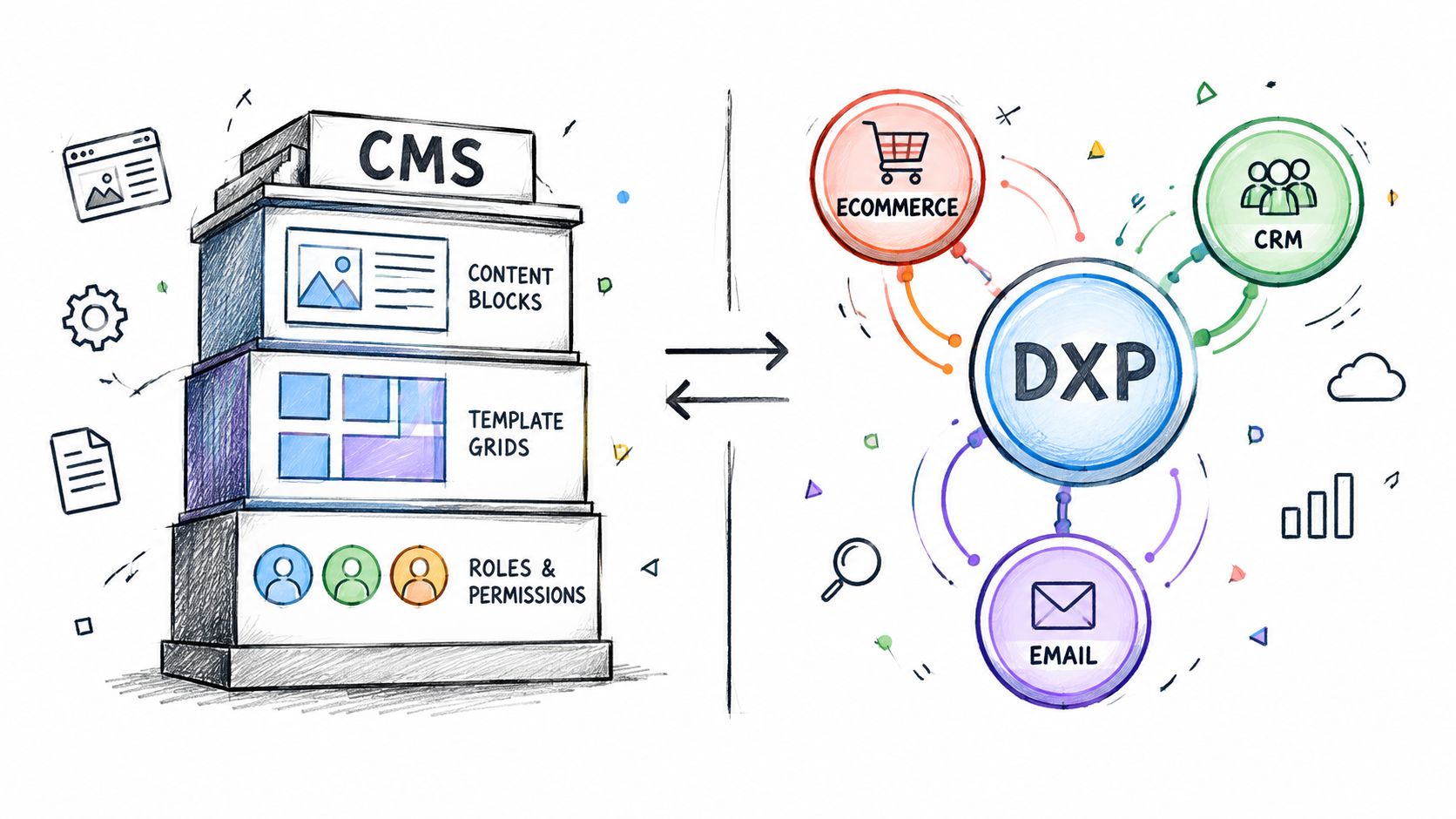
A traditional CMS is strongest when the job is content modeling, templating, and publishing. That works well until the estate needs shared operations around forms, commerce, contact data, and campaign coordination. At that point, the platform starts to look like a cluster of separate systems stitched together by custom work.
A DXP changes the economics because it centralizes more of the recurring work in one console. That doesn't mean every team should chase complexity for its own sake. It means that portfolio scale often rewards fewer moving parts, especially when the same editors, templates, and workflows are reused across brands.
WebinOne's published 99.95% availability commitment and 99.99% uptime track record over the last twelve months give buyers something concrete to weigh, alongside its deployment on AWS across 6 global regions. That operating profile matters because platform consolidation only works when the underlying service model is stable enough to carry the whole estate.
A DXP is not automatically the right answer, but a multi-site estate often becomes one once the same team owns content, commerce, and customer data.
The trade-off is real. A more integrated platform can reduce fragmentation, but it also asks the buyer to accept a more opinionated operating model. That is usually worth it when the estate is already paying the cost of duplicated tools, repeated workflows, and inconsistent governance.
How Multi-Site Migration Actually Works
A cms for multiple websites only matters if the move into it is controlled. A migration that ignores DNS, caching, and rollback planning is just a content shuffle with better branding.
Cutover starts before the switch
Migration guidance recommends lowering DNS TTL values to 300 seconds at least one previous TTL period before cutover, with 24–48 hours as a safe preparation window, while keeping the old and new servers online in parallel until traffic has moved. That timing guidance is what makes a smooth cutover possible, because cached records don't disappear the moment a change is made.
The practical sequence is straightforward. Build the new environment while the old site stays live. Copy files, keep the database in a read-only replica, test privately, and freeze writes only for the final synchronization and DNS switch. That process is slower than a hurried flip, but it avoids the false comfort of a migration that only looked good in staging.
What breaks even when the pages look fine
SEO redirects, SSL certificates, forms, authentication, analytics, and integrations can all fail after cutover even when the homepage renders correctly. That's why a per-site checklist beats a portfolio-wide shortcut every time. A large estate usually has different risks on different properties, and the same migration step won't protect all of them equally.
The safest rule is simple.
Keep the old environment alive until traffic has moved, the resolvers have expired, and the new site has been validated through actual user paths.
For teams managing multiple launches or acquisitions, the migration checklist should be repeated site by site. That's what keeps regional versions, campaign microsites, and legacy properties from inheriting the same mistake in one sweep.
Website content migration guidance is worth reviewing before any estate move, because content transfer is never the hard part by itself. The hard part is preserving the operational links around it.
Three-Year TCO for Multiple Websites
A cms for multiple websites should be judged over three years, not by the sticker price on the license. A low monthly fee still turns expensive if migration, training, integrations, hosting, and duplicate administration are left out of the comparison.
The cleanest way to evaluate it is cost per active site and cost per monthly content release. That forces the buyer to count the real drains on budget, migration labor, content modeling, training, support, integration work, and ongoing development. A platform saves money only when it removes duplication instead of adding another layer of managed chaos.
WebinOne's pricing starts at $10/month per site, and it also carries zero transaction fees on ecommerce. For agencies, that matters because the platform cost stays predictable while the service model can be priced around delivery, support, and governance instead of infrastructure overhead.
The hidden costs are usually not hidden to operators
Public-sector CMS projects often surface the same pattern. Reported implementation costs can sit in the $28,000 to $30,000 range for some agencies, consulting can add about $50,000, migration and training can reach $200,000, and recurring licensing, hosting, server, and user costs can land around $24,000 to $50,000 per year. Those figures are a reminder that the full bill includes migration labor and operations, not just the subscription line. Those figures
Central administration only creates value when it removes work. Shared templates, permissions, SEO controls, analytics, and deployment processes reduce cost only if they cut repetition across the estate. If every brand still needs its own manual workaround, the platform is central in name only.
| Model choice | What gets counted |
|---|---|
| Sticker-price comparison | License alone |
| Three-year TCO | Migration, training, support, hosting, integrations, and ongoing change |
| Operational view | Cost per active site and cost per monthly release |
The useful question is not whether one platform looks cheaper on day one. It is whether the estate will still be cheaper after the second migration wave, the next rebrand, and the next round of governance fixes.
White-Label Reselling and Agency Margin
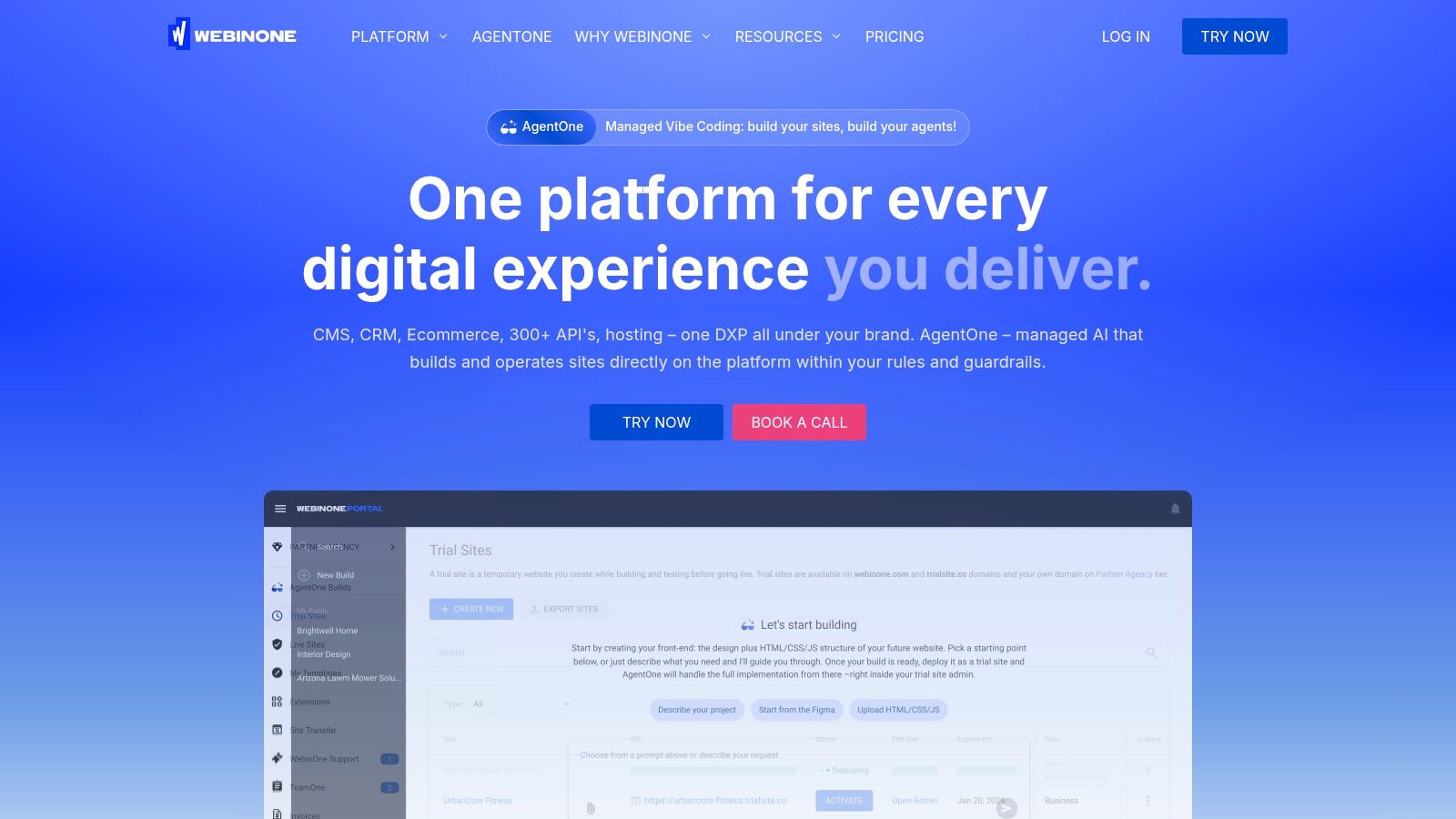
A cms for multiple websites creates agency margin only when the agency can sell under its own brand and keep patching, hosting, and support out of the client's line of sight. WebinOne's white-label setup is built for that operating model, with branded login, admin styling, and support flows that sit under the agency name.
The commercial logic is straightforward. If platform costs stay predictable while the client fee reflects the full managed service, margin comes from process, packaging, and governance, not from firefighting. That is a better model than selling one-off builds and then losing time to patching, plugin upkeep, and post-launch scaling work.
Pricing for the reseller motion is transparent, and the operating model includes defined partner support tiers rather than vague help. The exact per-site economics are the same model used in the TCO section, which matters because agencies need to know whether resale leaves enough room for delivery, support, and account management.
For agencies comparing service models, the key question is whether the platform lets them own the client relationship cleanly. The same logic shows up in site management tools for pros, where central administration and branded service delivery do most of the margin work.
What protects margin
- White-label control: The agency stays front and center, so the client sees one service relationship instead of a platform handoff.
- Reduced maintenance drag: Native extensions and managed operations cut down the patching burden that eats delivery time.
- Predictable economics: Clear per-site pricing makes resale packaging easier to defend.
- Service consistency: Paid partner support tiers with defined response times give the agency a repeatable path when something escalates.
Agencies that make this work usually stop selling sites as projects and start operating them as a managed estate. The white-label agency platform guide is useful for shaping that shift. It helps agencies package ongoing service with less noise around infrastructure, and more attention on margin, retention, and operational control.
Governance Use Cases That Decide the Choice
A cms for multiple websites succeeds or fails on governance, and governance usually shows up first in accessibility, resilience, and change control. A platform can centralize risk as easily as it centralizes content, so buyers need to ask the awkward questions early.
Accessibility debt is a good place to start. If a shared template ships with a WCAG failure, that same defect can spread across the portfolio. An accessibility audit of state tourism homepages found widespread automated issues, including missing alternative text, poor form labels, inconsistent heading structure, and weak color contrast. Centralization copies problems quickly, but it also lets a team fix them once if the workflow is disciplined.
Key-person risk is the other common failure mode. When only a few people understand integrations, security exceptions, deployment scripts, and legacy customizations, the estate becomes fragile. That is why managed platforms need transparent logs, scoped permissions, documented APIs, reversible changes, tested backups, and a recovery plan that does not depend on tribal knowledge.
What to ask any platform team
- Where are accessibility checks enforced, in templates, in publishing workflows, or both?
- How are site-level exceptions documented and audited?
- What happens if the person who knows the old integration disappears?
- Can changes be rolled back cleanly across the estate?
- How is fault isolation handled when one region or site has trouble?
AWS architecture belongs in the same conversation. AWS Well-Architected guidance says the difference between 99.5% and 99.99% availability is more than 3.5 hours of downtime per month, and that greater than 99.99% availability requires multi-Region deployment with multiple Availability Zones in each Region. That guidance is why uptime claims have to be tied to architecture, not marketing copy.
WebinOne's operating model supports that discussion because it runs on AWS across multiple regions, and its managed setup includes AgentOne, the platform's AI that builds and operates sites inside the system. Custom AgentOne work is scoped as a TeamOne project, which keeps governance attached to delivery instead of leaving it as an informal promise.
When role separation needs to be explicit, use The content approval workflow guide to map roles and sign-off rules. In multi-site estates, that kind of control is what keeps publishing from drifting into chaos.
Choosing the Right Path and the Next Step
For agencies, the decision comes down to margin and control. If your team is spending too much time on upkeep and too little on managed service, a white-label model is the cleaner fit.
For systems integrators, AWS partners, and enterprises, the discussion shifts to partnership or migration. WebinOne is an AWS Partner with a passed AWS Foundational Technical Review and Marketplace availability. A qualifying SI or customer can also get a licensed deployment in its own AWS account, including AWS GovCloud, by agreement.
Use a simple test. If you need governed multi-site operations, repeatable migrations, and fewer surprises in production, the next step is a migration or partnership conversation. If you need to resell managed websites under your own brand, start with the reseller program. The right choice is the one that reduces governance debt instead of adding another layer of it.
For SIs, AWS partners, and enterprises planning a migration or partnership, start a conversation with the WebinOne team at webinone.com/enterprise.