Website Content Migration: A Step-by-Step Guide for Agencies
58% of enterprise ECM decision-makers identified content migration as their greatest challenge, while WebinOne has completed 3,000+ migrations with zero downtime. The difference between a controlled migration and a costly rebuild is preparation, testing, and a rollback path that works before production traffic moves.
Website content migration isn't a copy-and-paste exercise. It's a strategic decision about what deserves to survive, what should be consolidated, and whether the new platform will remove operational debt or quietly reproduce it. Agencies and enterprise teams escaping WordPress plugin sprawl, fragmented CMS instances, or agency lock-in need more than a new interface. They need a controlled change in ownership, governance, search continuity, and delivery.
The practical standard is straightforward: discover everything, map every destination, transform content deliberately, test against production conditions, preserve publishing signals, and cut over with a reversible plan. The sections below follow that sequence.
Table of Contents
- Why Most Migrations Fail Before They Start
- Pre-Migration Preparation Phase
- Content Transformation and Mapping
- Automating Migration at Scale
- QA and SEO Preservation During Migration
- Understanding Migration Recovery Realities
- Rollback Planning and Final Cutover
Why Most Migrations Fail Before They Start
The industry keeps starting with redirects, imports, and templates. That sequence is backwards. A 2014 Forrester Research survey found that 58% of enterprise ECM decision-makers said content migration was their greatest challenge, while 70% of firms were using two or more ECM solutions and 29% were using four or more. The same study reported an average 4.2-month delay on re-platforming projects, as documented in the Alfresco technology adoption profile.
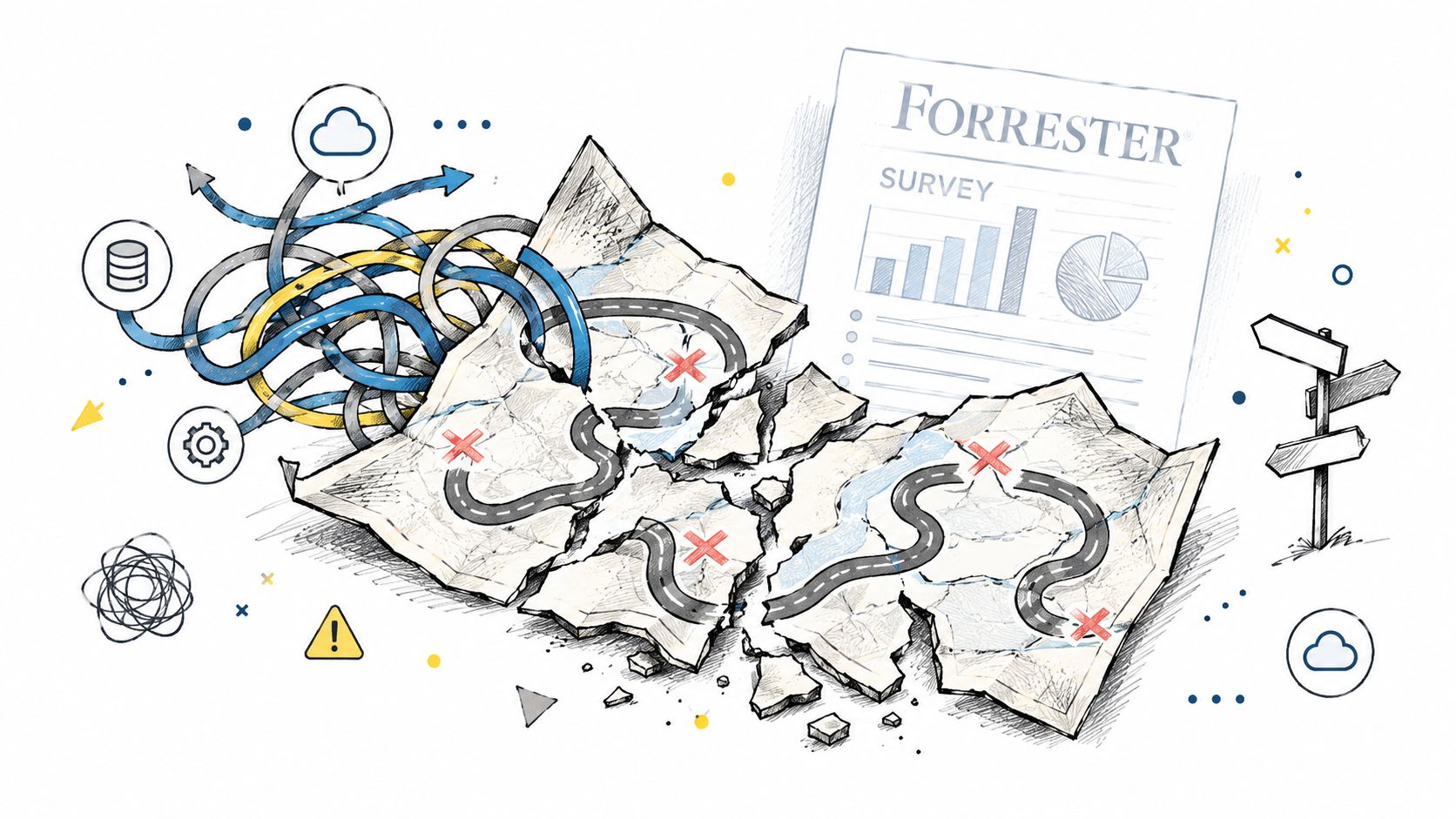
Those findings describe a governance problem, not a file-transfer problem. When teams operate several content systems, nobody can assume that the visible navigation represents the full estate. Permissions, document libraries, orphaned landing pages, embedded assets, approval history, and platform-specific metadata often sit outside the page list that a project manager first receives.
A migration is a decision system
A successful migration answers four questions before engineering begins:
- What stays: Content that remains accurate, useful, and aligned with business priorities.
- What changes: Valuable content that needs a new structure, format, hierarchy, or content model.
- What retires: Redundant, obsolete, or unsupported material with no defensible destination.
- Who owns it: The person or team responsible for approval, access, maintenance, and future updates.
A redesign playbook such as the Data Hunters Agency redesign playbook is useful because it treats structural change, content decisions, and search preservation as connected work rather than isolated tickets. The same principle applies when an agency moves a client from WordPress to a managed platform, or when an enterprise consolidates brands into a multi-site system.
Practical rule: If the migration team can't explain what will happen to every important page, asset, permission, and URL, it isn't ready to move anything.
This is also why a digital experience platform deserves evaluation beyond its page editor. A useful DXP overview frames the platform as a coordinated operating layer for content, data, workflows, and channels. The migration should leave the organization with fewer dependencies, clearer governance, and a documented system that more than one person can operate. Otherwise, the business has only inherited a cleaner-looking version of the same lock-in.
Pre-Migration Preparation Phase
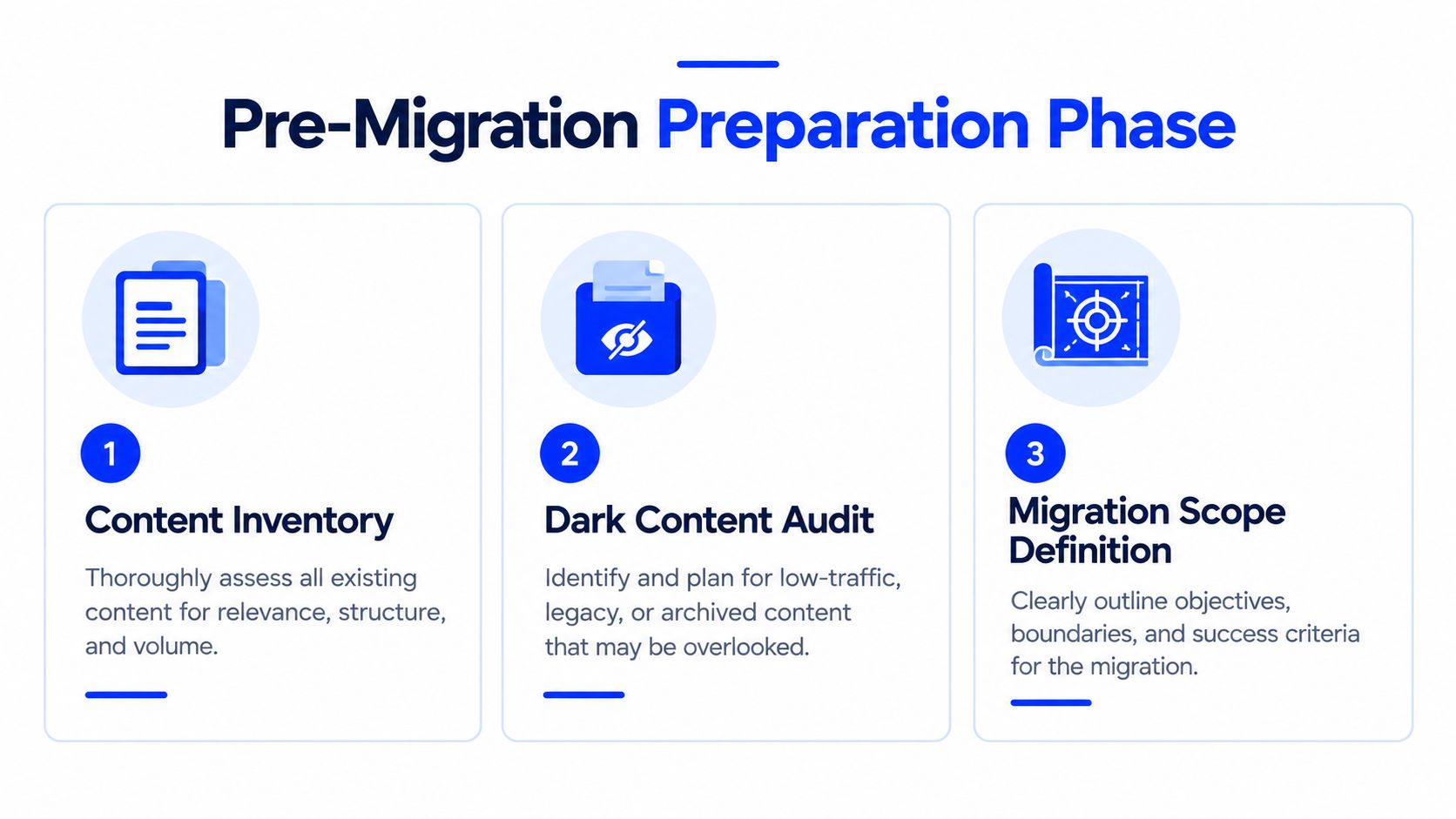
Preparation has three essential outputs: a defensible inventory, a one-to-one URL map, and a controlled publishing freeze. Compressing any of them creates uncertainty that reappears as missing pages, broken permissions, or unexplained search losses after launch.
Find the content nobody remembers
A crawler captures discoverable URLs, not necessarily the complete content estate. The inventory should combine a crawl, CMS exports, media and document repositories, analytics data, XML sitemaps, redirect files, search data, and stakeholder interviews. Teams should also inspect old campaign folders, downloadable files, subdomains, staging remnants, and pages excluded from navigation.
Dark content is the long tail that causes late surprises. Guidance from Concrete CMS on content migration warns that sites can hide hundreds of overlooked pages and legacy libraries, and that migration fails when teams treat the work as a purely technical copy exercise. Each discovered item needs an owner, content type, access rule, migration decision, destination, and QA status.
Map one source to one destination
The URL map is the migration's source of truth. Every legacy URL should be classified as unchanged, moved, consolidated, redirected, or retired. A changed URL must point to one relevant destination, not a chain, a generic homepage, or an ambiguous category page.
The map should include pages and assets. PDFs, images, videos, and downloads can have external links and user journeys of their own. Internal links should be updated to the final destinations rather than relying on redirects indefinitely.
Freeze the system, then make exceptions visible
A content freeze prevents the source and destination from drifting apart. Without it, editors publish into the old system while developers test an earlier snapshot, and nobody can prove which version is authoritative. If a business-critical update must go live, the project owner should record it, approve it, and apply the same change to the migration dataset.
Teams preparing a cross-platform move can use this cross-platform migration guide as a planning reference. The point isn't to produce another spreadsheet. It's to establish a chain of custody for content, ownership, decisions, and approvals before the first import runs.
Content Transformation and Mapping
Moving a page is easy. Moving its meaning, relationships, markup, assets, and search signals is the difficult part. A source platform's content model rarely matches the destination model, so a successful migration needs a transformation layer rather than a direct export and import.
Clean the structure before loading it
Legacy HTML often contains inline styles, obsolete classes, nested tables, broken embeds, and markup generated by plugins or visual editors. Sanitizing that HTML before import prevents old implementation decisions from becoming permanent technical debt. Hyperlinks should be updated to relative paths or the destination's approved structure, so hard-coded references to the previous domain don't survive the move.
Parent and child relationships need explicit treatment. A service page that sat beneath one navigation branch may need a different parent in the new information architecture. The migration script can move the record, but a content strategist still needs to confirm whether the hierarchy makes sense for users and search engines.
A strong transformation workflow typically handles:
- HTML sanitization: Remove obsolete formatting and normalize reusable content.
- Link conversion: Replace hard-coded legacy references and identify links needing redirects.
- Hierarchy rebuilding: Recreate parent, child, category, and navigation relationships.
- Media import: Put images, documents, and other assets into the destination library.
- Metadata transfer: Preserve or deliberately revise titles, descriptions, canonicals, and schema.
- Content consolidation: Merge overlapping pages instead of carrying duplication into the new system.
The Adobe Business Catalyst to WordPress migration checklist identifies the practical mechanics that teams often omit, including sanitizing HTML, updating hyperlinks, importing media, preserving parent and child hierarchy, generating redirects, and keeping SEO titles, descriptions, and schema intact.
Treat consolidation as a strategic choice
Consider a WordPress site with five years of plugin-generated pages. A lift-and-shift approach preserves every thin archive, duplicate landing page, and plugin-specific URL pattern. A transformation approach groups the material into a logical hierarchy, assigns canonical destinations, rewrites high-value pages, and retires content with no useful successor.
That choice affects more than appearance. A clean hierarchy gives editors clearer publishing rules, gives users fewer competing paths, and gives crawlers a more coherent representation of the site. The migration is the rare moment when teams can change the content model and the information architecture together. Carrying every historical pattern forward wastes that opportunity.
Automating Migration at Scale
Manual migration has a place, particularly when a small site needs editorial judgment on nearly every page. It fails as an operating model for large portfolios because spreadsheets don't provide reliable extraction, repeatability, error logs, or proof that every record was processed.
WebinOne has completed 3,000+ site migrations, including work associated with the Adobe Business Catalyst end-of-life event. Adobe told Business Catalyst customers that all sites would stop being hosted on March 26, 2020, and that customer data would be retained only until that date for export and transition, according to the company's Business Catalyst end-of-life announcement.
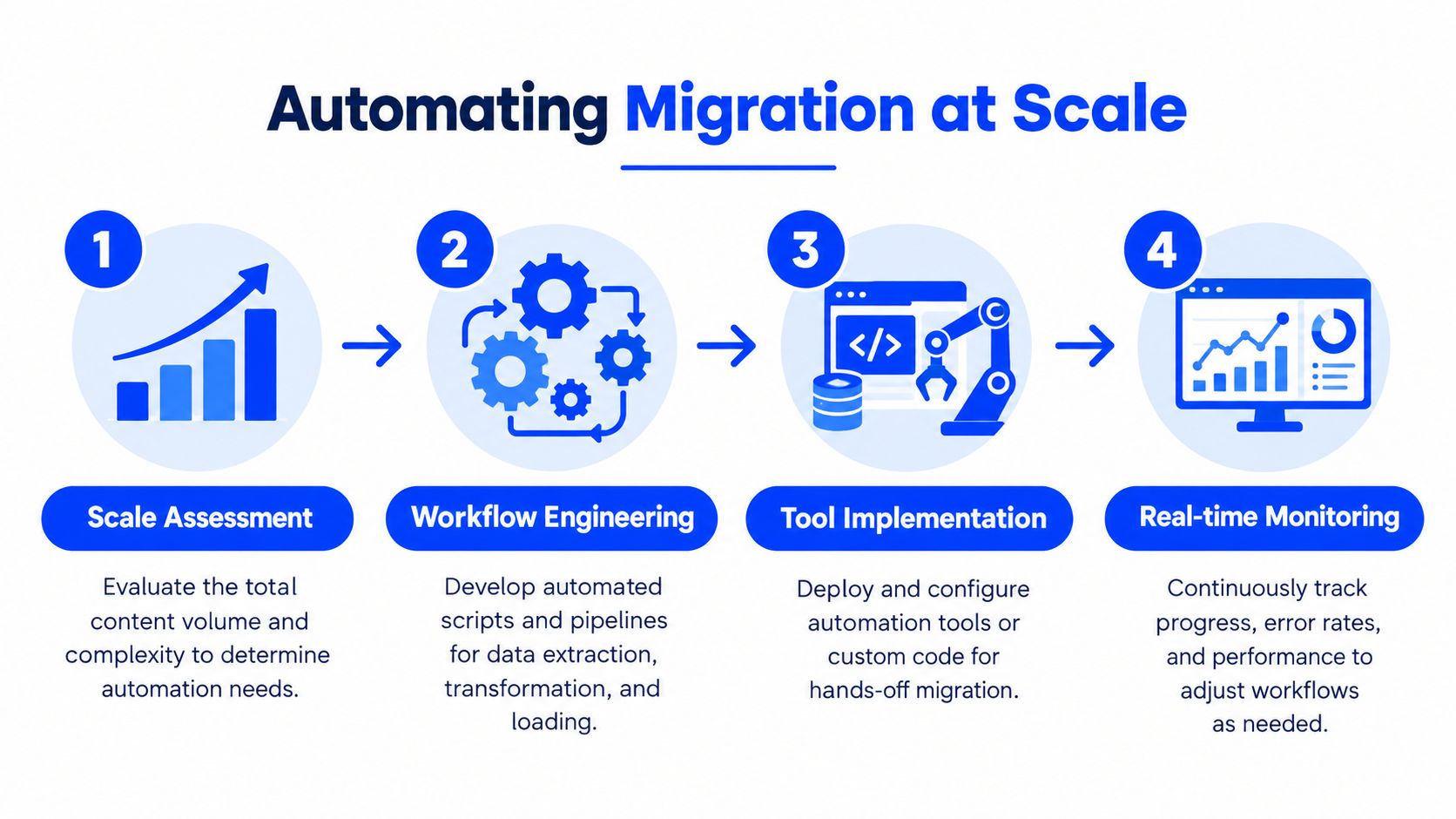
That kind of deadline changes the engineering standard. The team needs automated inventory extraction, repeatable transformation rules, batch mapping, import validation, staged deployment, and logs that show which records succeeded or failed. Automation should produce an audit trail, not just a faster upload.
Automate the repeatable work
Useful automation includes:
- Inventory extraction: Crawl legacy URLs and export CMS records, assets, fields, and metadata.
- Classification: Match content types to destination models and flag records requiring review.
- URL mapping: Apply approved rules, then route exceptions to human reviewers.
- Transformation: Sanitize markup, convert links, normalize fields, and attach media.
- Validation: Compare source and destination counts, required fields, URLs, metadata, and rendering.
- Monitoring: Record failures, retry safe operations, and expose unresolved records before launch.
WordPress tooling illustrates the packaging model. All-in-One WP Migration describes a single .wpress backup containing the database, media, themes, and plugins for restoration on a destination site. That can simplify a controlled transfer, but it doesn't decide whether the imported plugins are secure, whether their generated URLs deserve to remain, or whether the destination content model is sound.
Human judgment remains essential for consolidation, permissions, legal retention, brand voice, and exceptions. The strongest workflow automates consistency while keeping consequential decisions visible and reversible.
QA and SEO Preservation During Migration
A staging site is only useful if it behaves like production. Independent migration guidance recommends a close production mirror because failures often come from missing redirects, crawl blocks, and mismatched runtime versions, as outlined in Netguru's website migration guidance.
The QA process should begin with the inventory, not the launch date. Test representative templates, priority pages, forms, search, member areas, ecommerce paths, downloads, embedded media, redirects, and permissions. A page that renders correctly in a CMS preview but fails on the public front end is still a migration failure.
Validate the signals search systems rely on
Before cutover, the team should validate:
- Redirect destinations: Each changed legacy URL resolves directly to its intended destination.
- Canonical tags: Canonicals point to the correct preferred URLs and don't retain the old domain.
- Sitemaps: The new sitemap contains the intended indexable URLs and excludes staging artifacts.
- Metadata: Titles, descriptions, headings, structured data, and image attributes remain present or have approved replacements.
- Crawl access: Production isn't carrying over staging blocks, accidental noindex rules, or inaccessible assets.
- Analytics: Page views, conversions, ecommerce events, and campaign attribution continue to record correctly.
- Internal paths: Navigation, contextual links, forms, and calls to action point directly to live destinations.
The site migration SEO checklist gives teams a practical way to organize these checks. The discipline matters because redirects alone don't preserve the complete meaning of a page. Search engines and answer systems also need consistent content, canonical relationships, structured data, and accessible supporting assets.
Prevent a content-discovery collapse
A migration can become invisible while engineering teams are busy rebuilding it. If publishing stops for an extended period, search engines and AI crawlers may encounter fewer fresh updates and weaker structured signals. Recent migration guidance highlights this content gap, while separate industry guidance places a typical temporary organic traffic decline at 10% to 30%, depending on the migration, as reported by Be Visible's migration checklist.
The answer isn't to publish recklessly during a freeze. It's to maintain an approved parallel queue, preserve update cadence where safe, keep core taxonomies complete, and ensure the destination can receive staged content without creating duplicate canonical versions. Content continuity should be tested alongside redirects, not treated as post-launch marketing work.
Understanding Migration Recovery Realities
Migration risk has a long tail. A large-scale study of 892 domain migrations found that the average recovery time to regain the same level of organic traffic was 523 days, while 17% of migrations still hadn't recovered after 1,000 days, according to the updated analysis referenced by Candid Creative's migration mechanics guide.
The updated sample matters. Earlier reporting on the same research described 42% of sites as never recovering after 1,000 days, but the later 892-site sample revised that result to 17%. That revision makes the benchmark more useful, not less alarming. It shows that recovery is possible for many sites, while also proving that a meaningful minority can remain below baseline for years.
Set expectations by migration risk
Industry guidance reports temporary organic traffic declines of 10% to 30% for typical migrations and 20% to 50% or more for poorly executed or domain-changing migrations, as summarized by Reflect Digital's SEO migration guide. These figures shouldn't become a forecast for every project. They should force stakeholders to distinguish between a planned fluctuation and a preventable failure.
The most common technical failure patterns are specific:
- Missing redirects: Important legacy URLs return errors or lead users to irrelevant destinations.
- Redirect chains of three or more hops: Multiple forwarding steps add latency and make diagnosis harder.
- Incomplete metadata transfers: Titles, descriptions, canonicals, and schema disappear during transformation.
- Crawl restrictions: Staging noindex rules, blocked resources, or incorrect robots directives reach production.
- Content discontinuity: The new site loses depth, topical coverage, or publishing momentum during the rebuild.
Recovery planning should therefore include a baseline, priority URL monitoring, conversion measurement, crawl diagnostics, and stakeholder communication. A migration isn't judged only by whether pages load on launch day. It's judged by whether the new system preserves and improves the business's ability to publish, be found, and convert over time.
Rollback Planning and Final Cutover
A rollback plan isn't an admission that the migration will fail. It's the mechanism that lets the team investigate a failure without turning a recoverable defect into an extended outage or search crisis.
The old environment should remain intact, accessible to the migration team, and capable of serving the previous experience until the new platform has passed final validation. The destination should have a verified backup, a known release version, and a documented procedure for restoring the previous route. Nobody should be deciding how to roll back while live users are reporting broken forms.
Use a written readiness gate
Before cutover, the release owner should confirm:
- Content completeness: Inventory records, assets, permissions, and required fields have passed validation.
- SEO integrity: Redirects, canonicals, metadata, structured data, and sitemap updates are approved.
- Functional coverage: Navigation, search, forms, ecommerce, accounts, downloads, and integrations work in production-like testing.
- Observability: Analytics, logs, error monitoring, crawl checks, and business conversion events are active.
- Recovery readiness: The previous environment and destination backup can be restored through a rehearsed procedure.
Cutover itself should follow a controlled runbook. The team switches traffic according to the approved release sequence, verifies the live certificate and cache behavior, checks priority URLs from external access, confirms analytics events, and watches error logs. A zero-downtime objective requires overlap between environments, not a last-minute shutdown of the old site.
Rollback rule: The recovery path must be tested with the same seriousness as the forward migration. An untested backup is a hope, not a rollback plan.
Teams escaping plugin-heavy WordPress builds or fragmented agency-managed stacks should also examine who owns the platform after launch. WebinOne's TeamOne service handles staged migration, testing before and after cutover, and managed operation, while the platform provides centralized CMS, ecommerce, CRM, email, multi-site management, and headless API capabilities. That model is relevant when the primary objective is not just changing CMS vendors, but ending the cycle of plugin maintenance, undocumented custom code, and key-person dependency.
If the migration is already underway, the immediate outcome should be a verified inventory, an approved URL map, a production-matched staging environment, and a tested restoration path. If it hasn't started, those artifacts should be the entry criteria, not deliverables promised after development begins.
WebinOne helps agencies, system integrators, and enterprise teams plan, transform, test, and operate website content migrations without inheriting the same fragmented stack. Visit WebinOne to review the platform and start a migration conversation with the team handling complex re-platforming work.