Full Release Notes
|
Backlog |
Ability for partners to block the admin access and pause the websites for clients which are not paying. |
If a partner chooses the soft option:
If a partner chooses the hard option:
|
|
Backlog |
Ability to add multiple domain names to a website and point to different landing pages. |
If the home page isn't set at all, there should be a customisable system page displayed. ‘Settings’ > ‘System Pages’ > “missing-home-page”
If the visitor enters on the custom domain of the current website;
|
|
Backlog |
Update Liquid To Include Date & Time Filters |
Added date filters: site_date {{ “now” | date }} outputs "09-Jan-2015" site_datetime {{ “now” | datetime }} outputs "09-Jan-2015 02:46 PM" date_utc {{ “now” | date_utc }} converts a date to UTC (assuming that the date is always given in the site’s timezone) date_add myDate - filter input should be a date time object or a string convertible to a date time object amount - an integer number or a string convertible to an integer number representing the amount of date or time units to add (if positive) or to subtract (if negative) from the input date time object datePart - a string representing the date or time parts to be added or subtracted. The allowed values are:
E.g. using either one of the variables below: 3016-06-15 12:30:30Z will output 3016-06-15T12:30:30 2016-09-15 12:30:30Z will output 2016-09-15T12:30:30 2016-06-30 12:30:30Z will output 2016-06-30T12:30:30 2016-06-16 08:30:30Z will output 2016-06-16T08:30:30 2016-06-15 11:50:30Z will output 2016-06-15T11:50:30 2016-06-15 13:00:30Z will output 2016-06-15T13:00:30 2015-06-16T08:30:29.900 will output 2015-06-16T08:30:29.900 If one of the parameters is of an incompatible type or value, the filter will not alter the input. |
|
Backlog |
Contact assignment to the Secure Zone. |
Admin able to set/edit the expiry date of the secure zone for a contact The configuration can be managed in the contact setting - http://prntscr.com/nip1uq. |
|
Backlog |
Default Expiry date for the Secure Zone. |
If any of the forms have a secure zone, but the expiry date for it isn't specified, the default expiry date should be 31-Dec-9999. |
|
Backlog |
System Page if the access to the Secure Zone is expired. |
If the expiry date of the contacts secure zone subscription is bigger than the set expiry date, the system should show the system page (403). The user should not be able to enter the secure zone by any means until the expiry date is less smaller than the current one. |
|
Backlog |
Change SEO Title To Meta Title In Liquid Properties |
{{this[‘MetaTitle’]}} Added and renders the same value as {{this[‘SEOTitle’]}} |
|
Backlog |
Timezone for form submissions |
The form submission times in the CRM now showing time in site timezone. |
|
Backlog |
Customise the “Create New” item name in modules |
Admin is able to add the name for the "Create New" button on the "treeView" for modules: The field where the admin can add the Alternative Item name - http://prntscr.com/nl0ow4. The name for the "treeView" module should be displayed here - http://prntscr.com/nl0oob. |
|
Backlog |
Add support of .webp images |
Add support of files with extension: ".webp" type: "image/webp" |
|
Backlog |
UI Improvements |
File Manager:
Modules:
Component Manager:
|
|
Backlog |
URL Redirect 302 status code changed to 301 |
Change current
|
|
Bug |
URL redirects with .html extension as source |
Any url redirect that is added to the system with .html as the source url won’t redirect. Another usability issue is that when you make a change to a url and go ‘back’ it takes you back to the first page of results every time and not just back to the page you were up to. It also defaults back to 20 results instead of 50. |
|
Bug |
Import/Export - doesn't react to Disable for site search |
|
|
Bug |
Change Timezone - event in calendar displays one day back |
|
|
Bug |
Custom Module and Event pagination no display results |
When using Custom Module or Events search module with pagination, the paged views don’t show any items. |
|
Bug |
New Image manager not recognizing .jpg images |
Image manager in WYSIWYG editor not displaying .jpg images in the file system and so cannot be selected. |
|
Bug |
New Image manager - breadcrumbs don't work correctly |
Image manager in WYSIWYG editor not displaying breadcrumb/folder location correctly if reopening the image manager for a second time. |
|
Bug |
Create item from front end - change type |
Expiration Date input in the Create/Update Item forms is added as a type=“text” input - suggest changing to a type=“date” (as per custom properties dateTime fields) |
|
Bug |
Business plan - disable advanced settings |
Sites on Business plan had Advanced Settings enabled for Custom Modules when they should be disabled. |
|
Bug |
Set at Home and nICE |
Page with ‘Set as Home Page’ enabled will revert to disabled if saved via nICE editor. |
|
Bug |
Default priority - doesn't save during import |
|
|
Bug |
New Image manager - show full breadcrumbs |
|
|
Bug |
Set up Time zone on create item in Custom module |
User-submitted Custom Module items are not honouring site timezone for release date and expiry date IN THE WEB FORM RESPONSE - actual dates in the admin and when later rendering on site are correct. Initial response Release date
is always different. |
|
Bug |
Create item from front end - expiry days issue |
With ‘Expiry Days’ set for user submitted custom module (http://prntscr.com/nfs5pk) On item submission item is created with system default expiry date + expiry days - but should be calculated from today’s date http://prntscr.com/nfqq1b |
Multiple Domain Names
- Ability to add multiple domain names to a website and point to different landing pages.
- SEO
Pause Clients Which Are Not Paying
-
The ability to pause clients access to the admin and their email if they are not paying their bills.
- WebinOne Portal
BONUS: Alternate Name Of Custom Module Item
-
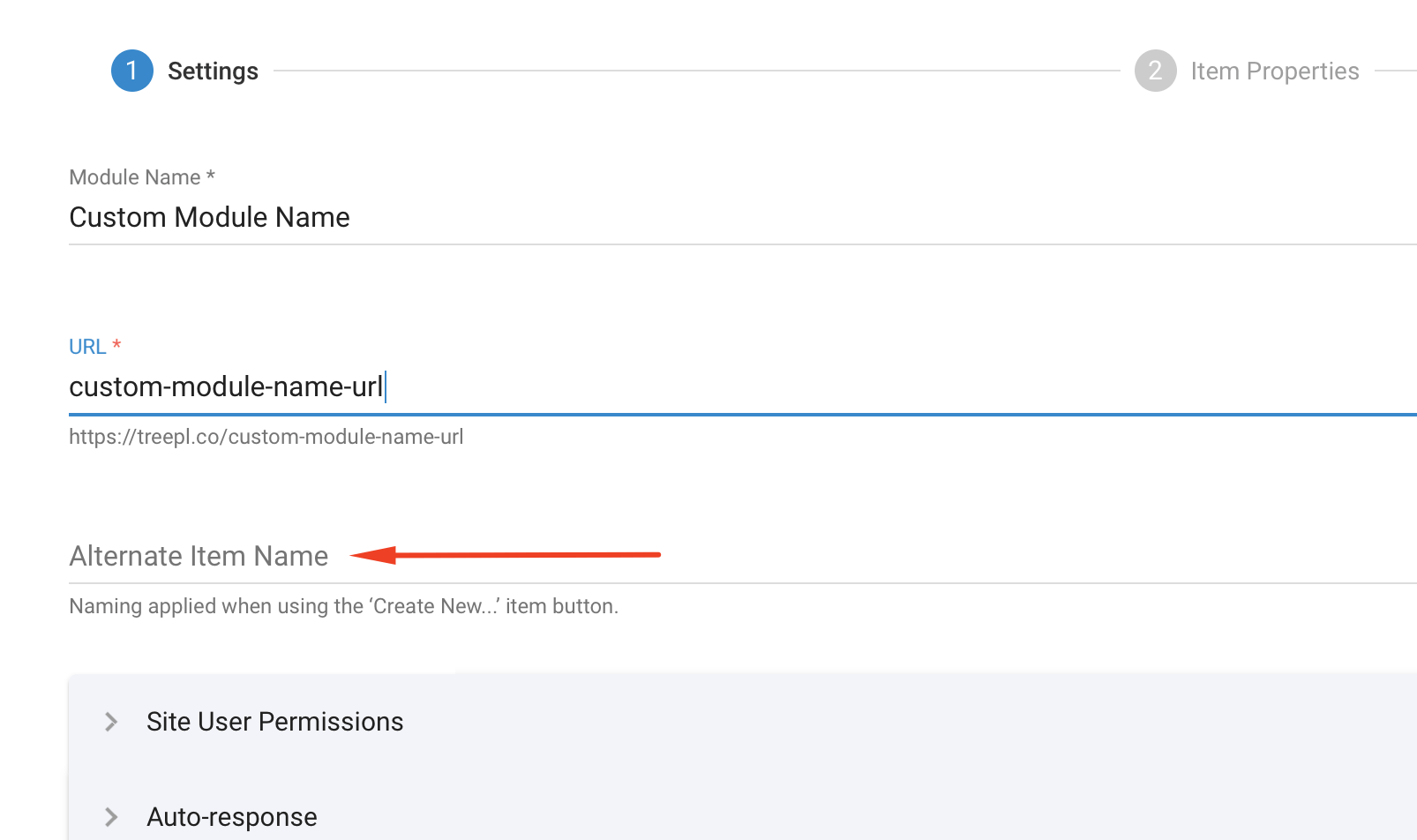
Ability to set a custom name for custom module item.
Very useful when using nested custom modules.
- Custom Modules
BONUS: “Author” and “Added By” fields to include links to those CMS items
-
Add a link to the CRM record next to any “Added By” field.
Add a link to the Author item next to any “Author” field.
- CRM
BONUS: Change SEO Title To Meta Title In Liquid Properties
-
Version 3.2 brought a change to the SEO section changing the ‘SEO Title’ field name to ‘Meta Title’.
It would be great to have this passed through to the Liquid property naming also for consistency.
ie: {{this.metatitle}}
We may need both {{this.seotitle}} (old) and {{this.metatitle}} (new) available for backwards compatability
...
- Liquid
- SEO
BONUS: Duplicate, Download Files & Folders
-
- Ability to download file from File Manager
- Ability to download folder from File Manager (as a seperate zip file)
- Ability to duplicate file and/or folder in File Manager
- Files and folders to render in alphabetical order
- File Manager
BONUS: Expiry Dates For Subscriptions
- Functionality for admins to set expiry date for a customer to access a secure zone. (eg: access expires 31.12.2019)
- Member Area
Update Liquid To Include Date & Time Filters
-
Date Filters can be very important to web sites that use dates and calendering.
See the following link for BC's Date Filters:
Link to BC docs
- Liquid