Website with Feedback: How to Add, Design and Triage It
Only 36% of organisations conduct user testing with disabled people, according to AbilityNet's 2025 accessibility survey. A website with feedback can still exclude the people who most need to report a problem. Installing a widget isn't enough. Agencies need a working system for collecting evidence, protecting visitors, assigning fixes and checking that those fixes work.
Table of Contents
- Choose the Feedback Method Before the Widget
- How to Add Feedback to a Website Step by Step
- Design Feedback Forms and Widgets People Finish
- Collect Feedback Without Privacy or Consent Problems
- Triage Feedback into Fixes That Ship
- Set Up the Feedback Loop on Your Client Sites
Choose the Feedback Method Before the Widget
On WebinOne, agencies should choose the feedback method before designing the widget, then apply a consistent setup across their client portfolio. The right combination answers both what visitors report and whether they can complete important tasks.
In a historical review by Nielsen Norman Group, users on 15 large U.S. commercial websites found requested information only 42% of the time, and each site averaged 11 severe usability problems. A technically functioning website can still make ordinary tasks unnecessarily difficult.
Internal reviews rarely settle the question. A designer knows where the navigation leads; a customer doesn't. A developer knows what a validation message means; a visitor may interpret it as a failed payment.
Feedback methods compared
| Method | Best for | What it captures | Main trade-off |
|---|---|---|---|
| In-page feedback widget | Problems on a specific live page | Comment tied to URL, optional screenshot | Easy to dismiss; can be inaccessible if built as a modal |
| Short on-page survey | Task success and satisfaction | One rating plus one open question | Low response unless triggered by a completed task |
| Full feedback or contact form | Detailed reports and support requests | Structured fields and attachments | More effort for the user, fewer submissions |
| Session recording | Reproducing where users get stuck | Clicks, scrolls and errors | Needs privacy review and input masking before use |
| Moderated usability test | Validating fixes with real tasks | Observed task completion and participant comments | Small sample and higher cost per insight |
| Support ticket log | Recurring issues customers already raise | Issue history and resolution | Only reaches people who already contacted the team |
The trade-off isn't just cost versus detail. Each method has a blind spot. Tickets capture people willing to contact support, not visitors who leave. Recordings reveal interaction sequences, but not necessarily the reason behind them.
For a checkout problem, pair a page-linked reporting channel with a moderated purchase task. For confusing help content, combine an article-level usefulness prompt with a periodic task-based review. Neither situation calls for every available collection method.
Selection rule: Keep an always-on channel for live problems and a periodic method for testing whether important tasks succeed.
Across a portfolio, consistency matters more than an elaborate setup on a flagship site. Standardise categories and questions where sites share a purpose, while allowing task-specific prompts for different journeys.
Agencies packaging ongoing improvement through the WebinOne reseller program should define this method set as part of delivery. Otherwise, feedback becomes another collection of disconnected forms that nobody owns.
How to Add Feedback to a Website Step by Step
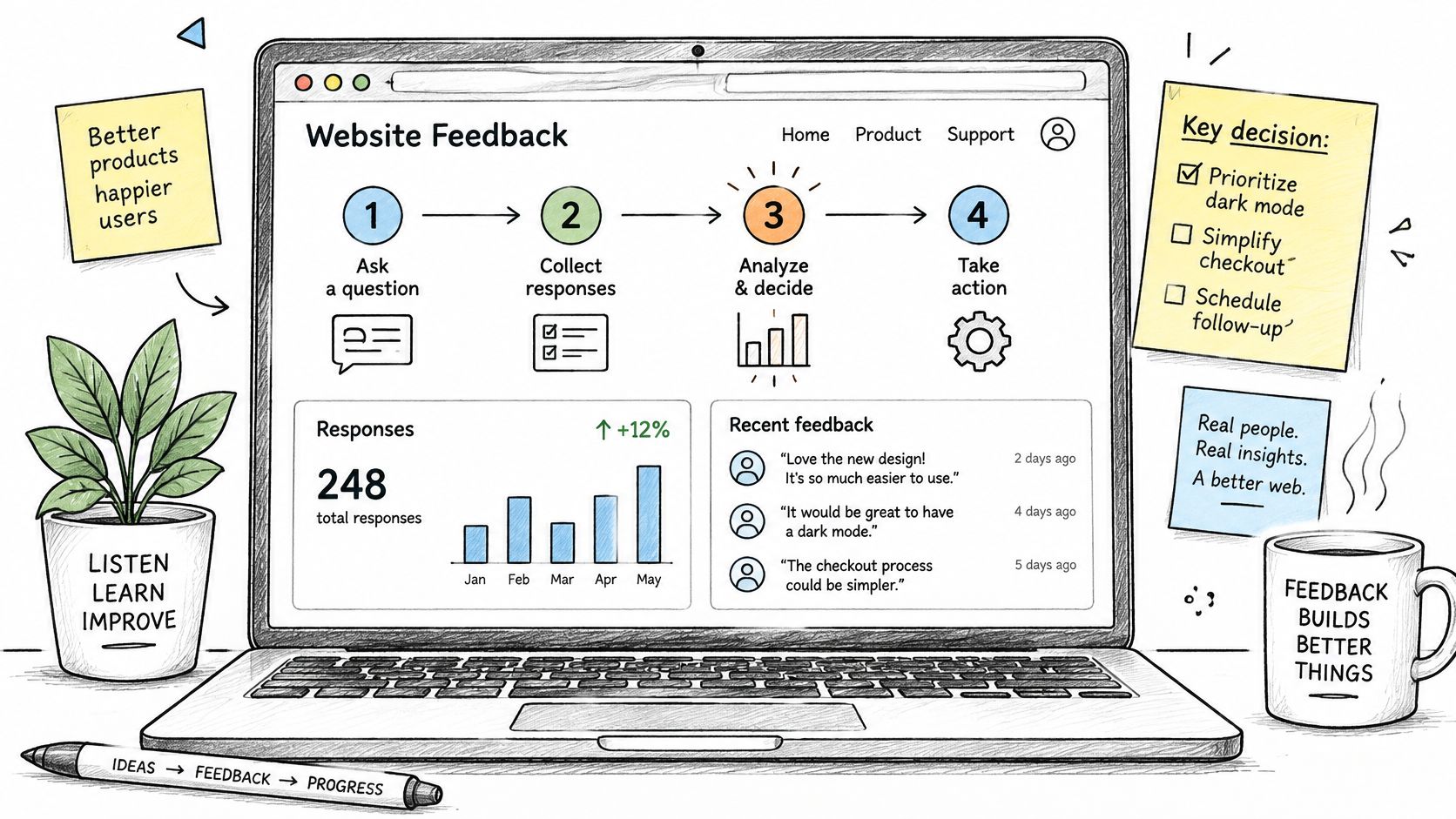
Start with the question a feedback report must answer. For example, if customers abandon checkout after viewing delivery information, the setup should capture feedback tied to that page and route it somewhere the team can investigate.
Build the collection path
Define the question. State the uncertainty in terms the team can act on, such as whether delivery information helps customers complete checkout. Broad requests for opinions often produce comments with no clear next step.
Choose the placement. Use a persistent entry point for general issues and page-specific prompts for checkout, applications or help articles. Avoid repeating the same interruption across every page.
Set the trigger. A manual button is a straightforward starting point. Timed or exit prompts need testing to ensure they do not interrupt active form entry. Keep feedback timing separate from form deadlines. If a form needs a timer, set up the form timing add-on; ordinary feedback should not impose a countdown.
Build the fields. Include only what is needed to assess the report, such as a rating, category, short comment, optional email address or attachment. Requiring every field adds work without necessarily making a report more useful.
Route submissions. Send reports to a shared inbox or ticket queue with the page URL, template identifier, browser detail and timestamp where appropriate. Without the URL, a team may struggle to reproduce an issue. Collect only the details needed to investigate it.
Apply the taxonomy. Tag entries by site, page type and product area using consistent values. A shared vocabulary keeps reports about the same checkout component together instead of scattering them across unrelated categories.
Test the complete route
Run pre-release QA. Test submissions on desktop and mobile, using a keyboard and screen reader. Check validation and confirmation states, confirm the receiving queue gets the report, and make sure failed submissions preserve the visitor's text.
Publish and inspect real entries. Review the first submissions for accurate URLs, category mapping, notifications and attachment handling. Correct configuration problems before expanding collection.
Follow one report from submission through assignment and release. That acceptance test reveals gaps between the website, the receiving queue and the work process.
After the pilot's opening week, the delivery lead should be able to identify tagged entries, recognisable duplicates and any documented page change prompted by a valid report. These are operating targets, not guaranteed results. If reports arrive but no one can explain what happened next, the collection path still needs work.
Design Feedback Forms and Widgets People Finish
WebinOne's WCAG Accessibility service audits a site and fixes it to WCAG 2.2 AA, including the feedback interface. The widget belongs inside the accessibility review, not outside it as a third-party exception.
Keep the interaction short and make its purpose visible. A visitor reporting an unreadable button shouldn't have to describe the whole customer journey before submitting.
Start with a compact set of controls, then reveal additional fields only when the category requires them. Free text should usually be optional, and an email address should be required only when the selected request clearly needs a reply.
Remove friction without removing meaning
Position the trigger away from submit buttons, cart controls and mobile navigation. A floating tab that covers the action a visitor needs creates another defect while supposedly collecting defects.
Use persistent text labels rather than icons or colour alone. Put useful error messages beside the relevant controls, preserve entered content after validation and explain how to correct the problem.
Modal dialogs need deliberate focus handling: focus must enter the dialog, remain usable inside it and return to the trigger on close. Avoid a modal when an inline panel or dedicated page would provide the same function more reliably.
The guidance for a website contact form also applies here: field selection, confirmation and routing should support the visitor's actual purpose. Simple reporting shouldn't require an account login.
An inaccessible feedback widget prevents the team from hearing about accessibility failures.
Give QA a remediation-ready checklist
The checklist should produce actionable defects, not a blanket accessibility pass. Test with disabled users as well as assistive technology, and record the relevant WCAG criterion alongside each failure.
| QA check | WCAG criterion | Suggested severity | Owner | Resolution status |
|---|---|---|---|---|
| Reach, use and close the interface by keyboard | Keyboard; No Keyboard Trap | Blocker when submission is prevented | Developer | Open until keyboard retest passes |
| Keep keyboard focus visible and unobscured | Focus Visible; Focus Not Obscured | Major | Designer and developer | Awaiting visual retest |
| Expose labels, roles and states correctly | Labels or Instructions; Name, Role, Value | Blocker when controls can't be identified | Developer | Awaiting screen-reader retest |
| Explain errors and announce results | Error Identification; Status Messages | Major | Developer and content editor | Awaiting validation retest |
| Maintain readable contrast and usable tap targets | Contrast Minimum; Target Size Minimum | Major | Designer | Awaiting component retest |
| Allow a typed report instead of requiring a screenshot | Non-text Content; Labels or Instructions | Blocker when reporting is otherwise impossible | Form owner | Awaiting alternative-path test |
Treat severity as an impact judgement, not an automatic consequence of the criterion. An optional attachment defect and a completely unusable submit control require different release decisions.
Collect Feedback Without Privacy or Consent Problems
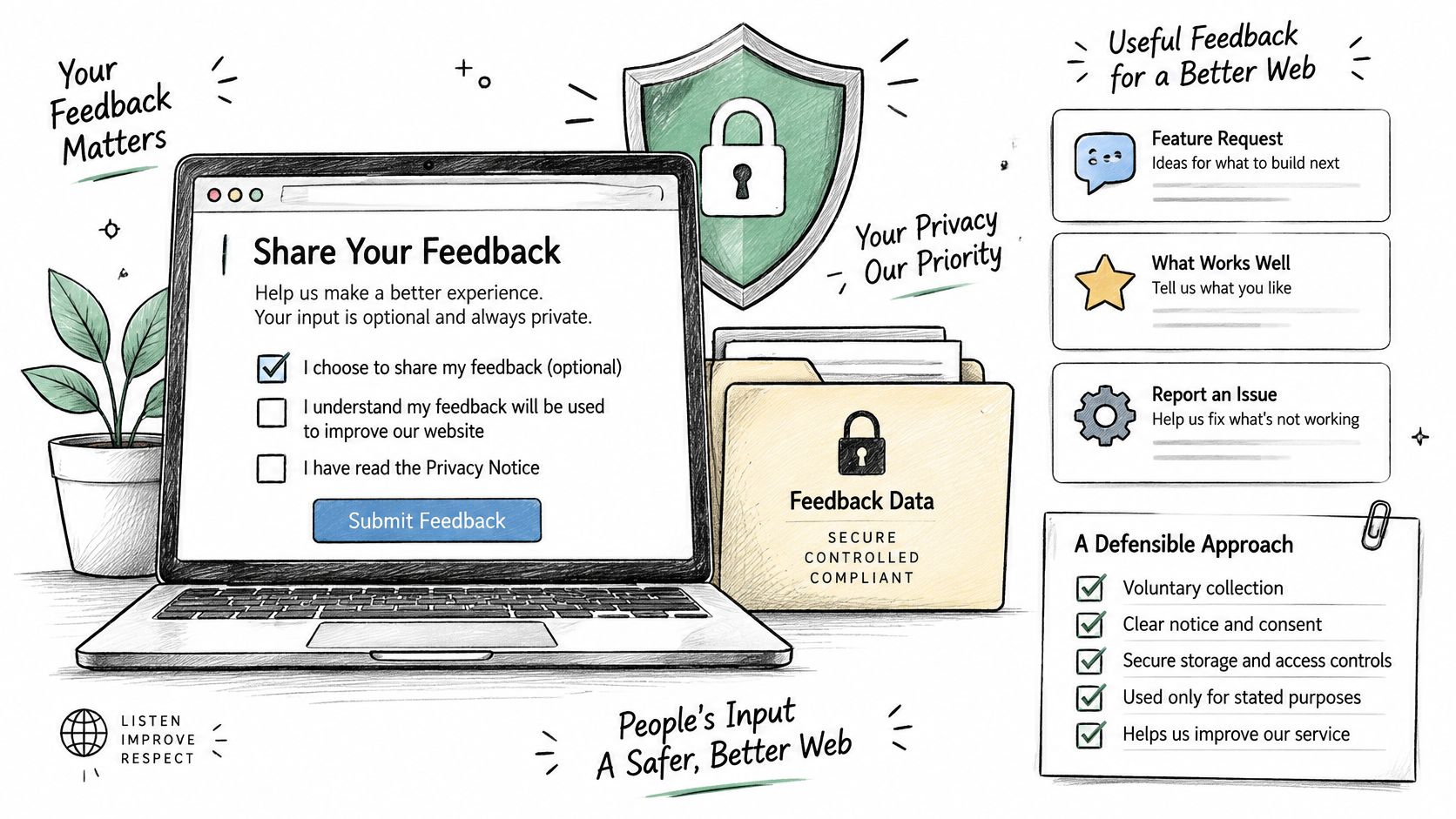
Installing a feedback tool decides what you collect, so write down the purpose and controls before launch. Each field, attachment, and piece of metadata should have a clear reason to be collected and a defined handling process.
A study of data-consent disclosures found that approximately 40.2% of evaluated responses referenced dark patterns. The study also found that vague consent wording increased perceived privacy threat and reduced users' sense of control. Explain the collection plainly; reassuring language alone does not give visitors a meaningful choice.
Record the controls before launch
- Separate purposes. Reporting a broken page must not subscribe a visitor to marketing. Assess feedback submission, analytics, and session recording separately; they are different forms of collection.
- Disclose collection. Tell visitors whether the tool captures an IP address, device information, session replay, or location. Remove unnecessary metadata by default, including personal information embedded in page addresses.
- Offer genuine choice. Make anonymous reporting visible alongside named reporting. If consent is requested, give the decline option comparable prominence. Ordinary feedback should not depend on accepting session recording.
- Set access and retention rules. Restrict tickets, screenshots, and recordings by role. Document a justified retention period, configure deletion, and assign someone to check that deletion occurs.
- Publish a route for concerns. Explain how visitors can request deletion or report sensitive content. Platform Users must ensure each client website includes a clear link to a Terms of Service and a privacy policy. Place those links beside feedback entry points.
Screenshots can expose account details, private messages, or information about another person. Warn visitors before they attach an image, and provide a restricted process for removing exposed material.
Collecting first-party data still requires a defined purpose and proportionate handling, particularly across public-sector sites and multi-brand portfolios.
Before launch, the accountable owner should answer these questions in writing:
- Necessity: What decision requires each field or metadata item?
- Choice: Can a visitor report a problem without identification or recording?
- Access: Who can inspect attachments and sensitive reports?
- Deletion: When is material removed, and who handles exceptions?
- Escalation: Who responds when feedback contains personal or confidential information?
Triage Feedback into Fixes That Ship
A blocker on mobile checkout should move from intake to a named owner, a confirmed fix, and a tested release. Run each report through a shared queue: deduplicate it, tag the affected page and template, assign severity and ownership, then track it through closure.
When reports describe the same issue, merge them under one parent ticket and retain the evidence, affected pages, and number of reports. Tagging the page and template helps distinguish a broken shared form component from incorrect copy on one landing page.
Feedback severity, owner and next action
| Severity | Typical example | Owner | Next action |
|---|---|---|---|
| Blocker | Form submission fails on mobile | Developer on duty | Fix before the next release |
| Major | Pricing page is unreadable at high zoom | Designer with developer | Schedule in the current sprint |
| Content | Wrong phone number in footer | Content editor | Correct the same day |
| Feature request | Request for CSV export | Product owner | Log and review at planning |
| Spam or noise | Repeated promotional text | Moderator | Hide the entry and block the sender |
Use these as queue defaults, and let severity judgement override them when context requires it. A wrong emergency contact number may warrant blocker treatment; a cosmetic issue on an unused page should not displace a failed payment journey.
For accessibility reports, record the relevant WCAG criterion, reproduction steps, and affected component. Agree on what evidence will confirm the fix, such as successful completion of the original task with the reported access need.
Feature requests need a separate planning decision. AI-driven feature prioritization can help structure the review, but report volume alone should not determine investment. Consider the affected task, contractual requirements, and the ongoing cost of maintaining the proposed capability.
A widely repeated complaint may justify a shared component fix. It does not automatically justify the feature customers propose.
Close with evidence, not a status change
Use explicit states such as accepted, reproducing, scheduled, ready for verification, and resolved. Verification should confirm that the original task succeeds, rather than relying only on a developer's completion status.
When remediation changes published information, apply content approval workflows. If the reporter provided contact details, send a short closing message describing the correction without exposing internal ticket information.
Keep weekly triage focused on new blockers and major issues. Review recurring themes monthly to identify template and component fixes that can prevent page-by-page patches.
Set Up the Feedback Loop on Your Client Sites
Pick the client site generating the most support tickets, provided its owner can approve changes promptly. Existing complaints give the pilot concrete tasks to investigate and a way to judge whether the feedback process helps teams act.
Move from pilot to repeatable delivery
- Limit the pilot. Apply the collection and handling rules on one client site before making them an agency standard.
- Name the accountable owner. Give that person authority to assign reports and escalate blocked decisions.
- Review before expanding. Check whether reports are being tagged correctly, blockers are closing within a sprint, and the same themes recur across sites.
Use these measures to spot gaps in ownership and follow-through, and to decide what to adjust before expanding the process.
WebinOne is hosted on AWS across 6 AWS regions and reports 99.99% uptime. Infrastructure availability provides a stable base; the agency still needs clear ownership and follow-through.
WebinOne helps set up the white-label portal and migrate existing sites if needed. Clients can submit a project through the Partner Portal or submission brief, and WebinOne responds within one business day.
This week, choose the pilot site and write down the specific question its feedback must answer. Take that brief to the WebinOne reseller program to discuss the white-label setup, delivery responsibilities and any migration needed before rollout.