Website Builder vs CMS: Which Platform Fits Agency Work
The most repeated advice about website builder vs CMS compares templates, feature grids and the monthly plan, and that comparison tells an agency almost nothing about the cost it's about to carry. None of those rows say who applies the next security patch, who gets paged when a client's checkout breaks, or what happens when the one developer who understands the stack resigns. The decision that moves margin is an operating decision wearing a product label.
Table of Contents
- Why the Builder-or-CMS Label Hides the Operating Decision
- Builder, Self-Hosted CMS and Managed DXP Side by Side
- Who Carries Patching, Hosting and Security Work
- Customization Limits and Performance Under Load
- Accessibility and Multi-Site Governance at Scale
- Total Cost of Operation Over Three Years
- Where the Platform Runs on AWS
- Match the Platform to Your Client Portfolio
Why the Builder-or-CMS Label Hides the Operating Decision
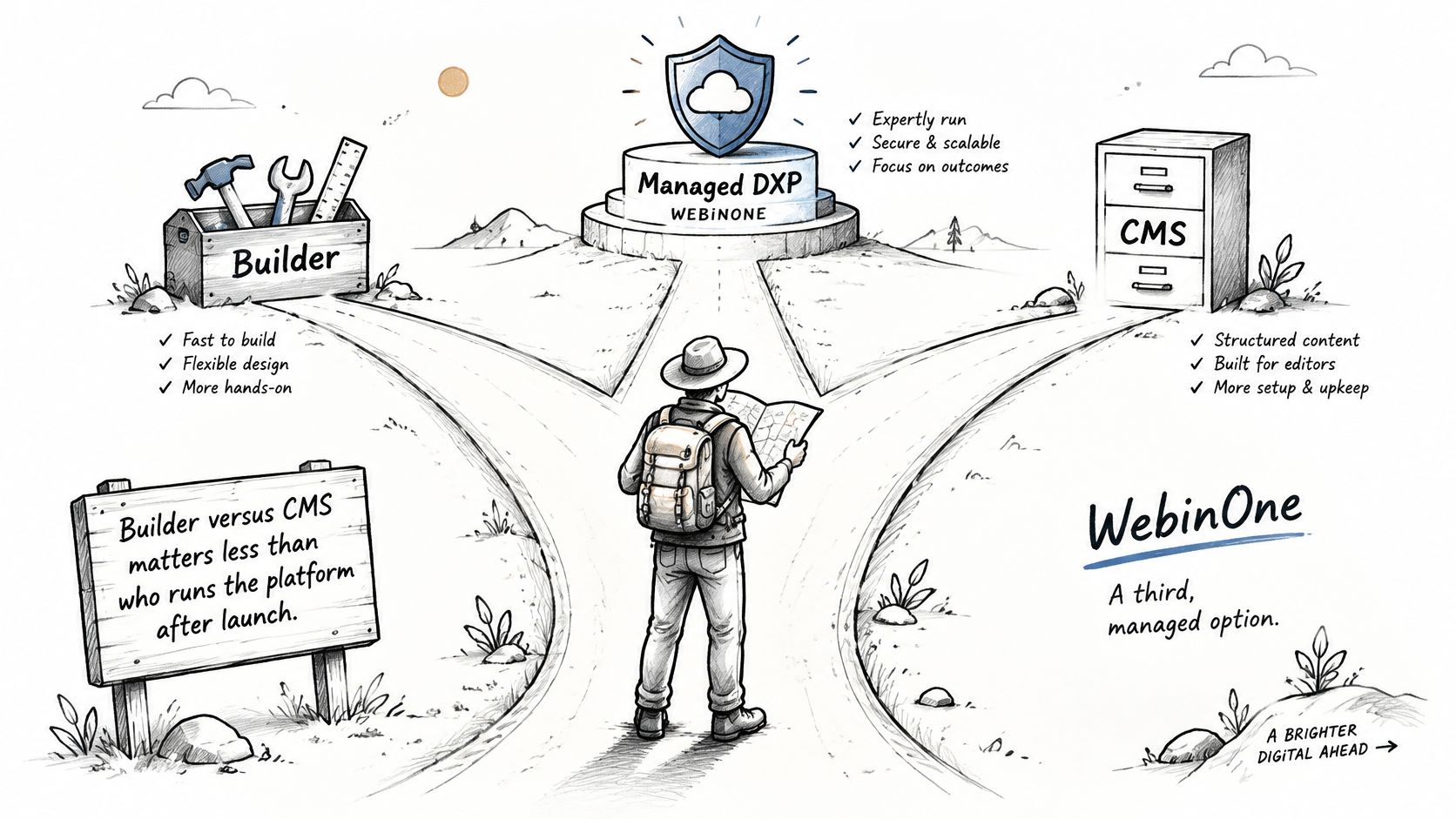
Agencies still price a site as builder or CMS, then find the invoice that matters is the labour each model keeps sending after launch. WebinOne sits between those two product labels as a managed DXP. A platform team carries hosting, patching and uptime. The agency keeps the content model, the client relationship and the margin.
Three operating models sit under the same shopping comparison. A hosted website builder leaves infrastructure and the template ceiling with the vendor. A self-hosted CMS leaves the stack and every release with the agency. A managed DXP splits the work. The platform team runs infrastructure and updates. The agency runs the content model, the design system and the commercial relationship with the client.
W3Techs' CMS usage tracking reports that one open-source CMS is used by 38.7% of all websites globally, and its dataset covers more than 1,000 CMS products. Usage data shows the choice affects most of the web. Structured content, reusable templates, editorial workflows, permissions and integrations exist because sites stopped being five pages with a contact form.
A brochure site hides the difference between the three models, because all three can ship it. A portfolio of forty client sites exposes it in month two. A plugin update breaks three forms on the same afternoon. A navigation change needs retesting across ten brands. A hosting incident has no owner until the client writes in. That cost is patch-window labour and governance labour, not the licence line.
Three questions to settle before you read further
- What triggers the next security patch on each site, and whose calendar does that window sit on?
- How many sites can one account lead govern before handover quality drops and nobody notices?
- What does the client hold on the day the contract ends in content, data and redirects?
Builder, Self-Hosted CMS and Managed DXP Side by Side
For agency and integrator work, a managed DXP such as WebinOne keeps the structured content model that makes a CMS worth using and removes the third-party plugin stack, and the table below shows where the three models diverge.
| Criterion | Hosted website builder | Self-hosted CMS | Managed DXP (WebinOne) |
|---|---|---|---|
| Infrastructure | Vendor-hosted | Your host or a managed host | Hosted on AWS across 6 regions |
| Core and extension updates | Vendor applies | Your team or host applies | WebinOne platform team applies |
| Extension model | Vendor-curated apps | Third-party plugins or modules | Native extensions, no third-party plugin dependency |
| Content model | Fixed page and block types | Custom types, usually built in code | Custom content types on the platform |
| Multi-site control | Separate accounts per site | Set per installation and hosting setup | One console for multiple sites |
| Headless delivery | Set by the vendor | Add-on or custom build | Headless CMS with APIs and webhooks |
| Price model | Monthly plan per site | Software free, hosting and labour extra | From $10 per month per site |
| Exit and data access | Check export terms before signing | Full file and database access | Backups and migration support through TeamOne |
Read the rows in order of consequence rather than alphabetically. Infrastructure and updates come first because they set the operating load the agency carries every week of the contract. Extension model and content model come next, because they set the customization ceiling a client will hit eighteen months in, usually during a campaign.
Multi-site control and headless delivery decide whether the model survives past one site. The builder column above is accurate for a single site with no development behind it. The self-hosted column is accurate for a team that owns its release cycle and wants to. The managed DXP column is accurate for an agency that wants the content model and the APIs without inheriting the server.
Then price and exit, which set long-term cost. Extension model and hosting are where the licence line and the actual cost part company: a cheap subscription plus forty hours of patching a quarter isn't a cheap subscription.
Score your own portfolio, not a generic one. Write your site count, your current monthly maintenance hours and your last three incidents in a column beside each row before you sit in a demo.
Two rows are verifiable in a live demo rather than in a brochure: custom content types built on the platform while you watch, and a multi-site console showing several sites under one login. Ask to see both.
Who Carries Patching, Hosting and Security Work
The hours show up as core updates, a plugin that breaks on release day, a restore nobody has rehearsed, and the 3am call when the site is down. The subscription line leaves them off. The timesheet does not.
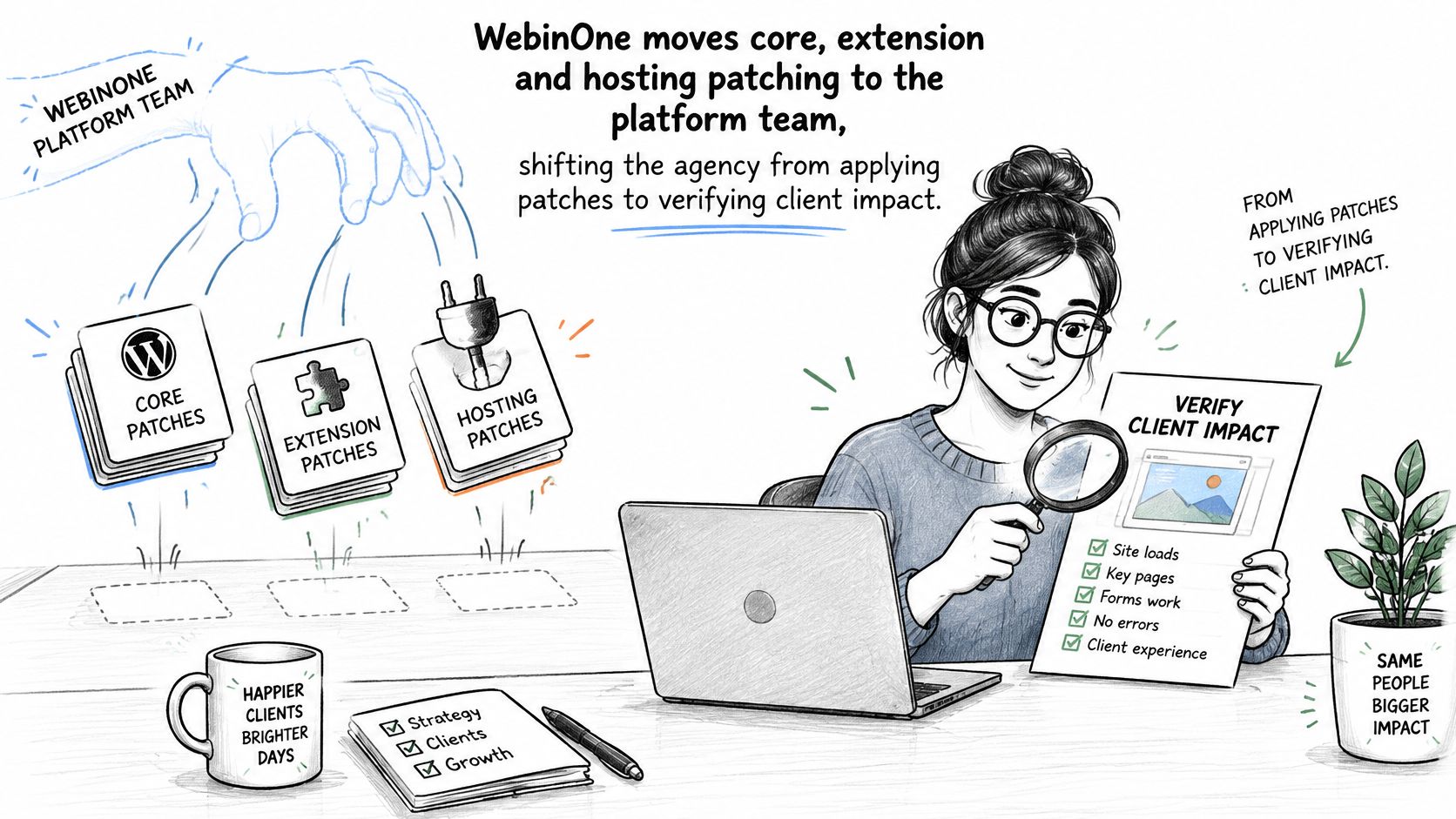
WebinOne moves core, extension and hosting patching onto the platform team. The agency stops applying those patches and starts checking what each release does to the client: forms, checkout, logins, redirects. I would price the retainer on that verification work, not on the old patch queue.
Name who owns these five items before you quote. They are the weekly load, not a one-time setup.
- Applying core and extension updates. Under a self-hosted CMS this sits with the agency or the host. Under a hosted builder the vendor applies them. Under a managed DXP the platform team applies them and publishes what changed.
- Checking extension compatibility after each update. Plugin-heavy stacks need a staging pass per release. Native extensions, built and supported in-house, collapse that step.
- Running and testing backup restores. A backup nobody has restored is a belief, not a control. Assign a named owner and a test date.
- Monitoring and incident response. Who reads the alert at 3am, and who tells the client?
- Recording who approved each change. Without a trail, a post-incident review becomes an argument.
Patch windows have tightened. Content systems get hit faster than a monthly maintenance slot can absorb, and exploitation can start before a disclosure is public. A patch cycle measured in weeks is a schedule for arriving second.
Over the last 12 months the platform recorded 99.99% uptime. That figure does not name an owner for the five items above. Put a person against each one this week. Where two items land on the same person, and that person is also the only one who understands the stack, the risk is structural: one person holds the knowledge. If they leave, the agency inherits the patch queue and an undocumented release process.
Count items 1 and 2 in the retainer. A staging pass after every release, across every client site, is the cost the licence line leaves off. Website maintenance services cover the same task list whether the agency or a platform team performs them. The bill changes with who is on the hook when the window closes.
Customization Limits and Performance Under Load
WebinOne gives agencies custom modules, Liquid templating and 300+ APIs without third-party plugins, and performance is governed at platform level rather than by whatever combination of extensions a site happens to carry.
Run four customization tests on any shortlist before you commit, ideally with the client's real requirements rather than a demo form:
- A form with conditional logic. A template-led builder offers a fixed field set. A self-hosted CMS needs a plugin or hand-written code. A managed DXP handles it through custom modules.
- An authenticated member area. Permissions and gated content are where builder ceilings show first.
- A commerce flow with payments. Test the checkout, the tax rules and the refund path, not the product grid.
- One integration the client already runs. Their CRM, their ERP, their warehouse. Ask what the API returns, not whether an app exists.
Performance evidence points at the operating model, not the category label. In field data across roughly 1.1 million sites, hosted website builders achieved an 80% Core Web Vitals pass rate, compared with 63% for open-source CMS platforms and 55% for custom hand-built sites. Managed platforms standardize caching, image delivery and runtime versions; self-hosted stacks inherit whatever the theme, plugins and database configuration do to them.
Those figures are platform aggregates rather than controlled tests, so use them to shape architecture questions and nothing more. Demand field data at platform level, plus p75 LCP and INP targets, cache-hit ratios and origin response times for each region the client serves. Test representative templates, authenticated areas and commerce flows yourself.
Ecommerce runs with zero transaction fees on every plan, and custom commerce logic is scoped as a TeamOne project when it goes beyond the standard catalog, orders and payments model. Availability sits behind the published SLA commitment, so put the number in your proposal language rather than assuming it.
Accessibility and Multi-Site Governance at Scale
A site can pass an audit on launch day and fail it six months later, once editors, widgets and new pages start landing. WebinOne's governance controls, reusable templates and TeamOne accessibility work are there to stop that regression across a client portfolio. No platform category makes a site accessible by itself. The decision is whether accessibility stays a one-off project or becomes an operation the agency can run on every site.
The volume is large. WebAIM's 2025 analysis of one million home pages found that 94.8% had detectable WCAG 2 failures, with an average of 51 errors per page and low-contrast text on 79.1% of pages. The average error count fell from 56.8 to 51 year over year, while homepage complexity rose 7.2%, from 1,173 to 1,257 elements.
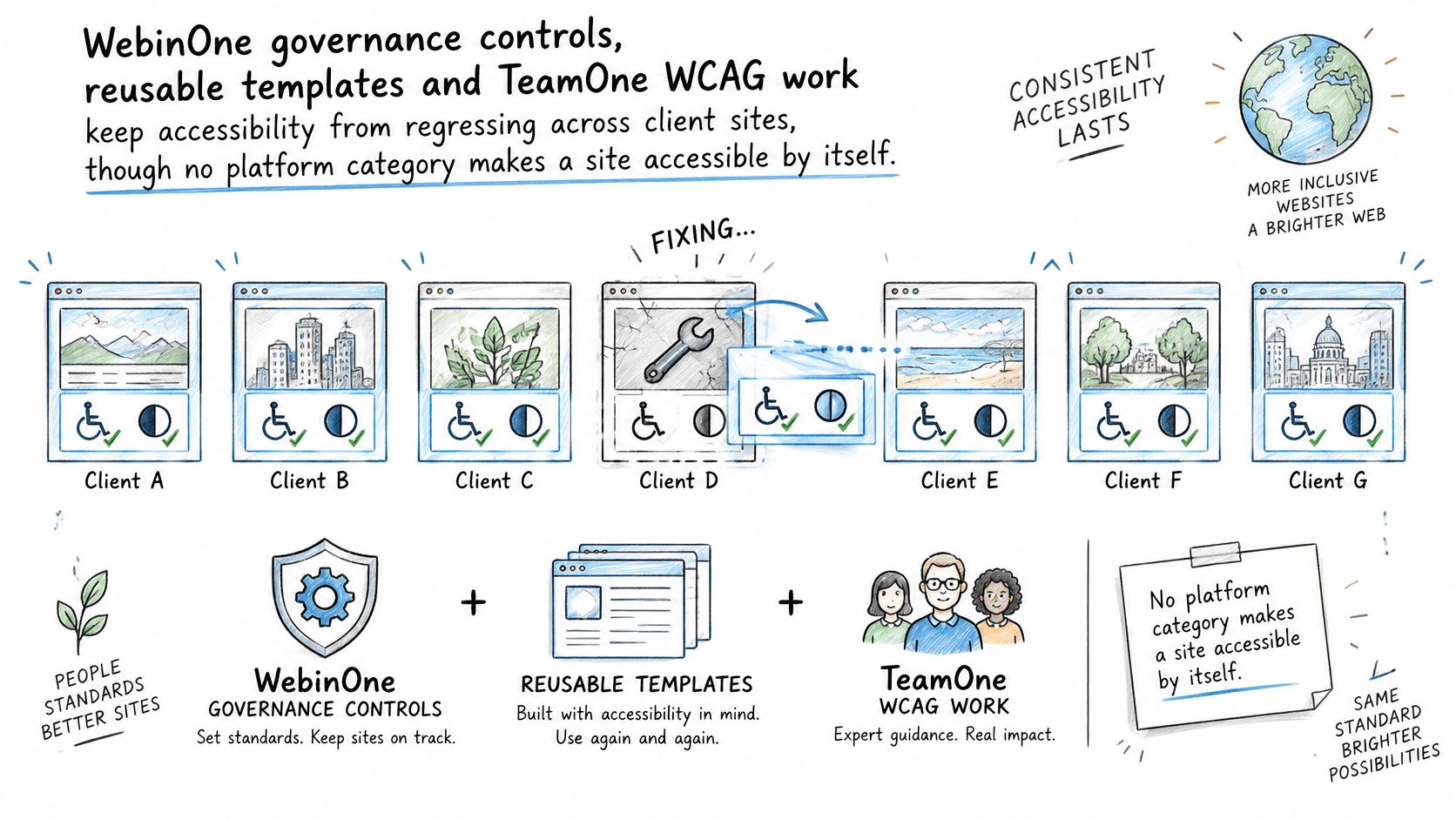
Templates are rarely the source of those errors. Editor-entered content, third-party widgets and AI-generated pages are, and they arrive after launch, in volume, from people who are not accessibility specialists. A template fix that never reaches the live page does nothing for the next forty sites.
Check these controls on every candidate platform:
- A centralized design system, so a fix propagates instead of being repeated site by site.
- Semantic templates that start from correct structure rather than a visual approximation of it.
- Role-based permissions, because the person who can edit a hero banner should not be able to break a form label.
- Automated scans plus human review, since automated tooling misses meaning and focus order.
- A named remediation owner and an audit trail, so a regression has a name and a date attached.
Run one test per platform. Sample a template, a form, a page an editor created unaided and a third-party widget, then ask who monitors each across the whole portfolio. Answering for one site is straightforward. Few teams can answer for forty.
Public-sector contracts force the operating model into the open. The CMS Section 508 policy requires information and communications technology that the agency develops, procures, funds, maintains or uses to conform to Section 508 requirements, and specifies WCAG 2.1 Level A and Level AA as the conformance standard, with accessibility validation built into the lifecycle. UK public-sector accessibility guidance points teams at WCAG 2.2 Level AA and requires each site to publish and update an accessibility statement. Both regimes need repeatable validation, not a template that only looks accessible.
TeamOne handles WCAG compliance work, overflow builds and specialized delivery for agencies. The operating detail sits in this guide to accessibility compliance.
Total Cost of Operation Over Three Years
Total cost of operation is the subscription plus the hours and the risk a platform leaves with the agency, and WebinOne's entry pricing starts at $10 per month per site. Everything else in the calculation is labour or exposure.
Build the model once and reuse it. Multiply subscription per site by site count by 36 months. Add maintenance hours times the loaded hourly rate, then security monitoring and backup restore testing, then migration labour, then a downtime allowance, then a line for key-person dependency. That last line is the one agencies forget and the one that hurts.
| Cost line | Hosted website builder | Self-hosted CMS | Managed DXP (WebinOne) |
|---|---|---|---|
| Subscription | Monthly plan per site | Software free, hosting extra | From $10 per month per site |
| Maintenance hours | Low, vendor applies updates | High, agency applies every release | Low, platform team applies core and extension updates |
| Security monitoring and backup testing | Vendor-held | Agency-held | Platform-held, agency checks client impact |
| Migration labour | Set by export terms | Set by data access | TeamOne scoped per migration |
| Downtime allowance | Vendor terms | Agency and host exposure | Availability commitment in the published SLA |
| Key-person dependency | Low for a single site | High, the one or two people who know the stack | Lower, platform knowledge sits with the platform team |
Which terms move the total most? Maintenance hours, because they recur every month and scale with site count. Then key-person dependency, which doesn't appear as an invoice until the person leaves, at which point it appears as a re-platforming project.
Two price points matter when you're sizing medium sites. The Business plan costs $20 per month for sites that need custom modules, and the multisite extension starts from $6 per month, adding a domain and another home page to an existing site. Substitute your own site count and hourly rate rather than borrowing someone else's totals, and check the current figures on the pricing page, since prices change. Agencies setting per-site margin and reseller terms will find the structure set out in the WebinOne reseller program.
Where the Platform Runs on AWS
The procurement question that closes is which AWS account owns the data. WebinOne runs as a managed platform on AWS across 6 AWS regions. Qualifying systems integrators can run a licensed version in their own AWS account, or in the client's, by agreement.
The partner record is specific. WebinOne is an AWS Partner, has passed the AWS Foundational Technical Review, holds the AWS Qualified Software designation, is enrolled in the AWS Software and Services Paths, and is available on AWS Marketplace.
Two models follow from that, with a third only by separate agreement. In the managed model, sites run in WebinOne's AWS account, and the platform team holds hosting, patching and uptime against the published SLA. In the licensed model, a qualifying SI or its customer runs the platform in its own AWS account, including AWS GovCloud, by agreement. A custom data center can also be set up for a client by agreement.
WebinOne serves US and Australian government clients today. GovCloud deployments are available to qualifying SIs by agreement when the contract requires that residency boundary.
How regional delivery is operated is covered in managed AWS hosting.
Match the Platform to Your Client Portfolio
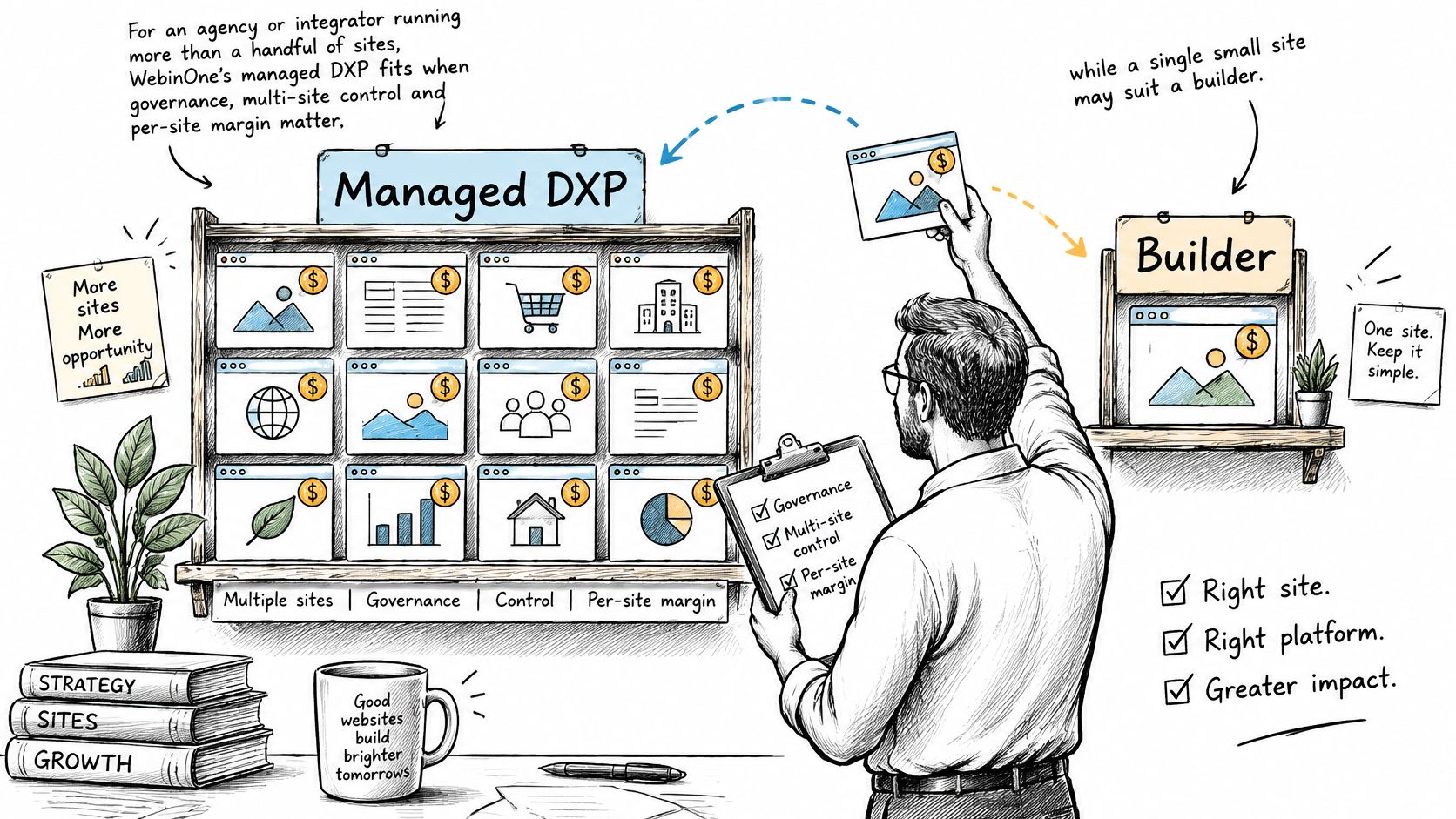
An agency portfolio is a cost structure. WebinOne's managed DXP fits when governance, multi-site control and per-site margin drive the decision. A single brochure site with no development behind it is usually better served by a hosted builder. Match the model to the portfolio you run.
| Situation | Better-fit model | Why |
|---|---|---|
| One brochure site, no ongoing development | Hosted website builder | Fewest moving parts and the lowest operating load |
| A few sites, one team, standard forms and blog | Hosted builder or managed DXP | Depends on whether multi-site control and client handover matter within the year |
| Dozens of client sites, shared components, reseller margin | Managed DXP | Central governance, one console and per-site pricing from $10 per month |
| Custom application logic, deep data model, agency owns every release | Self-hosted CMS | Full control, with the agency carrying the maintenance that comes with it |
| Legacy platform migration with multiple brands | Managed DXP with TeamOne migration | Staged migration with testing before and after cutover |
| Regulated or public-sector estate | Managed DXP with licensed deployment by agreement | Accessibility validation and deployment location written into the agreement |
The operating work is the price that does not show on a licence line. If the agency itself carries patches and wants that control, a self-hosted CMS is a defensible choice, and the maintenance is the price of it. Patch windows, release ownership and the risk that only one or two people know the stack all sit with the agency. If the work is a growing portfolio that needs one console, with a platform team behind hosting and updates, the managed DXP fits. Shared components and client handover stay in one place, and the per-site figure stays readable as the count grows. If the work is one site with no development and no plan for more, a hosted builder keeps the operating load small.
Migration is where that operating model gets tested, so scope it properly. TeamOne migrates sites from any CMS or builder platform, and audits and rebuilds sites produced by AI builders. A migration scope needs a full site inventory, a content model mapping exercise, a redirect map, accessibility checks on both sides of cutover and a rollback plan. Price those hours against the portfolio you already run. Anything less turns a migration into a rebuild with a deadline attached.