Multi Site Ecommerce Platform: How to Evaluate Fit
The most repeated advice about running several storefronts is to consolidate everything onto one platform and let a single team own it all. That gets the architecture half right and the operating model wrong. Consolidation is not a switch you flip. It is a series of decisions about which records live once and which stay local, and most of the pain in a multi site estate comes from getting those two categories mixed up.
The other popular line, that each storefront should run as its own independent project so a problem can't spread, fails on the same test from the opposite direction. Twenty separate installations give you twenty patch cycles, twenty sets of customer records and no way to answer a simple question about total stock on hand.
What matters is where the operating work lands. Stock writes, shared components, template budgets and patch cycles are the four places a portfolio succeeds or becomes a second job. Everything else is a feature list.
Table of Contents
- What a Multi Site Ecommerce Platform Manages Centrally
- Where Shared Data Lives and Where Sites Stay Local
- Performance Budgets Across a Storefront Portfolio
- Choosing a Resilience Model for Multi Site Estates
- Patching and Security Across Many Sites
- Accessibility Checks for Shared Checkout and Templates
- Evaluating Platform Fit Before You Commit
- Start a Portfolio Conversation With WebinOne
What a Multi Site Ecommerce Platform Manages Centrally
A multi site ecommerce platform holds the shared layers of several storefronts in one system while each storefront keeps its own market decisions. WebinOne runs that model from a single console for templates, catalog, customers and orders, and pushes market-level settings down to each site instead of duplicating them.
The scale behind that decision isn't marginal. UNCTAD reported that businesses in 46 developed and developing economies recorded nearly US$28 trillion in ecommerce sales in 2024, up 5.5% on 2023 (UNCTAD ecommerce insights). Each additional market or brand adds catalog entries, content, customer data, payment methods, compliance text and reporting lines to that base. Done site by site, those requirements multiply. Done once at the centre, they scale with the number of new storefronts.
Think of a shared kitchen with one stock room. Every restaurant in the group writes its own menu, sets its own opening hours and prices its own dishes, but nobody keeps a second store of flour in the back. That's the split. The stock room is central because duplication there creates waste and disagreement. The menu is local because the customer reading it is local.

The layers break down predictably. Product records, customer identity and the stock ledger belong in one place. Currency, assortment, consent wording and fulfilment rules belong to the market.
| Layer | Managed centrally | Set per storefront |
|---|---|---|
| Content model and templates | Shared components, blocks and design system | Brand copy, imagery and page layouts |
| Product catalog | Master product records, attributes and SKUs | Local pricing, currency, visibility and assortment |
| Customers | Single customer record and login | Local consent wording and preferred language |
| Orders and inventory | Central stock ledger and order history | Local fulfilment rules and shipping zones |
| Promotions | Shared promotion engine and discount codes | Market-specific offers and dates |
| Payments and tax | Gateway connections and tax rule library | Local payment methods and legal footers |
| Reporting | Cross-site dashboards and attribution | Site-level goals and reports |
The rule of thumb: anything that has to be true on every site is central, and anything a customer or a regulator sees differently is local.
Write that sentence on the wall before the build starts. Most arguments between a brand team and a platform team dissolve once both sides agree which column a requirement sits in.
Where Shared Data Lives and Where Sites Stay Local
A customer, a product and a stock unit should exist once, and every storefront should read from that single record instead of holding its own copy. WebinOne keeps customers, products and inventory in a shared record set, and each site renders the result for its own market. The alternative looks cheaper on a diagram and costs far more in operation.
The failure mode is familiar. Two storefronts hold their own product tables and a scheduled export runs nightly to keep them roughly in step. A popular item sells out at nine in the morning on the primary site and keeps showing as available on the second site until the export runs. Orders land, payment captures, and someone in fulfilment discovers the gap by email. Nobody wrote that bug. It's the architecture's default behaviour.
Three data classes, three rules. Master data is shared everywhere, which covers products, SKUs, attributes and customer identity. Market data is set per site, covering prices in local currency, how tax is displayed and dated promotions. Transactional data needs one writer, covering stock reservations, order state and refunds.
A worked example makes the last one concrete. Say a bundle holds 200 units and three storefronts all list it. At the same moment each storefront receives an order for 40. The reservation happens in one place, in order, and each storefront displays the number that comes back. If instead each storefront decrements its own count, three teams believe they have stock and one of them is wrong. On a busy launch day the wrong one is always the market that just ran a campaign.
Brand separation raises a related question about how far local identity should extend before shared operations become a constraint. SendX on brand separation is a useful reference for drawing that line, particularly where one operator runs several brands under separate identities.
For teams weighing a service-based split of these records, the trade-offs in microservices architecture for ecommerce are worth reading before committing to a design.
Test it in a sandbox, not a slide. Edit a SKU price on site A and check site B without running any export. Then place two simultaneous orders for the last unit of a product and confirm that exactly one succeeds and the other fails cleanly with a message a buyer can understand. Two tests, five minutes, and you'll know whether the platform shares records or merely syncs them.
Performance Budgets Across a Storefront Portfolio
On a multi site estate, performance is a portfolio constraint, which puts the budget with the platform team rather than with each storefront owner. WebinOne standardises the template layer, so a budget set there applies to every storefront built from that template, not just the one that prompted it.
HTTP Archive's ecommerce measurements track three real-user indicators that matter for a storefront: Largest Contentful Paint for how quickly product grids and hero content appear, Interaction to Next Paint for responsiveness after filtering or adding to cart, and Cumulative Layout Shift for the visual instability that derails a checkout (HTTP Archive's ecommerce chapter). Each one is affected by decisions made in shared code, which is exactly why the budget can't sit with a brand manager.
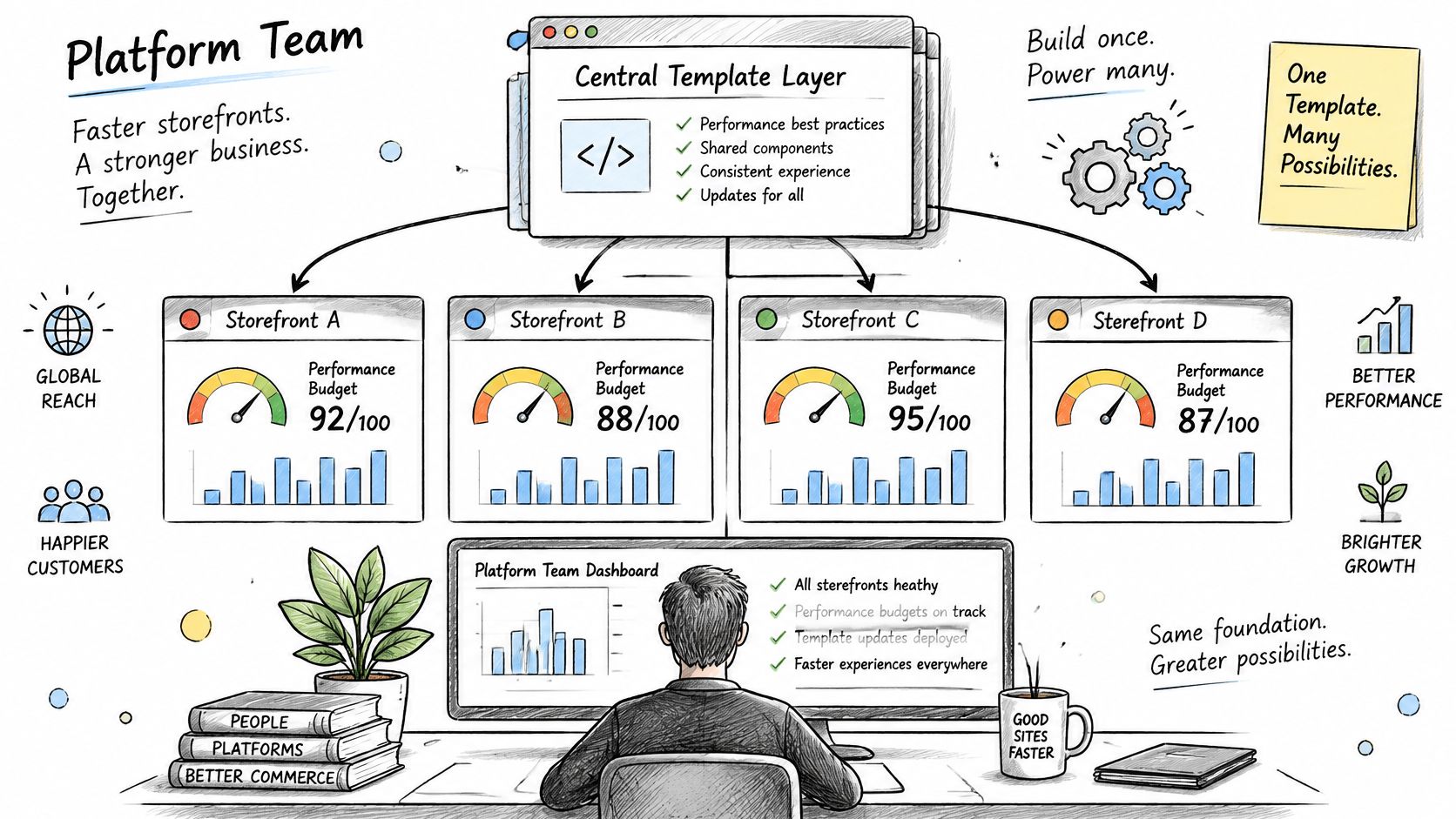
Set the budget in four categories and write the numbers into the template documentation:
- JavaScript weight. A ceiling per template, measured on the built page rather than on the source bundle.
- Third-party tags. A hard cap on tags, with each addition carrying a named owner and a review date.
- Image weight. Responsive formats, modern compression and a maximum size for hero and category imagery.
- Layout-changing components. Promo bars, consent notices and personalization slots reserved with fixed dimensions so they can't push the buy button down the page.
The multiplier is the part teams underestimate. A tag added to one brand's template reaches every site built from it. One analytics vendor shipping a slow synchronous script can degrade twenty storefronts in a single afternoon, and the person who approved it was thinking about one campaign.
The controls are well known and rarely enforced centrally: edge caching for catalog and media assets, responsive image formats, deferred noncritical scripts, and server-side or streamed rendering for the first view. Treat cart and checkout as their own budget class with tighter limits, because those pages carry revenue and get the least patience from buyers.
Monitoring rule: review field data by site, template, device class and geography, and block a regression before release rather than diagnosing it afterwards.
The budget only functions as governance if a merge is stopped when it's exceeded. Otherwise it's a dashboard nobody opens after launch week.
Choosing a Resilience Model for Multi Site Estates
A retailer running five storefronts across Europe and North America from one shared stock pool faces this choice concretely: does each Region serve traffic independently, or does one fail over to the other? The working rule is to start with Multi-AZ inside a single Region and move to multi-Region only when availability, disaster recovery or data residency requirements demand it. WebinOne is hosted on AWS across 6 AWS regions, with 99.99% uptime and a 99.95% availability commitment in the published SLA, so resilience at the platform layer is already handled. The decision left on your side is which model the estate itself needs.
| Model | Best fit | Main trade-off |
|---|---|---|
| Multi-AZ inside one Region | Most availability objectives | Does not by itself cover a full Region outage |
| Multi-Region with a standby copy | Disaster recovery with a defined recovery point | Replication lag and regular failover testing |
| Multi-Region with active copies | Extreme availability or latency-sensitive markets | Conflicts on stock, orders and promotions need a single writer |
| Region chosen per brand or market | Data residency rules that differ by market | Separate operating checks for each region |
AWS Well-Architected guidance is blunt about the starting point: most availability objectives can be met with a Multi-AZ deployment inside one Region, and multi-Region architecture is justified by extreme availability requirements or specific business goals such as geographic resilience or data-residency needs (AWS Well-Architected guidance on Multi-AZ and multi-Region).
Where replication stops being simple
Static assets and mostly read-heavy catalog content replicate straightforwardly. Stock reservations, orders, refunds and payment state do not, because two Regions cannot both sell the last unit. AWS lists asynchronous replication options such as object storage replication, relational read replicas and global tables, and each one forces decisions on replication lag, conflict resolution and ordering. In practice that means a single-writer model, partitioned ownership by market, or idempotent workflows that tolerate a retry.
The shared-stock retailer takes the single-writer path: one Region accepts stock writes and the others read replicas of it. A multi-brand estate holding separate inventory per market can partition ownership instead, so each Region writes only its own stock.
The operator checklist
Before committing to any model, get written answers on four things: health checks that reflect real dependency state, deployment parity so every Region runs the same version, recovery procedures that have been tested rather than documented, and a recovery-point objective stated as a number. DNS routing between Regions solves the traffic problem and none of the data problem.
Governance follows the same split as the rest of the estate. Standardise regional infrastructure and observability centrally, then let each brand or market choose its data residency, local payment integrations and failover behaviour within that frame. The questions to put to any vendor are simple: which model do you run, what is your recovery-point objective, and does that objective appear in the SLA. A recovery-point objective of one hour means accepting up to an hour of lost orders in a failover, so get it in minutes and get it in writing.
How a chosen model behaves once real traffic hits it is the other half of the decision, and system stability under sustained load covers the operational signals worth monitoring.
Patching and Security Across Many Sites
Twenty storefronts patched at two hours each is forty hours of work, and that figure assumes no extension conflicts with a template along the way. A managed platform pulls that cycle into a single maintenance window: backups, platform updates and change control run once for the whole estate rather than once per site, so the weekly maintenance window is one appointment rather than twenty.
Start with the workload, not the threat. Ask how many separately patched installations, plugins or modules your team maintains today, and who owns each one. The count usually comes back fast. Ask instead who renewed the certificates on the smallest client's site last quarter, and the silence that follows is the actual finding.
The threat context is real but secondary. Vulnerability exploitation represented 20% of initial access vectors in Verizon's 2025 Data Breach Investigations Report, continuing a year-over-year increase (Verizon 2025 DBIR executive summary). Every separately maintained site, module or extension is another place where a delayed update or an incompatible add-on becomes an entry point.
Write down the recurring tasks and estimate each:
- Core and extension updates, including the compatibility check that follows every one.
- Certificate renewals, and who notices when one lapses.
- Backup restore tests, not just backup creation. A backup nobody has restored is a hope.
- Access reviews, covering departed staff, agency accounts and integration tokens.
That load is why maintenance slips first on the smallest client sites, which are also the ones most likely to be running an old extension. The sites generating the least revenue absorb the least attention, while carrying the same exposure as the flagship store.
Centralisation changes the shape of the work rather than removing it. Patching, access control, monitoring, backups and change management concentrate into one operating model with one evidence trail. The work still exists. It just stops being multiplied.
Ask before signing: show me the security overview, evidence of a completed restore, and the name of the role that approves a change before it reaches production.
Run a 30-day audit either way. List every installation you maintain, its owner, the date of its last patch, and the source of each extension in use. The list is usually longer than expected, and it makes the business case for consolidation better than any slide.
Accessibility Checks for Shared Checkout and Templates
When templates, forms and checkout components are shared across a portfolio, one accessible fix reaches every storefront built on them, so testing should target those shared components rather than every individual page. The same mechanism works in reverse. An untested component ships its defect to every site that uses it, which makes accessibility a portfolio-level risk rather than a page-level one.
The evidence for treating it that way is stark. A 2025 audit of ecommerce sites across France, Germany, Italy, Spain and the UK found that almost every checkout journey examined had accessibility failures, and no country reached even half compliance across the audited sites. Checkout is the one journey where an accessibility failure costs money directly, and it is also the journey most often handed to a plugin or an outsourced widget.
Scans and task completion measure different things
An automated scan can return a clean score while a keyboard user still cannot reach the payment button. The scan checks what a machine can detect. Task completion checks whether a person can buy. Both have a place, and only one of them tells you whether the checkout works.
The test set is short and repeatable: keyboard-only and screen-reader runs through checkout, login, search and the main forms, executed on each brand's most-used template before every release that touches shared components. Twenty minutes per run, on the two or three templates that carry most of the revenue, catches the regressions a scan misses. Releases that touch shared components should be gated on those runs, not scheduled around them.
Assign ownership in three parts
- The platform owns shared components. Navigation, form controls, the cart, the checkout shell and error messaging.
- The agency or brand owns content and localisation. Alt text, heading order, link wording and translated labels.
- The payment vendor owns its embedded fields. Which is why the payment integration belongs in the test plan, not outside it.
A shared component cuts both ways, and a governance decision matters more than a tool choice. One accessible component fixes every site at once. One inaccessible component, shipped on a Tuesday, breaks checkout on every site by Thursday. The durable control is evidence: results recorded by site and by release, plus a log of which shared components changed and when. The pattern in accessibility compliance for multi-site estates is a practical starting point for setting that record up.
Evaluating Platform Fit Before You Commit
A feature demo tells you what a platform does on one site. The evaluation that matters is what it does across thirty. Score any shortlist against seven criteria, and treat WebinOne as a serious candidate when many storefronts must share one customer record, one stock ledger and one governance model. Run every question against a live sandbox rather than a slide, and record the answer for each criterion so the comparison rests on evidence rather than impression.
| Criterion | Question to ask | Red flag |
|---|---|---|
| Shared data model | Is one customer and one stock record used by every site? | Sites sync through a nightly export |
| Performance budgets | Can budgets be set and enforced per template? | Speed is reported only per site |
| Patch ownership | Who applies core and extension patches, and how fast? | Patching falls to each site owner |
| Accessibility evidence | Can checkout be tested by site and by release? | A scan score with no task testing |
| Data residency | Can each market choose its own region? | One region is used for every brand |
| Scale limits | What happens when the next site is added? | A site cap or a forced migration |
| Exit path | Can every site and its data be exported? | Only proprietary formats are offered |
Model cost across your full site count rather than your first three sites, because per-site pricing compounds. A candidate priced from $10 per month per site with zero transaction fees on ecommerce changes the arithmetic for high-volume stores in a way that per-order fees never do. Work the model out to the site count you expect in three years, not the count you have today.
The verdict by situation
Different estates need different answers, and the same table scores differently depending on which one you're in.
- One brand across several markets with shared stock. Choose a platform with a single ledger and genuine per-market settings. If stock has to be reconciled between sites, the multi-market plan is already broken.
- Many brands run by separate teams. Prioritise central governance with brand-level permissions, so a brand manager can publish without holding the keys to the template layer.
- Moving off an end-of-life or legacy platform. Scope the migration and the exit path before comparing feature lists. A vendor that has already migrated thousands of sites can have its plan pressure-tested against real volume rather than assumed.
- A portfolio that will keep growing. Ask what happens at site fifty and site two hundred. An answer that involves a re-platform is an answer that involves doing this again.
How to use the red-flag column: one flag on the list ends that evaluation. A second conversation doesn't fix a nightly export, a per-site patch cycle or a proprietary export format.
Score each candidate and write the numbers down. A platform that demos well but answers "nightly export" to the first question has already failed, no matter how long its feature list runs.
Start a Portfolio Conversation With WebinOne
A portfolio review with the WebinOne team works best when the estate arrives described in numbers, not adjectives. The session produces a fit decision, and the quality of that decision depends on what you bring to it.
Bring these to the call:
- The site count, markets and brands, including any planned launches in the next year.
- The size of the shared catalog and how many SKUs appear on more than one storefront.
- The current platform, with the patch and maintenance load it carries.
- Residency rules, traffic peaks and exit requirements, including the export formats you need to be able to produce on demand.
The team maps each site to the shared-versus-local split, runs the evaluation criteria against your estate, and shows which resilience model fits your recovery targets. Bring the migration scope as well. With thousands of sites migrated, the conversation can test your site list against that volume rather than starting from a blank page. For systems integrators, a licensed version running in the SI's or customer's own AWS account is available by agreement, including AWS GovCloud for government projects.
The output to ask for is a scoped answer: which sites migrate first, what runs on the shared layer, and the point, if there is one, where the fit stops holding. That last part of the answer is the one worth pressing on.