Drupal Migration Service Checklist
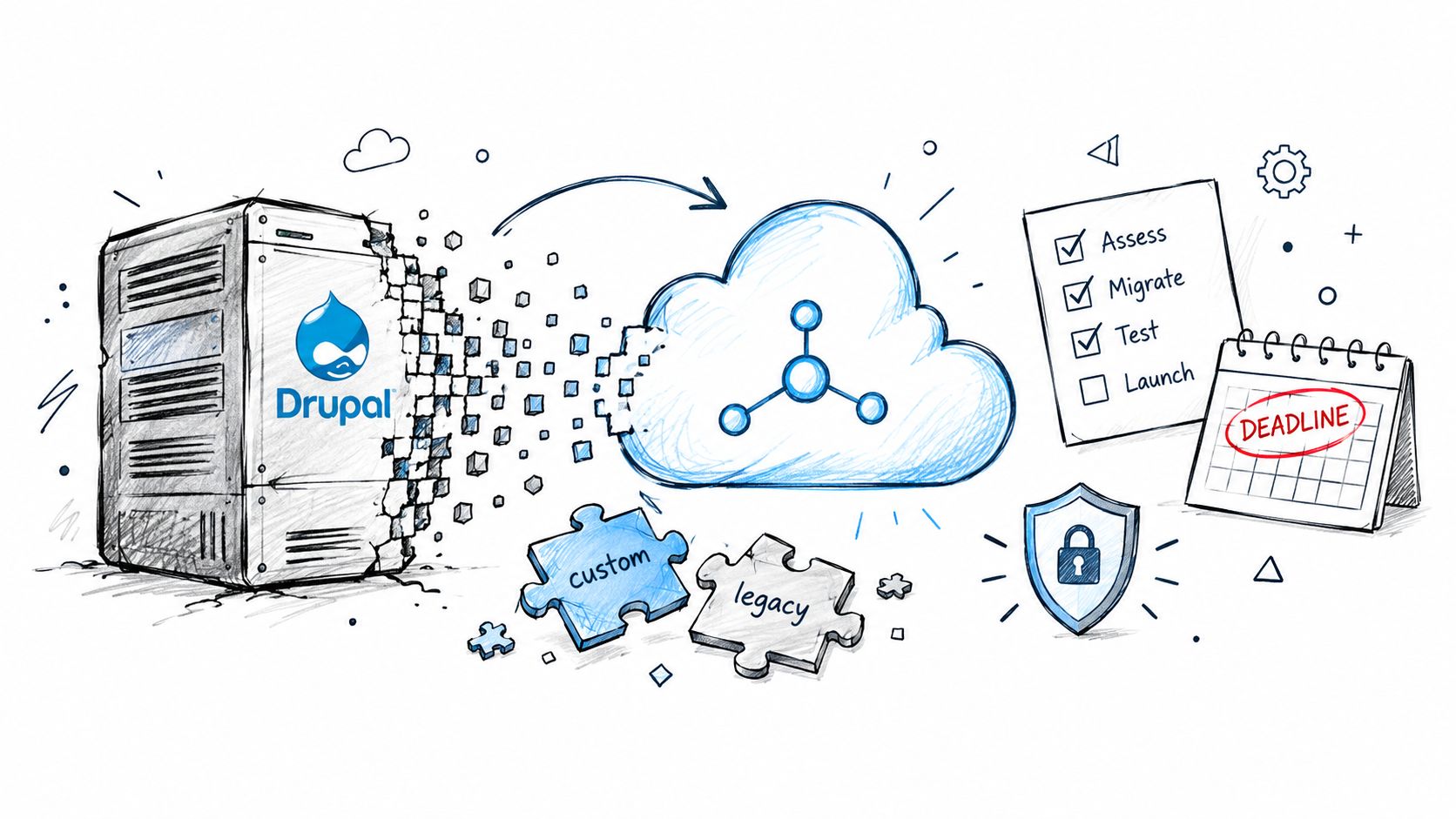
The worst advice around Drupal migrations is that they're “just content moves.” That framing breaks the moment a site has search equity, custom roles, tangled relationships, or a release deadline that can't slip. A Drupal migration service is really an application modernization discipline, because the hard part isn't copying records, it's preserving how the site works for users, editors, search engines, and downstream systems.
For estates that still depend on older Drupal releases, the clock matters. Drupal 7 security support ended on January 5, 2025, while Drupal 10 is scheduled to reach end of life on December 9, 2026, so migration planning has to happen before support deadlines converge (Drupal core release schedule). For teams comparing migration approaches across platforms, a practical overview such as WebscrapingHQ CMS migration services can be useful as a reference point, but the substantial effort is still in the source estate itself.
Table of Contents
- Why Drupal Migration is Application Modernization
- The Six Workstreams of a Migration Audit
- Mapping Content Models and Sequencing ETL
- Automated Testing and Preserving Search Visibility
- Executing Zero-Downtime Cutover and Rollback
- Choosing a Managed Platform Partner
Why Drupal Migration is Application Modernization
A Drupal migration service has to treat the source site like an application, not a pile of pages. That's the difference between a smooth replatforming and a cutover that breaks permissions, structured content, or editorial operations.
The deadline changes the project shape
Once a branch reaches end of life, the migration stops being optional maintenance and becomes a time-bound risk program. The support schedule for Drupal 7 and Drupal 10 makes that visible in plain terms, because it forces portfolio-level triage, not just a technical upgrade ticket (Drupal core release schedule).
That triage has to include what usually gets ignored in brochure-site moves, custom modules, abandoned contributed modules, bespoke themes, PHP dependencies, and deployment habits that only exist in one environment. Drupal's usage data also shows why older versions can stay operationally significant for years, with thousands of reported Drupal 7 sites still appearing in community reporting after newer generations exist (Drupal usage statistics).
Practical rule: if the site has editors, structured content, and business-critical URLs, the migration is modernization work, not a file copy.
Why high-value sites need a different lens
Drupal's web footprint is concentrated in higher-traffic properties, which is exactly why migration work tends to carry more operational risk than its raw market share suggests. The point isn't popularity, it's that the platform often sits under complex, high-visibility properties where uptime, permissions, and search visibility can't be casually reset.
That's why a serious drupal migration service has to think in terms of content models, redirects, metadata, media, user roles, API integrations, and accessibility. The work is closer to a re-platforming program than a content export, and teams that miss that distinction usually discover it during cutover, when the cost of discovery is highest.
The Six Workstreams of a Migration Audit
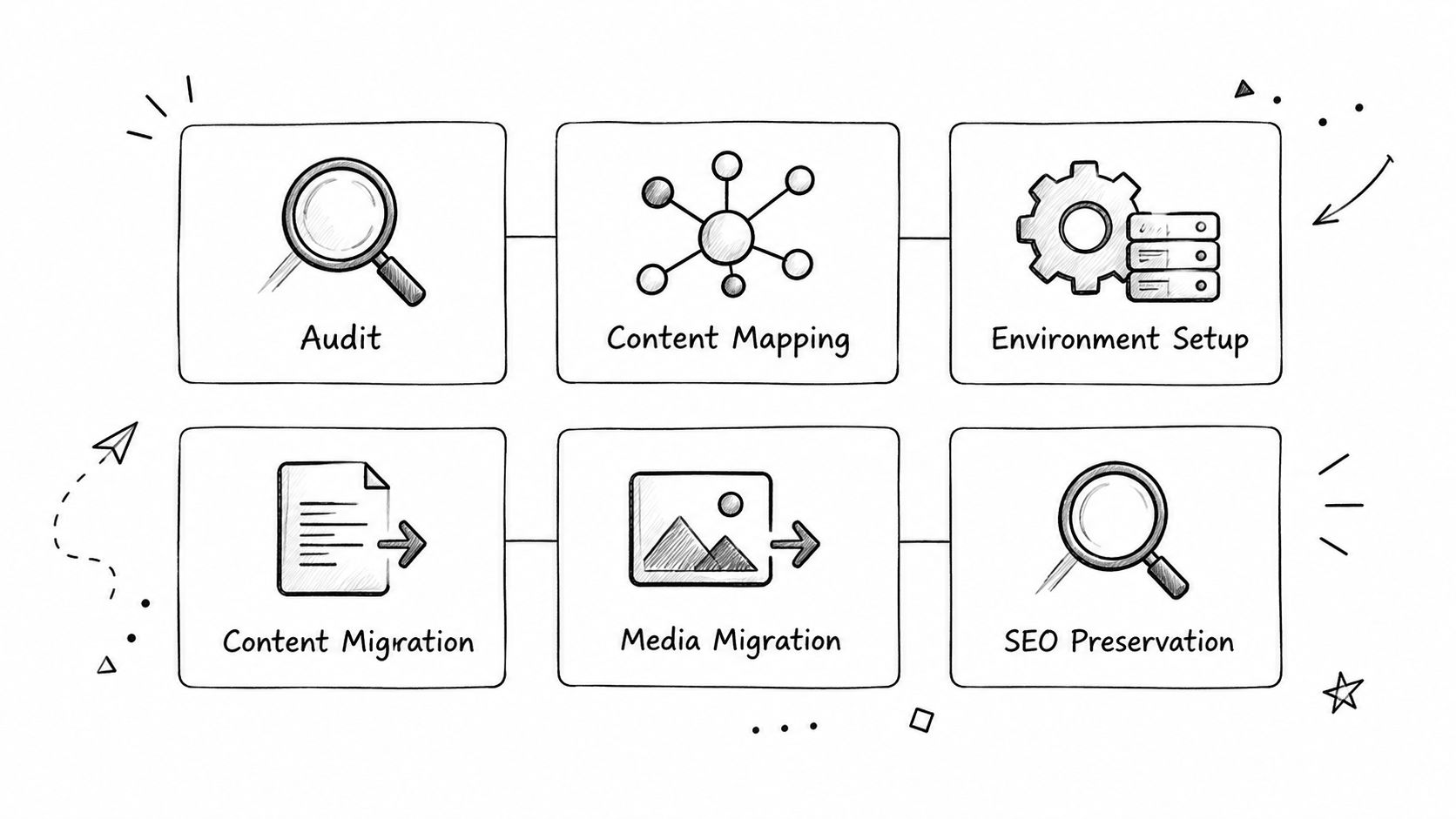
A Drupal migration service should split the job into six workstreams, because “migrate everything” is how teams miss the details that matter. The useful structure is audit, content mapping, environment setup, content migration, media migration, and SEO preservation.
Audit first, then scope the real estate
The audit tells the team what exists and what's worth carrying forward. That includes content types, taxonomies, media assets, revisions, users, redirects, integrations, and editorial workflows, plus the awkward parts like custom logic hidden in a module that no longer has a maintainer.
Once that inventory exists, content mapping becomes a decision exercise instead of a guessing game. Legacy fields have to map to a target model on purpose, not by analogy, because pages, files, and metadata behave differently during transport. The core idea is straightforward, and it's what the Drupal migration community documents as a six-part structure: audit, content mapping, environment setup, content migration, media migration, and SEO preservation (migrating Drupal CMS and classic Drupal).
Environment setup and media are separate problems
Environment setup creates a controlled destination where the team can test before production. That's where schema changes, authentication, permissions, and deployment assumptions become visible, before content is at risk.
Media migration deserves its own workstream because images, documents, and embedded assets fail differently from text fields. A path that looks correct in a record count can still break when file permissions, derivatives, or embeds don't survive the move. That's why the staging checklist should validate representative content types, confirm media paths, and test redirects before launch, instead of waiting for users to report broken assets.
A migration audit is successful when the team can say what's moving, what's being transformed, what's being dropped, and why.
The best internal reference point for this split is a practical cross-platform migration checklist, because the underlying discipline is the same even when the destination isn't Drupal.
Mapping Content Models and Sequencing ETL
A Drupal migration service has to treat migration as ETL, not a bulk dump. Drupal's Migrate API defines the process in three stages, source, process, and destination, and that structure is what keeps the work repeatable (Drupal Migrate API overview).
Source, process, destination, in that order
The source stage pulls rows from a database, file, or web service. The process stage transforms those rows, applies rules, or skips them. The destination stage saves the result into the target site. That sequence matters because it forces the team to document the transformation logic instead of pretending the target can infer intent.
In practice, that means every migration definition should spell out source-to-target mappings, field transformations, and records that are intentionally excluded. If those decisions are left implicit, the import may succeed technically while still producing a broken content model.
Move the simple content before the complicated parts
Migration guidance recommends moving simple content first and leaving complex components, such as ecommerce pages, for later phases (Acquia migration action plan). That sequencing is not a courtesy, it's how teams reduce surprise.
Simple content gives the team a clean place to validate the target schema, editorial workflows, permissions, and script behavior. Complex, transactional, or heavily integrated features should be treated as later waves with separate acceptance tests, because they're the places where bulk imports most often hide structural problems.
A useful practice is to freeze the source, run a representative sample, then compare expected and actual destination behavior before expanding scope. That keeps content-model decisions distinct from transport mechanics, which is the only way to tell whether the model is sound or merely imported.
The internal companion piece on website content migration is worth pairing with this mindset, because field mapping gets much easier once the audience, content hierarchy, and reuse patterns are explicit.
Automated Testing and Preserving Search Visibility
A Drupal migration service should prefer automated regression tests over visual QA because the failure mode is rarely cosmetic. The main risk is that rankings, structured data, accessibility, or critical user journeys change unnoticed after launch.
Why visual review is not enough
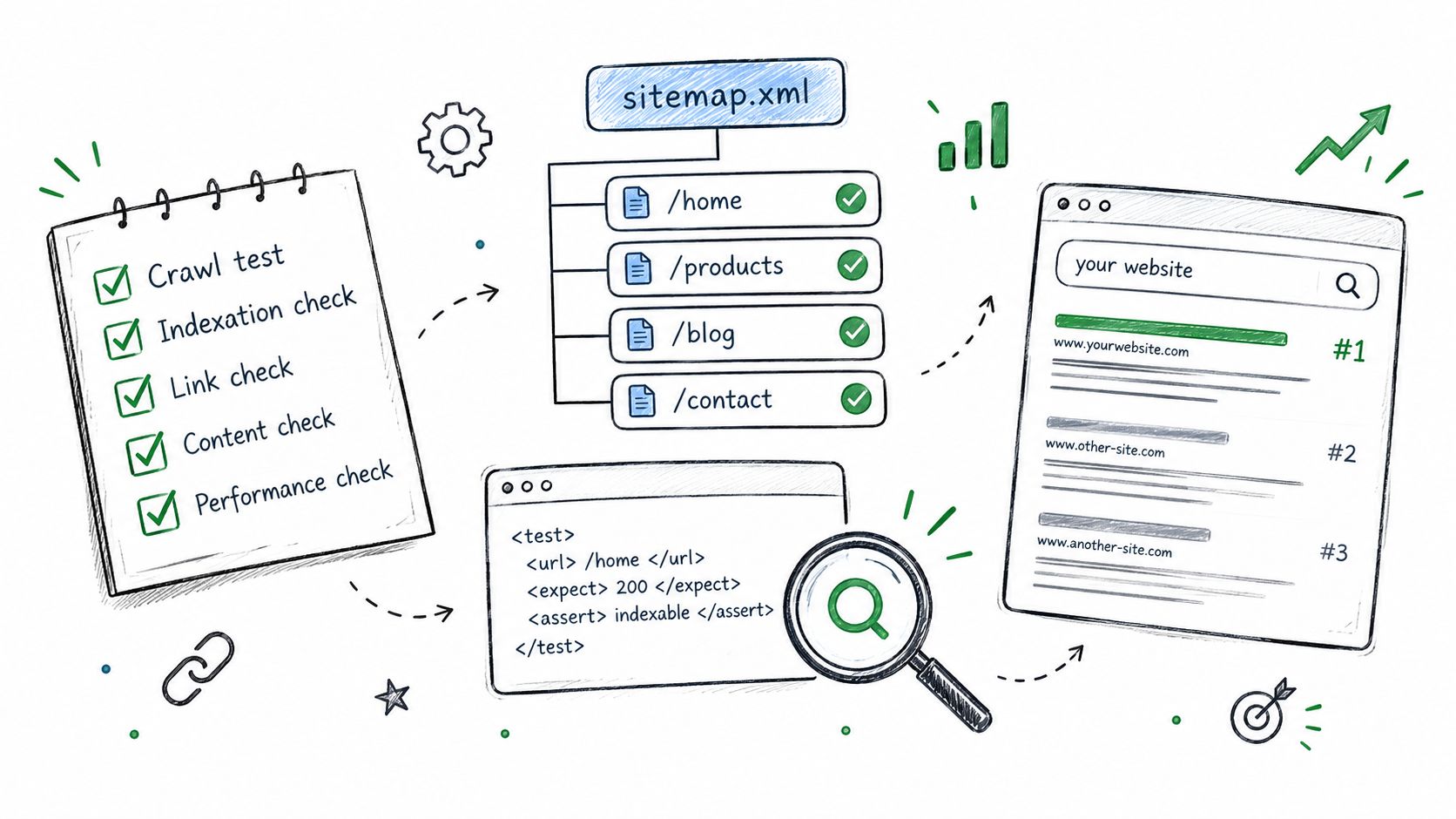
Drupal core supports unit, kernel, and functional migration tests, including end-to-end UI migration tests (Drupal migration tests). That matters because high-risk transformations, URL rewrites, entity relationships, role mappings, and media handling can be turned into repeatable checks instead of one-time eyeballing.
A clean rebuild can be riskier than a staged migration if it discards undocumented relationships or legacy URLs, which is why redirect-map validation and crawl comparisons belong in the plan from the start (Drupal security advisory page). Search visibility depends on preserving the old address space carefully, not hoping the new build “makes sense” to crawlers.
What the tests have to prove
The test set should cover count reconciliation, required fields, references, URLs, permissions, and rendering. If any of those are weak, the site can look fine in staging and still lose discoverability or editorial integrity after the switch.
A solid migration program also validates accessibility and structured content before and after cutover. For a broader quality lens, the guide to testing with real traffic is a useful reminder that production-like verification catches behavior static checks can miss.
Practical rule: if a transformation can break SEO, accessibility, or navigation, it deserves a test, not a hope.
The internal site migration SEO checklist is the right companion here because the biggest mistakes usually happen after the data move, not during it.
Executing Zero-Downtime Cutover and Rollback
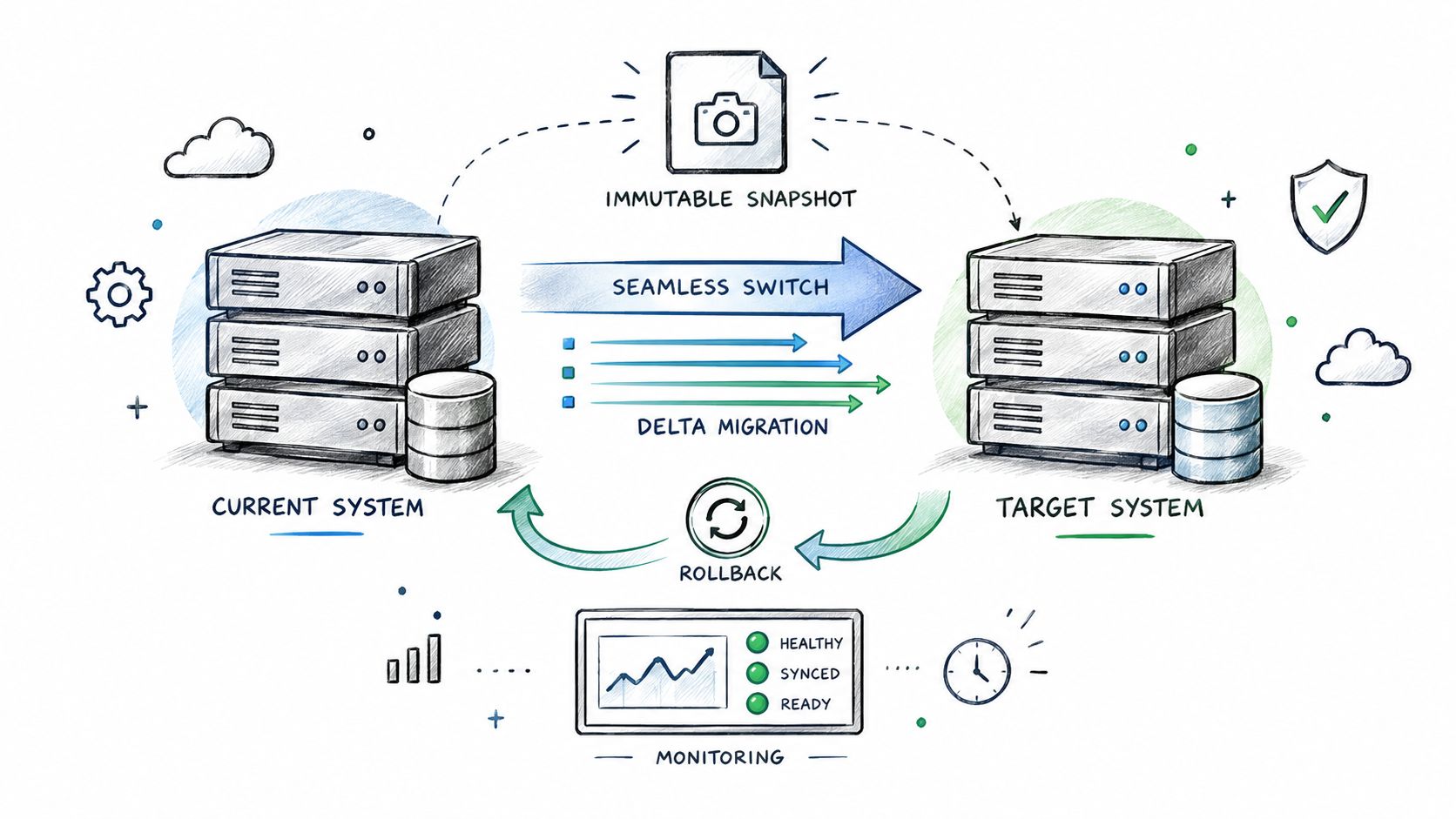
A Drupal migration service only earns trust when cutover is rehearsed and reversible. The handoff should feel controlled because the source snapshot, delta migration, and rollback plan were all built before the production switch.
The mechanics that keep launch safe
Practical controls include immutable source snapshots, migration message tables, idempotent imports, and a defect threshold agreed before launch (Drupal migration tests). The acceptance gate should be explicit, with zero unresolved critical defects and 100% reconciliation of mandatory entities before the final flip.
That discipline matters because a delta migration without repeatable imports can create duplicate records, missed updates, or mismatched references. Teams also need to rehearse the rollback path while the old environment is still available, because rollback is a business safeguard, not an afterthought.
Why this becomes a platform decision
Cutover is also where the future operating model starts to matter. A managed platform reduces the amount of patch choreography the team has to carry after launch, which is why migration and operational planning should be treated as one conversation.
The useful comparison isn't “can the site move,” it's “can the destination absorb the site without recreating the same maintenance burden.” For a managed AWS-native option, WebinOne is one platform that combines CMS, ecommerce, CRM, and multi-site operations with the migration path, but the deciding factor should still be whether the estate can be validated, rolled back, and supported after launch.
A good migration partner can also point to disciplined validation steps, and the data migration validation steps are a helpful reminder that checksums, reconciliation, and exception handling belong in every cutover rehearsal.
Choosing a Managed Platform Partner
A Drupal migration service should be judged by what happens after launch, not just by whether the import completed. The wrong partner leaves the team with a new stack that still needs constant patching, while the right one turns the migration into a supportable operating model.
What to demand after the cutover
At minimum, the destination should be able to prove uptime, supportability, and platform governance. WebinOne reports 99.99% uptime over the last 12 months with a 99.95% availability commitment in its published SLA, and it holds the AWS Qualified Software designation after passing the AWS Foundational Technical Review.
Those facts matter because migration work doesn't end when the site loads. The test is whether the platform can stay stable while content, integrations, and releases keep changing.
The managed-platform trade-off
A managed platform consolidates more of the operational burden into one place, which is often the deciding factor for agencies and systems integrators. The goal is not just hosting, it's reducing the number of moving parts that can fail after the migration, especially when the old estate has accumulated custom code and brittle dependencies.
One practical route is to move the site into a managed environment that already supports structured migration, ongoing operations, and AWS-native deployment patterns. For teams comparing options, WebinOne is one such platform, but the evaluation should still center on migration safety, support model, and how much operational drag remains after go-live.
The best partner is the one that makes the post-cutover state simpler than the pre-cutover state.
For agencies and resellers, the next step is a conversation about the WebinOne reseller program so the migration can become a repeatable service line.
If the site is under deadline, carrying legacy modules, or losing search visibility in the process, treat the migration as a modernization program and not a copy job. For agencies and systems integrators that want a managed destination and a staged delivery path, the next step is a conversation with the WebinOne team about partnership or migration.