Drupal Migration Steps for Complex Sites and Plugin Bloat
Rushing a Drupal migration can leave an estate exposed for longer, not less. WebinOne has migrated thousands of sites, but the useful measure of progress isn't how quickly records load. It's how quickly the delivery team identifies dependencies, contains unsupported components and proves that critical services still work.
The module inventory and the testing backlog usually determine the schedule. A staged program with documented interim controls reduces risk sooner than an accelerated cutover built around an incomplete understanding of the source.
Table of Contents
- Drupal Migration Phases and What Each One Produces
- Scope the Estate and Sort Sites into Migration Waves
- Untangle Custom Modules and Plugin Bloat
- Move Content, Users and Taxonomy Without Losing Relationships
- Preserve URLs, Redirects and Search Equity
- Test Release Gates Before Any Traffic Moves
- Automate Dry Runs, Cutover and Rollback
- Run the Monitoring Window and Close Out the Source
- Decide Whether TeamOne Runs Your Drupal Migration
Drupal Migration Phases and What Each One Produces
A Drupal migration needs clear outputs and review criteria at every stage. WebinOne treats it as a rebuild-and-transfer project with eight phases, each producing an artifact that must meet its exit condition.
Drupal 7 reached end of life on January 5, 2025. Drupal.org and the Drupal Security Team then stopped providing community security updates, bug fixes and official support for core and contributed projects, according to the Drupal core release schedule. For an unsupported estate, the decision affects security and continuity, as well as routine upgrade planning.
Drupal migration phases, outputs and exit conditions
| Phase | Output | Exit condition |
|---|---|---|
| Inventory | Full list of content types, fields, users, files, views, custom modules, integrations and URL patterns | Every item has a source count and a named owner |
| Scope and waves | Site classes, wave assignment and interim control set per site | Each site has a wave and a documented control set |
| Target architecture | Information architecture, content model and template designs | Model reviewed against the inventory with no unmapped entity |
| Mapping and pilot import | Source-to-destination mappings and a limited batch import | Pilot entities match source counts and references resolve |
| Full staging import | Complete staging migration with logs | Reconciliation report shows no unexplained gaps |
| Testing | Functional, SEO, accessibility, performance and integration results | Agreed release gates met |
| Delta and cutover | Source freeze, delta import and routing change | Smoke tests on critical journeys pass on production |
| Post-migration operations | Monitoring record, final reconciliation, operational handover and source archive | Agreed monitoring window closes with no open critical issues |
Use the table in the project plan, attaching evidence to each phase. Each gate requires a signed test report with resolved exceptions. A status update does not meet that standard.
The inventory should record more than module names. Capture ownership, extraction method, dependencies and the business consequence of losing each item. Count configuration objects alongside content records, since a missing approval rule can disrupt operations more than a missing page.
Practical rule: Close each phase when its artifact passes review. Time allocation alone does not establish completion.
A small brochure estate may need less scope and architecture work, but it still benefits from a pilot import to expose broken relationships. Keep a delta pass in the runbook to reconcile changes made after the baseline export. If no changes occurred, record an empty change set as evidence that the check was completed.
Scope the Estate and Sort Sites into Migration Waves
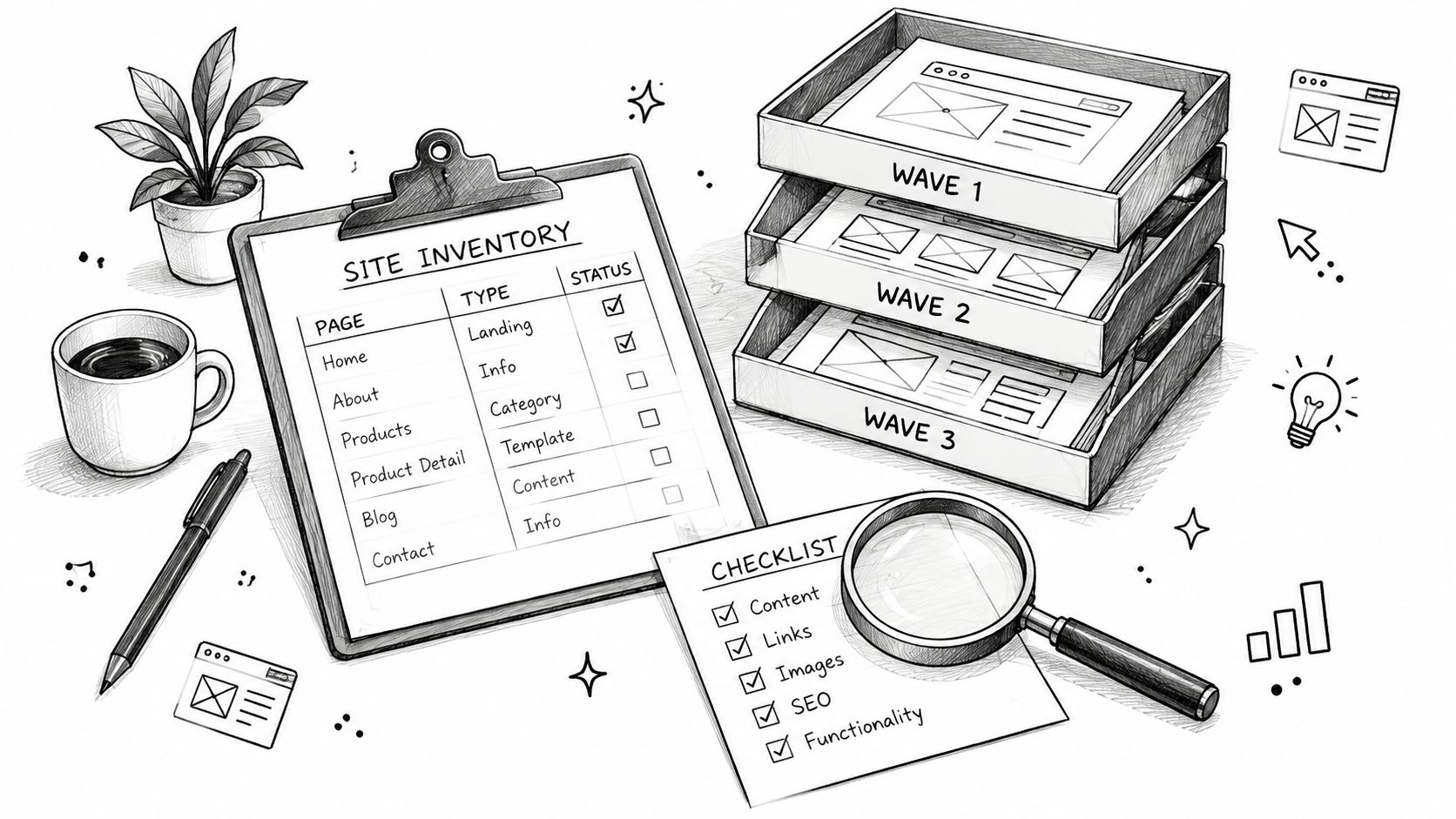
Classify the estate before setting dates. Assess each site by business criticality, data sensitivity, traffic, custom-module dependency and replacement complexity. Keep those dimensions separate. A quiet portal handling sensitive records should not enter an early wave solely because its traffic is low.
The Drupal Association's end-of-life announcement outlines transition options, including migration to another platform. The organization still needs to determine how each service will remain controlled during the transition.
Classify before scheduling
For an estate with brochure sites, campaign sites and service portals, sequence work by what each group must prove. Brochure sites can exercise the import pipeline. Campaign sites can test reusable templates and redirects. Service portals should wait until their business rules and integration contracts have acceptance tests.
Migration waves, controls and exit criteria
| Wave | Site profile | Compensating controls | Exit criteria |
|---|---|---|---|
| Wave one | Low-traffic brochure sites with clean content models and no custom code | Freeze unrelated feature work, restrict admin access, patch where possible, log known gaps | Pilot proves the pipeline, counts reconcile, no unexplained gaps |
| Wave two | Mid-complexity marketing sites with contributed modules that have native equivalents | Apply wave-one controls, then approve the SEO and redirect map | Redirects verified, accessibility and regression gates met |
| Wave three | Undocumented custom code, regulated data or heavy integrations | Apply wave-one controls, name a risk owner and rehearse rollback | Mappings proven in earlier waves, rollback threshold agreed and rehearsed |
Wave order can change when exposure changes. If temporary controls cannot contain unacceptable exposure, the service owner must choose stronger isolation, restricted functionality or retirement rather than advancing the migration date.
Record how each control works. Limit administrative access to approved identities and trusted access paths, remove dormant accounts, freeze unrelated releases and document components that cannot be patched. These controls can reduce exposure and improve oversight, while leaving community support and component security unproven.
Every exception needs an owner, a review date and a disposition. Agencies and systems integrators should price this holding work explicitly, rather than folding it into an undefined migration allowance. Without that boundary, complex sites can consume delivery margin while their unresolved risks and dependencies remain out of view. The schedule should reflect the effort to document and manage those risks, not just the time needed to transfer data.
Untangle Custom Modules and Plugin Bloat
WebinOne takes over many roles that contributed Drupal modules perform, so module assessment is a replace, port, retire or keep decision, not a one-to-one code transfer. The schedule should follow business dependencies rather than module count.
Build a behavior-led module register
- List enabled modules and dependencies. Record the version, maintainer status, stored data, scheduled tasks, external connections and everything that depends on the module.
- Assign a disposition. Replace means reproduce the requirement through the target's native behavior. Port means rebuild necessary custom logic. Retire means remove an approved, unused function. Keep means retain temporarily on the source for extraction or continuity, not install the old module on the target.
- Describe behavior without relying on names. Record who uses it, what triggers it, what it reads and writes, and what an acceptable result looks like.
- Sequence business rules first. Pricing, eligibility, permissions and approval logic need decisions before template polish. Their outcomes can change the target model.
SEO metadata, forms, redirects, search and media should usually enter the register as requirements to recreate, not source code to preserve. The CMS with SEO requirements provide a useful basis for specifying metadata ownership, URL behavior and editorial controls.
Custom entity modules belong in the target data-model design. Custom business logic needs scoped implementation and acceptance tests captured from current behavior before rebuilding starts.
Preserve extraction dependencies
The Drupal guidance for contributed and custom-module migrations explains that migration plugins are available only when their source-plugin providers are installed. Removing a module before extraction can therefore remove the mechanism needed to read its data.
Freeze a reproducible source environment before cleanup. Retire an abandoned module only after confirming its function, locating its records and proving that no required extraction path depends on it.
A module's lack of recent maintenance is a reason to investigate, not permission to delete its tables.
The register should distinguish visible behavior from hidden behavior. An apparently unused module may still populate a field through a scheduled job or send information to a downstream service. Review jobs, logs and integration consumers before signing off retirement.
Migrated sites are delivered production-ready, with design customization where needed. Theme replacement therefore belongs in the design scope: components, responsive behavior, editorial previews and accessibility acceptance, rather than a promise to copy old templates.
Move Content, Users and Taxonomy Without Losing Relationships
WebinOne structures content transfer as an extract, transform and load pipeline, with explicit checks around rewritten references and formats. The transform stage deserves particular attention because a record can import successfully while carrying the wrong meaning.
The Drupal Migrate API documentation defines source plugins that retrieve rows, process plugins that transform, map or skip them, and destination plugins that save the result into the target Drupal site. A migration away from Drupal needs the same separation of responsibilities, even though its destination implementation differs.
Make transformations explicit
Source extraction reads the database or a controlled export. Transformation might merge introductory and body fields, normalize dates, convert text formats or exclude historical revisions under an approved retention decision. Loading writes the transformed entities into the destination.
Keep each rule testable. A date conversion needs a timezone decision; a text-format conversion needs an allowed-markup policy; a skipped revision needs a recorded reason. Silent cleanup makes reconciliation impossible.
Taxonomy references must resolve through a mapping, not through an assumption that target identifiers match source identifiers. A normalized term name plus vocabulary can serve as a key when uniqueness is proven; otherwise, retain a dedicated source identifier to handle duplicate labels and translated terms.
Password hashes generally can't be carried over with a simple record copy. Confirm the supported authentication path before promising sign-in that works without friction, including whether accounts require a reset or an explicitly supported hash-migration mechanism.
Data classes, common breaks and reconciliation checks
| Data class | Common break | Reconciliation check |
|---|---|---|
| Content by type and language | Translations attached to the wrong source node | Counts compared per content type, language and publication state |
| Revisions | Old revisions imported as live content or dropped silently | Decision recorded per content type, then counts compared to that decision |
| Users and roles | Role mappings collapse or passwords fail to validate | Sample accounts sign in or reach the intended reset flow |
| Taxonomy references | Term IDs change and references point to nothing | Orphaned foreign-key scan returns zero critical rows |
| Media and files | Paths point to missing files or wrong image styles | Every referenced file exists and resolves at its new path |
| Custom entity data | Records import without their parent or lose field types | Parent-child counts match and sample records render |
| Menus and blocks | Navigation items point at old paths | Every menu and block link resolves to its new path or intended redirect |
| Publication state | Drafts published or scheduled content lost | Publication counts match the source report by state |
Media needs independent verification. Matching file totals won't detect a document linked to the wrong entity, a missing derivative or an image path that works only inside the staging environment.
Preserve URLs, Redirects and Search Equity
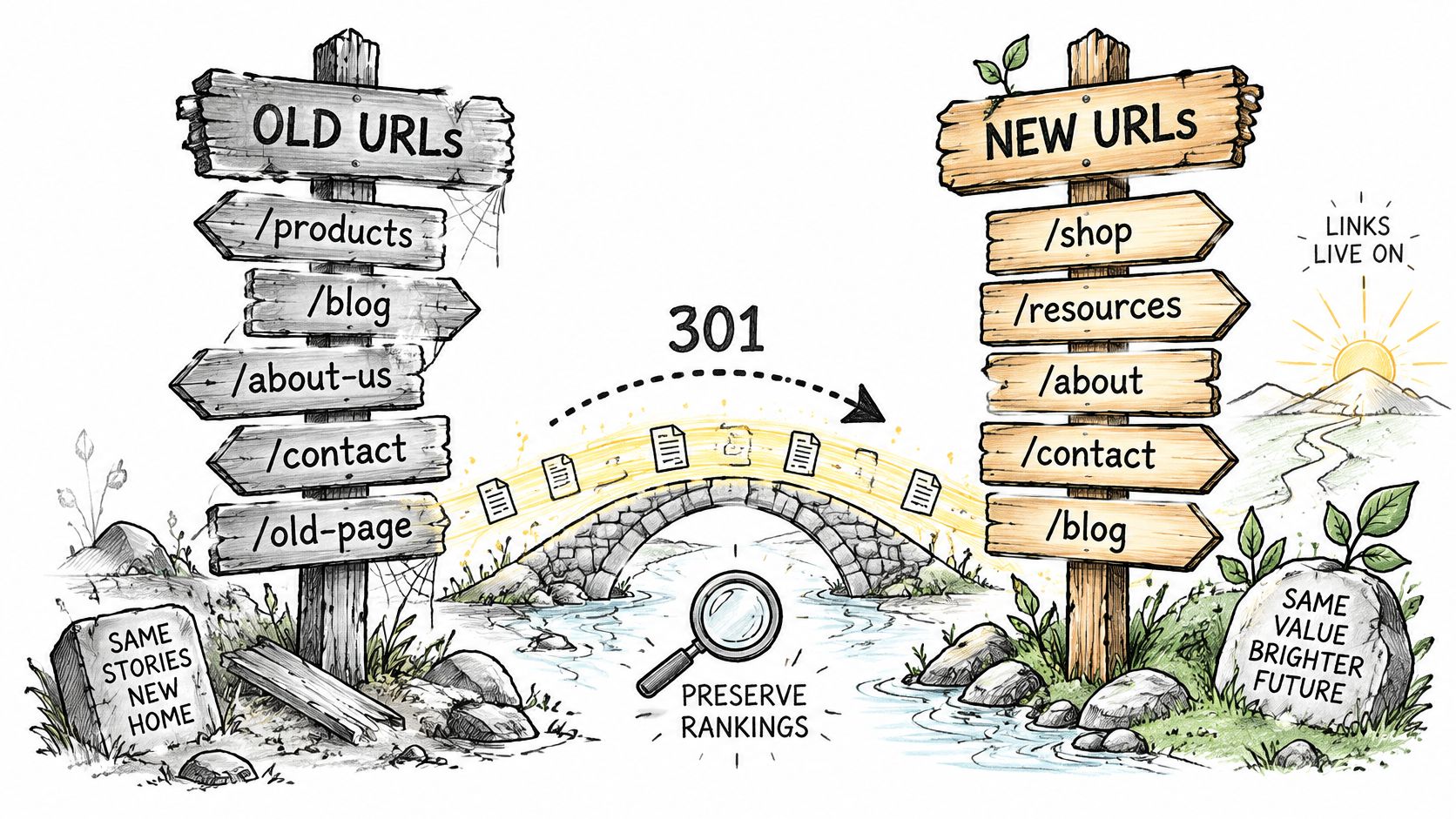
A migration preserves search equity only when each important old address has a tested destination or a deliberate removal response. Build the old-to-new URL map before cutover. Visible page paths are only part of the inventory: include historical aliases, documents, translated routes and parameter-based entry points.
Turn URL decisions into executable rules
- Export the address inventory. Include aliases, internal content paths, taxonomy routes, files, listing URLs and the current XML sitemap. Add landing paths found in analytics and request logs.
- Group by pattern. Separate editorial aliases, archives, documents and faceted listings. This shows where reusable rules fit and where individual URLs need exceptions.
- Choose a destination. Keep a URL, redirect it to its replacement, or retire it. Use a parent page only if it answers the same question as the old URL. Otherwise, return an appropriate removal response instead of sending visitors to unrelated content.
- Prepare and test permanent redirects. Test the rules in a preview or protected environment before public routing changes.
- Verify page signals. Check canonical tags, titles, descriptions, structured data and language annotations against the approved mapping.
- Publish the replacement sitemap. Validate its URLs, remove staging addresses and submit it through the relevant search management account.
Use the SEO on Drupal migration considerations to define acceptance cases before launch. Assign a destination and an owner to every important landing page before the source freezes.
Test real requests
A redirect chain can form when an old alias points to an intermediate path that redirects again. Flatten each chain to its final destination, then test the response, destination content and canonical together.
Decide which URL parameters identify useful content and which only control sorting or tracking. Each language variant needs a same-language destination, with its language annotation matching the approved URL map.
Keep a redirect exception log with the source URL, intended destination, test result and owner. During the initial crawl period, use missing-path logs and search coverage to identify unresolved routes, then triage newly found gaps promptly. Prioritize unmapped routes with substantial traffic over rarely requested aliases.
Test Release Gates Before Any Traffic Moves
WebinOne's migration process is tested before and after cutover because a clean import doesn't prove a working service. Testing must establish both data integrity and functional equivalence.
The migration-results testing guide supports continuous validation in small batches, relationship checks and rerun testing rather than relying on a final aggregate count. Insufficient testing, ignored custom code and outdated dependencies are practical failure modes to address, not reasons to quote an unsupported industry failure rate.
Migration test types and what each one catches
| Test | What it catches | When it runs |
|---|---|---|
| Sample batch import | Mapping errors before they multiply across the full estate | Before the full staging import |
| Entity and field counts | Missing or duplicated records by type, language and state | After every full staging import |
| Relationship checks | Null or orphaned references to terms, users and parent nodes | After every full staging import |
| File existence and paths | Broken images, documents and media references | After the media import |
| Redirect and canonical checks | URLs returning errors or pointing to the wrong page | Before cutover and after it |
| Permissions and workflow | Excessive or missing access, broken approval steps | Before user acceptance |
| Visual and accessibility regression | Layout drift and accessibility defects introduced by the rebuild | On every staging build |
| Integration tests | Broken search, forms, payments, analytics or API calls | Before cutover |
| Staging performance | Import runtime, memory growth and template page speed | During rehearsal, followed by production checks after cutover |
Reconcile differences, not just totals
Compare source and target by content type, language, publication state, taxonomy term, media type and revision status. Investigate every mismatch. Equal totals can conceal missing records offset by duplicates.
Test idempotency by rerunning the import against an already populated target. Existing records should update through the mapping rather than duplicate, while approved exclusions remain excluded.
Release gate: Zero unexplained content loss, zero broken critical references, passing automated regression tests, verified redirects and a written rollback threshold.
Permission tests should use accounts representing actual roles, not an administrator account that bypasses restrictions. Integration tests should confirm downstream receipt as well as a successful on-screen response.
Configuration belongs in version control, deployment artifacts should be reproducible, and database and file backups must be restorable. The release approver needs an exception register showing severity, business impact and disposition, not an informal assurance that remaining issues are minor.
Automate Dry Runs, Cutover and Rollback
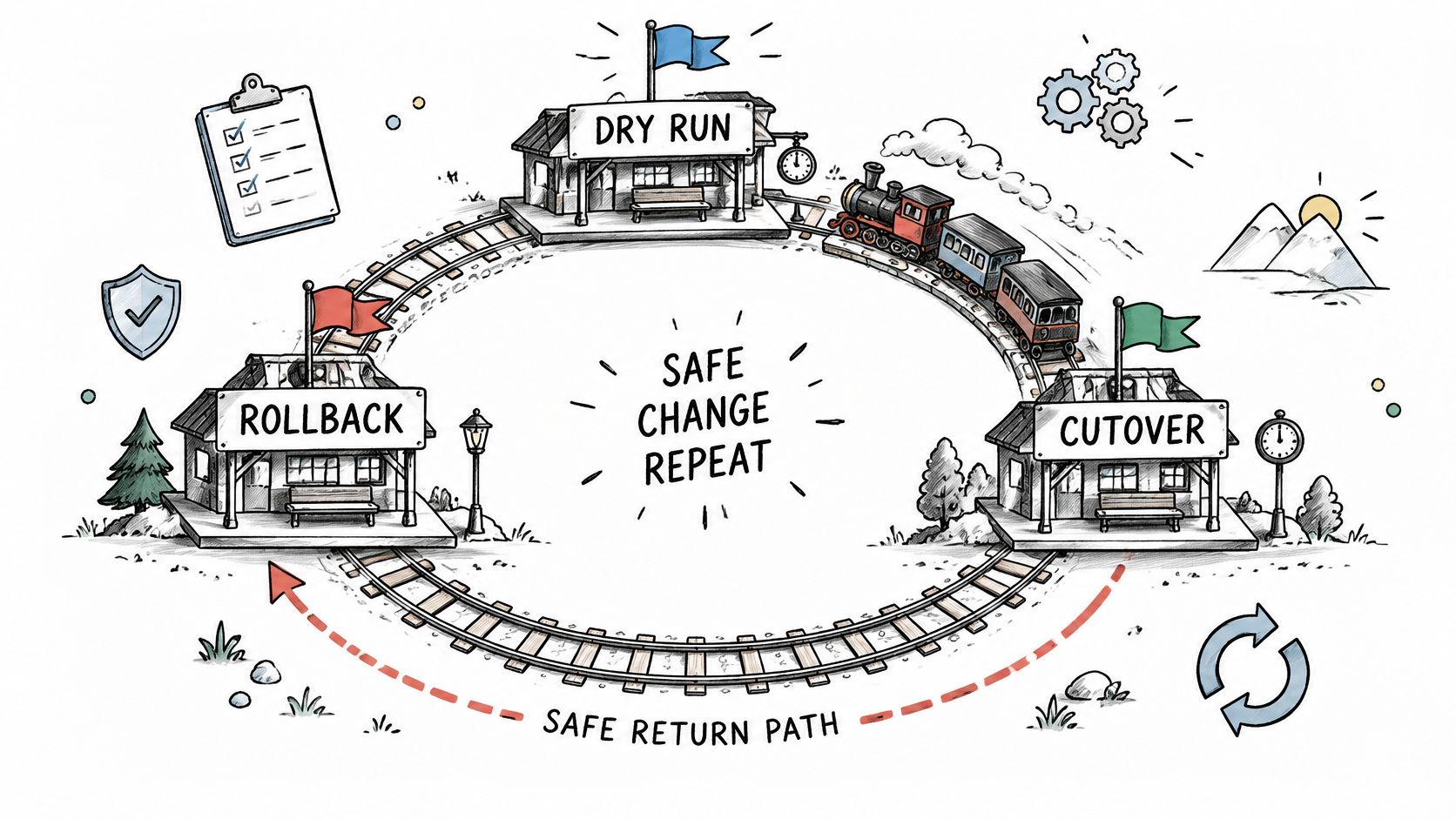
A staged migration makes cutover a controlled routing change, not the first full test of the process. The schedule depends on module dependencies, migration runs and test results, so rehearse the complete sequence and document each handoff before the release window.
Drupal's migration execution documentation covers migrate-status, migrate-import and migrate-rollback in contributed migration tooling. These commands help inspect, run and reverse Drupal migration operations. A rollback can restore routing only when the source remains usable and writes made after launch are reconciled across systems.
Rehearse the exact runbook
Before bulk content creation or updates, disable source-side processes that would add unnecessary load, where safe. Record each change and the restoration steps. Schedule indexing after the load so search is prepared before the target receives normal traffic.
- Run a full staging rehearsal. Record runtime, memory use, warnings and dependency order. Use these results to judge whether the migration window is workable.
- Inspect status and reconcile records. Compare failed, skipped and pending items with the approved inventory.
- Freeze source edits. Notify affected teams and define how urgent changes will be captured during the freeze.
- Apply the delta. Transfer changes since the baseline, including deletions and relationship updates where required.
- Index and warm caches. Prepare search and priority pages before opening the target to normal traffic.
- Switch routing. Follow the approved release procedure, with a named operator and decision-maker.
- Run production smoke tests. Check login, forms, checkout where applicable, and priority landing pages using controlled test records.
- Reconcile target-side writes before any reversal. The cross-platform migration process requires planning for transactions as well as content. Orders, submissions and account changes made on the target need a defined reconciliation path if traffic returns to the source.
Write down the point of no return
Before the freeze, name the person authorized to reverse routing and document the event that ends simple reversibility. The runbook should state which system owns writes at each stage and how operators will prevent duplicate notifications or transactions during recovery.
Keep the source operational until the decision-maker confirms the recovery route and any target-side writes have been handled. This makes rollback a defined procedure with clear ownership, rather than a routing change alone.
Run the Monitoring Window and Close Out the Source
Keep the Drupal source available during a defined monitoring window, with written exit criteria for retirement. Restrict access and preserve recoverability while preventing the source from becoming a second active system of record.
Check operational health
After traffic switches, compare error rates, server failures, rejected submissions and unsuccessful checkout attempts with the agreed baseline. Use staging measurements for technical comparison and pre-cutover production behavior to assess real user and transaction context.
Keep source backups, access controls and required dependencies intact until the release owner authorizes retirement.
Complete discovery checks and handover
Follow the URL and search checks defined in the redirect plan. Assign any newly identified URL exceptions for prompt investigation, prioritizing business-critical destinations.
Close-out requires a durable operational record:
- Reconciliation evidence. Store the final report, approved exclusions and resolved discrepancies.
- Recovery materials. Archive the source database and files under the organization's retention and access rules.
- Operational ownership. Transfer the monitoring baseline, redirect rule log, integration contacts and incident procedures.
- Written approval. Confirm no critical issues remain before removing the source from service and retiring its infrastructure.
TeamOne support receives the operational handover for the migrated site. WebinOne runs the platform under the 99.95% availability commitment in its published SLA. The handover should also define responsibilities for application-specific monitoring and escalation.
Retirement work includes revoking obsolete credentials, stopping redundant jobs and removing unnecessary access. Complete those changes only after the archive and operational acceptance have been confirmed.
Decide Whether TeamOne Runs Your Drupal Migration
A migration decision depends on whether the estate has enough documented scope and ownership to enter a controlled handover. A WebinOne enterprise migration conversation can help establish the deployment model, but it should follow the project's own inventory and risk review.
Before choosing a delivery partner, confirm who owns the module inventory, integration decisions, governance requirements and release approvals. The schedule is usually driven less by moving data than by mapping module dependencies, resolving unknowns and testing the target. If those responsibilities are unclear, define them before setting a cutover date.
Plan for the destination and its operating model
Agencies and systems integrators should assess the work beyond CMS replacement. The target must fit client requirements and governance, while the operating model should make responsibility for hosting, maintenance and platform changes clear. A managed platform can reduce the ongoing platform workload, but it does not remove the need to assign owners for integrations, content and release decisions.
A staged program gives teams time to resolve dependencies while keeping interim controls in place. Document what remains on the source, who maintains it, and what evidence is required before each wave moves. Avoid a fixed cutover commitment while critical dependencies or testing needs remain unknown.
WebinOne is a managed platform, and qualifying systems integrators can arrange a licensed deployment in their own or a customer's AWS account, including AWS GovCloud for government projects. Choose the model based on the organization's deployment boundaries and operating responsibilities.
Bring the unresolved dependencies
Start with artifacts that make readiness assessable: the module inventory, dependency map, proposed migration waves, traffic and data-sensitivity classes, integration register, and target date. For every unresolved item, record an owner and the interim control. This keeps risks visible and gives release owners concrete evidence to review.
Proceed when ownership is assigned, dependencies have a resolution path, and each wave has agreed release gates. Where those conditions are missing, address them before committing the estate to a cutover date.