Client Portal for Agencies: The Operator's Guide
Every agency lead knows the shape of the problem. A client asks for a revised brief, approvals land in Slack, the latest design lives in a drive folder, billing sits in another system, and six months later nobody can find the decision trail that explains why a page shipped the way it did. That is why a client portal for agencies stops being a convenience feature and starts becoming the operating surface for the relationship.
WebinOne is built for that operating model. It gives agencies one white-label place to run sites, billing, support, permissions, and multi-site governance, instead of stitching together a stack that clients can never quite see clearly. For agencies that need a custom layer around the work, a custom software development firm can help shape the surrounding systems, but the portal itself still has to do the day-to-day coordination.
Table of Contents
- The Inbox Problem Every Agency Lead Recognises
- What a Client Portal Actually Is
- Features That Matter for Agency Operations
- AI Inside the Portal Is a Trust Question
- Security and Compliance as Acceptance Tests
- How to Evaluate Vendors Without Getting Marketed
- Migration and Re-Platforming Without the Drama
- Best Practices and Your Next Step
The Inbox Problem Every Agency Lead Recognises
WebinOne makes sense only when the agency is already drowning in fragments. The portal has to replace the hunt across inboxes, shared folders, and chat threads, not add another destination to check.
What breaks first
The first thing that breaks is the record of agreement. A client thinks one thing was approved, an account manager remembers another version, and the team ends up reconstructing the decision from screenshots and stale threads. That is exactly the kind of mess a portal should prevent.
A useful portal keeps briefs, approvals, tasks, and history in one place, under the agency brand, with staff and clients seeing different depths of the same system. WebinOne does that as a white-label DXP, which means the client sees a branded relationship surface while the agency keeps the operational controls behind it.
Practical rule: if a portal cannot answer “what was agreed, who approved it, and when did that change,” it is still just a filing cabinet.
For teams that want a separate operating layer around delivery, the value is in centralised visibility. It reduces the dependency on individual account managers and cuts down on the six-month scavenger hunt through old email chains. The agency relationship feels calmer because the system holds the history.
A portal also has to help the agency earn margin. If the client still has to email for updates, resend assets, and chase status, the portal has failed before it has started.
What a Client Portal Actually Is
WebinOne treats a portal as a working environment, not a folder with a login. The true test is whether it supports clients, operations, and governance at the same time.

Three jobs, one system
A client portal earns the name when it does three jobs together. First, it gives clients a surface for approvals, assets, and status. Second, it gives the agency an operations console for billing, tickets, and account work. Third, it acts as a control plane for branding, permissions, and service expectations across many accounts.
That separation matters because many tools only handle one slice well. A file vault stores assets, a project board tracks tasks, and a hosted inbox collects messages. None of those, on its own, gives the agency a governed relationship layer.
WebinOne combines the three jobs into one console under the agency brand. Staff can work inside the operational depth, while clients only see what they need to see. That difference is what turns “portal” from a label into a workflow.
For a broader example of structured client flows, the agency client setup overview is worth reading alongside any portal evaluation because onboarding discipline is usually where these systems either become useful or stall.
How to tell the difference
A real portal does not just host documents. It lets a client approve work, shows the agency what is in flight, and keeps the account structure intact as the portfolio grows. If one of those pieces is missing, the setup is incomplete.
The cleanest test is simple. If the agency can change branding, route support, and manage access without rebuilding the process for every client, the portal is doing real work. If not, it is a shared drive with nicer colors.
| Capability | Agency Job | How WebinOne delivers it |
|---|---|---|
| White-label branding | Make the portal feel like the agency | Branded login, admin chrome, and client-facing experience |
| Billing | Keep commercial work inside the relationship layer | Reseller billing and account visibility in one console |
| CRM | Maintain account context without a separate login | Built-in records for contacts, cases, and activity |
| Tickets | Track support without losing the audit trail | Support activity tied to the client account |
| Multi-site management | Run many client properties from one place | Centralised management across portfolio and brands |
| Headless delivery | Serve content and commerce to other front ends | APIs and headless access for external delivery |
An agency that can read this table and map it to its own workload is already thinking about the portal correctly. The rest is implementation discipline.
Features That Matter for Agency Operations
WebinOne is only useful if the feature set matches the agency job, not a demo checklist. The buyer should ask how each capability changes the actual day-to-day workload.

White-labeling, billing, CRM, tickets
White-labeling has to reach the login, the admin chrome, and the client experience. If the client sees the agency brand in email but lands in a generic interface, the illusion breaks immediately. WebinOne's reseller model is designed around that full-brand surface.
Billing has to behave like a real commercial layer, not a side note. The point is for the client relationship, the invoice, and the service history to live together so nothing has to be reconciled manually across different tools.
CRM inside the portal should not require a separate login just to find account context. WebinOne's built-in records for contacts, cases, and member activity make the relationship history visible where the work happens.
Tickets need more than a form. They need an audit trail that shows who asked, who touched it, and how the issue moved through the account. That is how support becomes operationally useful instead of just being another inbox.
A portal becomes valuable when the client does not have to guess where to go for the next action.
Multi-site and headless delivery
Multi-site governance is where agencies either win back time or create a new mess at scale. The portal should let one operator manage many sites, brand rules, and account permissions without redoing setup work for every new client.
Headless access matters when the agency is serving more than one front end. WebinOne's API surface lets content and commerce reach other channels without turning the portal into a dead end.
The buyer should check the relationship between the portal surface and the underlying content system. If content, approvals, and site operations cannot be tied back to the same account record, multi-site delivery gets harder as the portfolio grows.
The cleanest way to evaluate these capabilities is to tie them to a concrete job.
| Capability | Agency Job | How WebinOne delivers it |
|---|---|---|
| White-label login and admin | Keep the client inside the agency brand | Branded surfaces under the reseller model |
| Billing layer | Keep invoices attached to the account | Centralised billing inside the portal |
| CRM records | Preserve relationship history | Contacts, cases, and activity in one place |
| Tickets | Track issues with accountability | Client-linked support trail |
| Multi-site governance | Reduce repetitive setup | One console across many sites |
| Headless APIs | Reuse content across experiences | Serve other front ends and channels |
For a deeper look at how approval flow and account work should sit together, the content approval workflows article is the right companion reading.
AI Inside the Portal Is a Trust Question
WebinOne's AI story only works if the workflow is visible, scoped, and reversible. Once an agent can touch client content or operational data, the question is no longer speed, it is control.
The governance questions that matter
A buyer should be able to answer whether AI actions are limited by client, site, dataset, and task. If the answer is fuzzy, the portal is creating risk rather than reducing it.
The next question is retention. Prompts, outputs, and changes need a clear policy on storage, review, and training use. Without that clarity, the client cannot tell where their data ends up.
Every change should be attributable and reversible. That means the portal needs reviewable logs, rollback paths, and a clean way to export activity for audit.
If the workflow hides AI activity, the trust gap gets wider, not smaller.
AgentOne without the theatre
WebinOne's AgentOne is best understood as scoped automation inside a managed platform, not as a magic layer that replaces oversight. It works when a team can see what changed, what was proposed, and what is still awaiting approval.
That matters because the portal is often the place where client content, unpublished assets, and operational decisions meet. AI can speed up the work, but it also increases the need for visible permissions and traceable outcomes.
For a practical read on the content side of that problem, the AI-powered content generation article shows why governance belongs inside the workflow, not in a note at the bottom of the page.
The contrarian truth is simple. AI inside a portal can lower trust if it behaves like an invisible assistant. It earns trust only when the agency can inspect, limit, and explain every material action.
Security and Compliance as Acceptance Tests
WebinOne should be judged against written controls, not brand language. A procurement lead can run security as an acceptance test suite and know quickly whether the portal is safe enough to carry client work.
Zero trust is the baseline
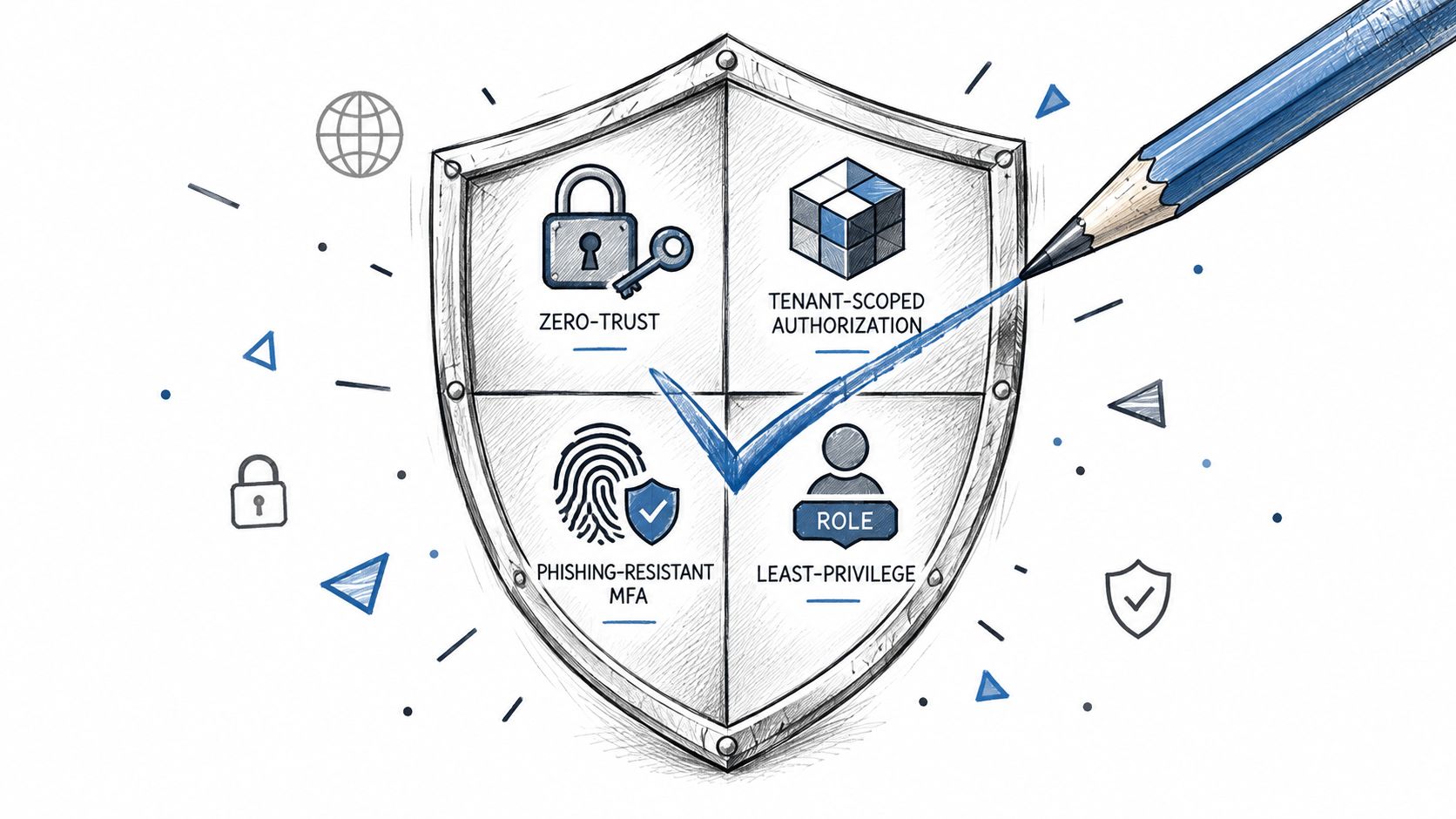
NIST's Zero Trust Architecture guidance recommends continuously evaluating access decisions, applying least privilege, monitoring traffic or relevant metadata, and logging configuration changes for audit NIST Zero Trust Architecture. For a portal, that translates into tenant-scoped authorization, strong MFA for privileged roles, and immutable audit events for login, export, billing, publication, token creation, and permission changes.
That architecture matters because a shared agency login creates a large blast radius. Tenant isolation narrows the impact, least privilege limits what a compromised account can change, and audit logs make incident reconstruction possible.
A practical acceptance test is straightforward. A user from one client should not be able to enumerate, query, export, or infer another client's records through URLs, APIs, search results, bulk actions, or cached responses. If that test fails, the portal is not ready.
Breach reality and managed operations
The broader security context is not theoretical. Verizon's 2025 Data Breach Investigations Report analyzed more than 22,000 security incidents, including 12,195 confirmed breaches, and found credential abuse in 22% of breaches, with vulnerabilities accounting for another 20% Verizon DBIR 2025. It also reported that 88% of breaches in the Basic Web Application Attacks pattern involved stolen credentials.
That makes access governance a core platform function. The cost of a breach is also real, with IBM reporting a global average breach cost of USD 4.44 million and an average lifecycle of 241 days IBM Cost of a Data Breach 2025. Internal detection reduced average costs by USD 900,000, which is why support history, logging, and escalation cannot be an afterthought.
For agencies evaluating the control surface, a useful companion read is SaaS data protection compliance basics. It helps frame the questions, but the portal still has to enforce them.
WebinOne's trust posture includes AWS Partner status, the AWS Foundational Technical Review, AWS Qualified Software designation, enrollment in the AWS Software and Services Paths, and availability on AWS Marketplace. It also operates across six AWS regions, reports 99.99% uptime over the last 12 months, and carries a 99.95% availability commitment in its published SLA. For qualifying systems integrators, a licensed version can run in their own or the client's AWS account, including AWS GovCloud, by agreement.
The residency question should be asked before signing, not after a problem appears. Agencies need a clear data map, backup location, subprocessors, support access rules, retention period, and exit process. Local storage is not automatically safer, and global operations are not automatically compliant, so the contract has to describe the actual control surface.
How to Evaluate Vendors Without Getting Marketed
Treat the portal like infrastructure, not a demo. The right questions are the ones that change day-to-day agency operations after launch.
What to ask in the sales call
Start with white-label depth. The portal should carry the agency identity through login, admin screens, and notifications, not just the front page.
Ask how billing and reseller economics work. You want to know whether the commercial layer matches agency ownership, or whether the team still has to reconcile usage and client charges outside the system.
Support is part of the operating model. Ask for the named escalation contact and the response-time commitment in writing before the pilot. If support tiers exist, ask what the free tier does not cover.
Security evidence should be concrete. Ask for the status page, the security overview, the audit trail, and the change log. If the vendor cannot show how a change is governed, logged, and reversed, the process is fragile.
A simple shortlist test
Use one test: can the platform manage many client sites from one place without creating extra admin work? That covers permissions, site setup, branding, support, and reporting.
Then pressure-test the commercial side. Transparent economics matter because agency margin depends on knowing where the platform adds cost and where it does not. If pricing is structured per site, make sure the model stays clear as the portfolio grows.
The comparison should also cover hosting geography, security posture, AI governance visibility, migration support, and the contract surface the agency can negotiate. Those are the points that separate a real operating system for client work from a polished product pitch.
Migration and Re-Platforming Without the Drama
A serious migration starts with staged planning and a clear cutover path. The work is in preserving URLs, content, and day-to-day operations while the platform changes underneath.
What the handoff looks like
Ask who owns the data during cutover, what can be rolled back, and what happens if a client workflow still depends on an old path. Those are the questions that separate a controlled re-platform from a messy one.
Treat migration as a normal operating phase: staged planning, tested cutover, rollback criteria in writing. For the full staging-and-cutover method, see this website re-platforming guide before you scope the migration.
WebinOne has migrated thousands of sites and operates in six AWS regions with 99.99% uptime over the last 12 months and a 99.95% availability commitment in its published SLA. That is the practical backdrop for zero-downtime claims.
The engagement path that makes sense
The right entry point depends on your model, agencies and enterprise teams have separate paths described at the end of this guide.
A careful buyer should also document the migration scope in writing. That should include the content inventory, the account model, the redirect plan, the cutover window, and the rollback criteria.
A good migration is visible, staged, and auditable, and the agency can keep operating while the platform changes underneath it.
Best Practices and Your Next Step
Treat the portal as the agency-client operating system. Set client identity up from day one, so access, permissions, and ownership do not drift later. Make approvals auditable, so every sign-off leaves a clear trail. Treat performance as an agreed service target, with the status page and response-time expectations written down. AI actions need the same controls as staff actions, with review, permissioning, and logging in place.
Buyers should also ask how the vendor handles public status, security posture, and roadmap transparency. Agencies selling under their own brand can start with the reseller program. AWS partners, systems integrators, and enterprise teams should start with a partnership or migration conversation at WebinOne enterprise.