Best Content Management Systems for Agencies in 2026
Most guides to the best content management systems tell you to compare page builders, template libraries, and entry-level subscription prices. That advice breaks the moment an agency runs ten, thirty, or a hundred client sites.
Launch day is the cheapest day a website ever has. The true cost shows up in month eight, when plugin updates break checkout flows, backup checks slip behind schedule, and senior developers spend Fridays patching servers instead of shipping billable work. Market share doesn't protect your margin when a single security incident wipes out a quarter's profit on a retainer.
Evaluating platforms as an agency owner, technical lead, or systems integrator requires a different lens. You have to measure per-site subscription multiplied by the portfolio, recurring maintenance hours, vendor coordination overhead, exit costs, and whether changes made by humans or AI can be reversed without downtime. Everything below applies that operational standard to the platform categories you're choosing between.
Table of Contents
- Best Content Management Systems at a Glance
- Why the Installed Base Still Shapes Your Costs
- Five Criteria to Test Before You Shortlist
- What a Platform Costs Across a Portfolio
- Governance and AI Controls Across Many Sites
- When Leaving Your Current Platform Pays Off
- Which Platform Fits Your Agency Situation
- Confirm Your Shortlist Through the Reseller Program
Best Content Management Systems at a Glance
WebinOne sits in the managed multi-site DXP category, placing hosting, security patching, multi-site governance, and an agency portal in one platform rather than a stack you assemble yourself. Before digging into vendor demos, match your agency's operational tolerance to the six platform categories below.
| Platform type | Who carries patching and uptime | Governance across many sites | Best fit |
|---|---|---|---|
| Self-hosted open-source CMS | Your team | Through plugins or modules you maintain | Single sites and custom builds |
| Managed open-source hosting | Host and your team | Set by the add-ons you install and maintain | Content-led single sites |
| Hosted website builder | Vendor | Few controls once you run many sites | Small brochure sites |
| Headless CMS (API-first) | Vendor for content, your team for the front end | Set through the content model | Multi-channel content delivery |
| Enterprise DXP | Vendor and integrator | Strong, with a large implementation cost | Large enterprises with dedicated teams |
| Managed multi-site DXP (WebinOne) | WebinOne platform team | Agency Portal and multi-site control from one console | Agency portfolios and SI-delivered estates |
How Control and Upkeep Trade Off Across Categories
Start at the top of the table, where control is highest and operational load is heaviest. Self-hosted open-source platforms let developers modify every layer of code, yet server patching, backup validation, and plugin or module upkeep stay on your team's calendar every week. Moving to managed open-source hosting shifts server maintenance and caching onto a host, but the add-on lifecycle, version conflicts, and theme updates still sit with your agency.
Hosted website builders remove server administration and launch single brochure sites quickly. Once an agency manages dozens of client accounts, those builders rarely give you shared templates, cross-site permissions, or unified billing. Headless CMS platforms split content storage from the presentation layer, which fits multi-channel publishing only if you're willing to staff and maintain a separate front-end engineering pipeline for every client.
Enterprise DXPs cover broad multi-brand requirements, though their licensing and implementation budgets lock out most agencies and mid-market buyers. A managed multi-site DXP closes the gap between limited builders and heavyweight enterprise suites by keeping infrastructure, security updates, and multi-site administration under one platform team. Find your current client site count in the table above, then read the row that still holds together when that count doubles.
Why the Installed Base Still Shapes Your Costs
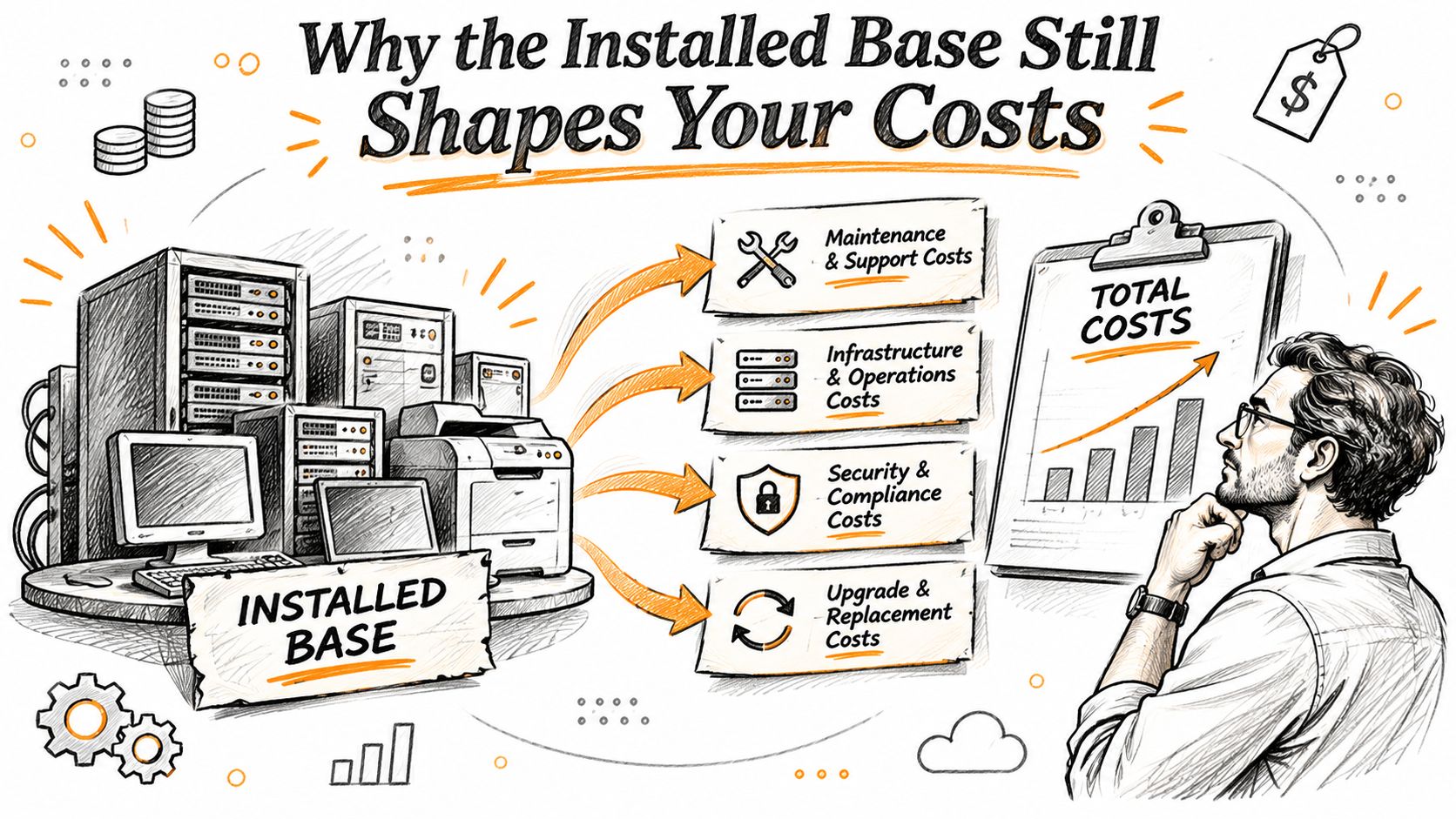
Installed base affects the work around a platform: who can maintain it, what documentation exists, and how hard a takeover becomes. That matters more for an agency portfolio than popularity. WebinOne competes on post-launch operations, where the actual cost sits in predictable administration across many client sites. Adoption rankings do not tell you whether a target stack reduces handover friction, developer dependency, or recurring upkeep.
Market data is still useful, if you use it for the right job. W3Techs content management market share data shows how widely different CMS categories appear across surveyed sites, including the large share of sites with no detectable CMS. That last group reflects custom builds, proprietary systems, and headless setups, which often create the messiest handovers because the working knowledge sits in too few heads.
Treat that installed base as a migration input. A common platform gives you a deeper hiring pool and more familiar documentation when a contractor leaves. It also means takeovers often begin with inherited themes, add-ons, or local conventions that nobody wants to own. A custom or undetectable setup may look clean from the outside, then expose years of undocumented decisions once you open it.
There are two operational questions worth asking before you shortlist anything. Who can pick this up after the original builder leaves? What does a new site inherit when it joins the portfolio? Those questions beat feature-count comparisons because they surface the costs that appear after launch: patch cycles, backup checks, template drift, CRM cleanup, and the hours spent coordinating separate vendors.
Market share also changes, which is why historical data deserves a narrow role. W3Techs historical CMS trend data tracks shifts in CMS usage over time, including changes among the most visible categories. Those movements tell you that client estates will keep changing. They do not justify chasing the current favorite. They justify choosing a target platform that centralizes templates, content, CRM, forms, hosting, and editing work, so each new site adds less operational drag.
Use market data to map migration sources, hiring realities, and handover risk. Use run cost and multi-site governance to pick the target platform.
Five Criteria to Test Before You Shortlist
WebinOne is built to pass five operational stress tests, and your technical team should run every one of them on a real client workload before signing any platform contract. Vendor feature grids hide bottlenecks that only appear under editorial concurrency, bulk publishing, and recovery drills.
| Criterion | What to test | Red flag |
|---|---|---|
| Extensibility | Custom modules, template logic, API coverage and webhooks | Core features depend on third-party add-ons you cannot audit |
| Data portability | Full export of content, media, redirects and CRM records | Export covers pages but not structured content or customer records |
| Multi-site governance | One admin view, shared templates, per-site permissions and branding | Each site needs its own login, plugin set and update cycle |
| Operating cost | Hosting, security patching, backups, developer hours and vendor count per site | Cost rises in step with every site added |
| Scalability | Traffic spikes, cache and search behaviour, uptime commitment and hosting regions | Scaling depends on hand-tuned servers or plugin tweaks |
How to Run the Pre-Shortlist Stress Test
Skip sandbox demos with three sample blog posts. Take a representative client property and run five concrete checks against every candidate on your list.
- Test full data export first. Pull a representative set of structured content, media files, CRM records, and 301 redirects out of the platform. Inspect the output files to confirm relationships and metadata survive in a usable format rather than flat HTML dumps.
- Time a bulk publish on a busy clone. Duplicate one of your highest-traffic client sites and trigger a bulk publish of several hundred items at once. Watch how cache invalidation, search indexing, and front-end response times behave while the batch runs.
- Measure API latency under concurrent editing. Put several editors into the admin interface at the same time while querying content endpoints. Slow admin saves or strict rate limits show up immediately when real teams work together.
- Rehearse a staging rollback with a stopwatch. Break a template or content collection on a staging copy, then trigger a restore and measure recovery time from start to verified live state.
- Count every external dependency per site. Tally the hosts, CDN accounts, SSL certificates, backup utilities, and third-party plugin or module licences required to keep one site compliant and running.
Evaluating Extensibility, SEO Control, and Governance
When testing extensibility, check how custom data structures and integrations behave without bolted-on plugins. WebinOne includes Liquid templating, custom modules, and an Open API providing 300+ APIs for a headless CMS experience with webhooks and external system integrations. Because core capabilities don't rely on third-party plugins you can't audit, security reviews stay contained within one platform.
Technical search requirements belong in the same test pass. Confirm you can control URL structures, structured data, canonicals, and redirects natively rather than stacking add-ons; our guide on evaluating a CMS with built-in SEO controls details the exact technical checkpoints to verify. For governance, verify that a single admin view exposes all client sites, shared templates, and per-site permissions without separate logins for every brand.
Any criterion a vendor refuses to confirm in writing becomes an operational risk your agency carries after launch. Cut every platform that fails even one of the five tests.
What a Platform Costs Across a Portfolio
Portfolio cost is the per-site plan multiplied across your estate, plus the maintenance hours and vendor invoices required to keep every site upright. Comparing single-site starter tiers misses the compounding math that destroys agency margins.
WebinOne prices transparently per site starting at $10/month. A Content Plan is required per site: Starter at $10/month, Business at $20/month, or Pro at $40/month. Ecommerce plans sit on top of a selected content plan and are required for payment, with zero transaction fees on all plans. Adding an extra domain and another home page to an existing site uses the Multisite extension, which starts from $6 per month.
Separating Cheap to Start From Cheap to Run
Consider a straightforward ten-site agency portfolio. At WebinOne's entry Content Plan, base platform subscriptions come to $100 per month before any ecommerce plans or extensions. That number is easy to model because it sits inside one platform. The harder part is pricing the hours, handoffs, and supplier invoices that sit around a fragmented open-source stack.
Contrast that single-vendor structure with the full run cost of a self-managed open-source stack. A Lynton analysis of mid-market WordPress total cost estimates annual total operating costs of $44,400 to $148,500 for roughly ten sites spread across 8 to 12 vendors. Because that estimate comes from a service provider, treat it as an illustration of hidden operational sprawl rather than a universal benchmark. Even at the low end, vendor fragmentation turns "free" software into an expensive overhead line.
To build an honest three-to-five-year model for your own portfolio, total all seven lines below before looking at feature checklists.
| Cost line | What it covers | How to estimate it |
|---|---|---|
| Platform subscription | Per-site plan from $10 per month; ecommerce plans sit on top of a content plan with zero transaction fees on all plans | Site count times plan price |
| Hosting and infrastructure | Servers, CDN, staging environments and backups | Included in a managed platform; itemised on self-managed stacks |
| Extensions and licences | Plugins, modules and add-on subscriptions per site | Count per site and multiply by the estate |
| Security and patch hours | Update work, incident response and backup checks | Weekly hours times the number of sites |
| Developer and agency hours | Feature work, fixes and handover | Project hours logged against each client |
| Vendor coordination | Meetings, handovers and invoice admin across separate suppliers | Number of vendors times hours per month |
| Migration project | Rebuild, redirect map and running old and new sites in parallel | 3 to 6 months straightforward, 6 to 12 for complex multi-site estates |
Calculating Your Consolidation Trigger
Migration timelines belong in the model because they create a period of duplicate cost. According to the Lynton analysis of mid-market WordPress total cost, straightforward migrations typically require 3 to 6 months, while complex multi-site estates take 6 to 12 months. Those windows matter because you carry dual hosting and engineering costs while old and new sites run in parallel.
Consolidation trigger: When recurring vendor invoices, patching hours, and incident firefighting exceed your platform spend, and your agency can absorb a staged migration window, staying on a fragmented stack costs more than moving.
For a deeper breakdown of how agencies quantify hidden infrastructure and maintenance lines across multi-year retainers, review our framework for reducing total cost of ownership. Run your actual twelve-month time logs against the seven rows above before renewing another year of patchwork hosting and plugin licences.
Governance and AI Controls Across Many Sites
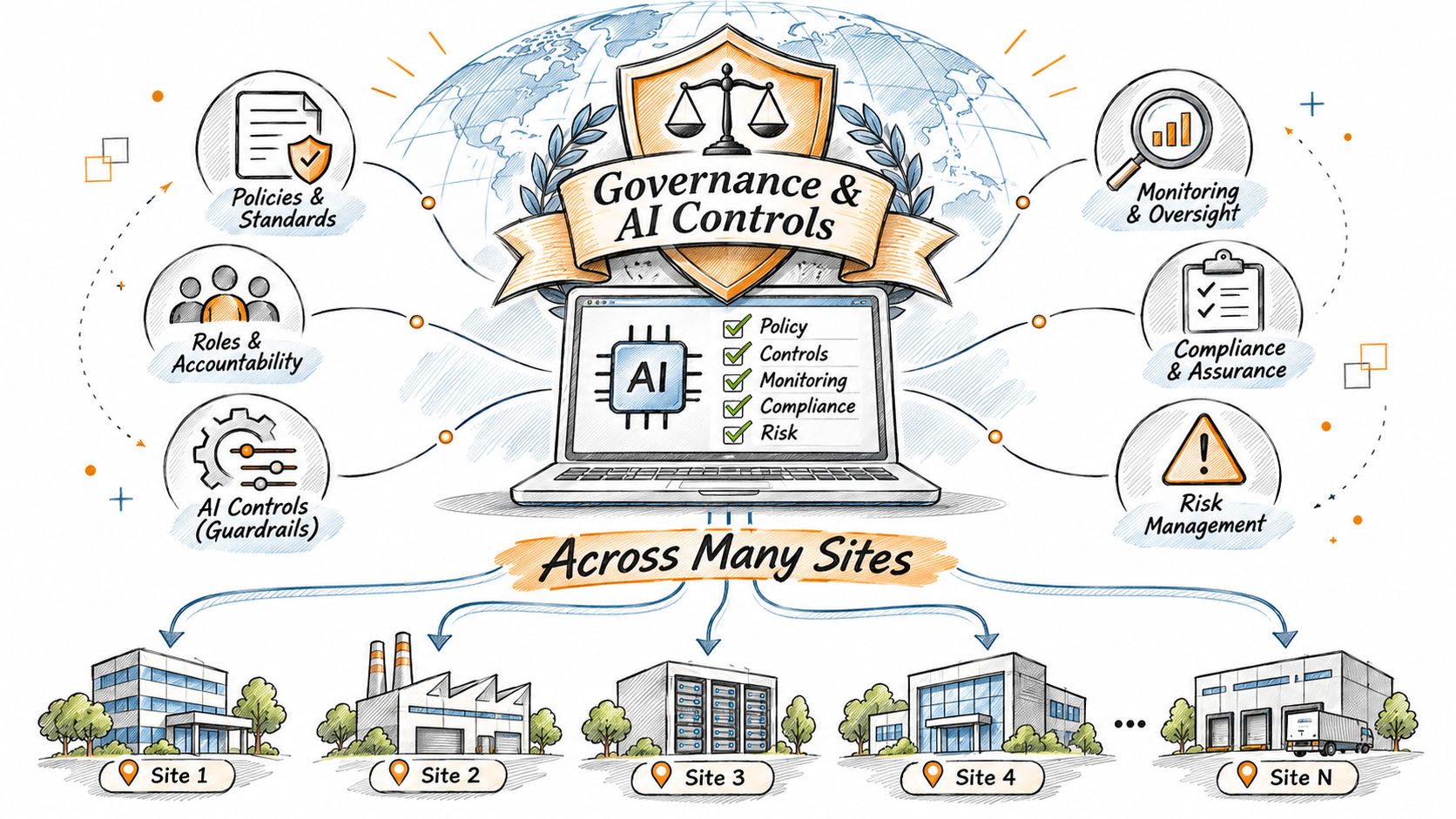
AI-assisted operations create value only when every change across a client portfolio stays reviewable, reversible, and tied to clear access rules. Agencies running dozens of live sites face a harder problem than generating copy: they need production controls that hold when multiple people, workflows, and outside tools touch content.
Enterprise adoption data shows how wide the gap between experimentation and controlled operations remains. According to the Content Marketing Institute 2025 enterprise research, 75% of organizations used AI in 2025, up from 58% the prior year. Governance policies are catching up, with 80% addressing acceptable uses, 77% maintaining security measures, and 70% enforcing data-handling guidelines.
The same report points to a narrower pattern in AI adoption across content operations: organizations are using AI, but they are keeping it inside limited parts of the content supply chain. That restraint makes sense. Uncontrolled updates across brand sites create legal, security, and reputational risk, especially when one change can affect templates, product data, forms, or CRM records across many properties.
The Governance Checklist Every Platform Must Answer
Before letting any team member or AI workflow touch production sites across multiple clients, verify seven platform-level controls:
- Account-level agency boundaries: Your agency sets exact access limits across templates, sites, staff, branding, and billing from one dashboard. Inside WebinOne, the Agency Portal centralizes those controls so client editors can't alter global code or cross-site settings.
- Pre-publish approval workflows: Draft changes stay isolated until a designated reviewer signs off, preventing unvetted edits from hitting live URLs.
- Complete activity history: Every edit, deployment, and configuration change writes to platform activity logs so you know who changed what and when.
- Human review gates: Automated tasks stop short of unilateral publishing, keeping editorial and technical accountability with your staff.
- Source traceability and media discipline: Teams often pull in external assets from specialized tools, such as an AI video creator for campaign visuals, and your CMS needs clean asset tracking and approval trails before those files go live.
- Data residency compliance: Regulated organizations require clear regional hosting rules rather than opaque multi-region storage.
- One-click rollback on production: If an update breaks layout logic or publishes incorrect pricing, restoring the last known good state takes seconds rather than a manual database recovery.
How Managed Vibe Coding Fits Inside Platform Boundaries
On WebinOne, AgentOne is a Managed Vibe Coding system that designs, builds, and manages websites inside WebinOne. Its work sits inside the same platform safeguards that matter for any other editor or automation: draft mode, automated backups, activity logs, and the boundaries your agency sets.
That structure keeps AI work within operational limits. A person still publishes changes or switches a workflow on. If a change fails review or causes a problem after release, the production rollback process in the checklist becomes the control that limits damage.
The practical test is simple. During your next platform evaluation, skip the canned AI copywriting demo and ask the vendor to make a live change, show the activity record, and roll it back in real time. If the platform cannot show who changed what, where the change came from, and how to restore the prior state, it is not ready for a multi-client portfolio.
When Leaving Your Current Platform Pays Off
Agencies move platforms when operational drag starts eating every new retainer they win. Re-platforming onto WebinOne pays off when hosting, licences, patching hours, and incident risk cost more than a staged migration delivered by TeamOne. The decision is rarely about a feature gap. It is about whether the current stack still supports the portfolio profitably after launch.
Operational Triggers That Signal a Move
Five warning signs show up repeatedly across agencies and systems integrators carrying aging stacks:
- A patching queue that grows every month: Security updates stack up across client sites faster than developers can test and deploy them.
- Plugin conflicts after routine updates: Updating one form or SEO extension breaks checkout scripts or page layouts on live client domains.
- Manual security incident recovery: The team spends nights cleaning compromised files, rotating credentials, and explaining downtime to clients.
- Scaling work absorbing billable hours: Traffic spikes from client ad campaigns force emergency caching tweaks and server resizes instead of planned project work.
- Key-person risk on custom glue code: Only one senior developer understands how the hosting layer, deployment scripts, and bespoke plugins hold together, leaving the agency exposed if that person leaves.
Use the portfolio cost comparison in the previous section as the financial baseline. The decision point here is operational: if engineering time keeps moving from billable delivery to routine upkeep, a managed platform changes where the work goes. TeamOne migrations are delivered production-ready, with design customization where needed, so the cutover plan matters more than another feature review.
Executing a Staged, Low-Risk Migration
TeamOne migrates open-source, website-builder, custom-built, and other CMS-based sites into WebinOne. WebinOne is a SaaS content management system and is not open source. It replaces the usual stack of CMS, Ecommerce, CRM, forms, and hosting with a single platform, with no plugins required. That matters most when a portfolio has accumulated separate tools for forms, customer records, selling, and hosting.
Whichever partner or team executes the re-platform, insist on four safeguards:
- A site-by-site inventory: Document every content type, custom form, CRM integration, third-party script, and active URL before writing a line of template code.
- A verified redirect map: Map every legacy URL to its new destination so search equity does not disappear on launch day. Pairing the technical handover with a structured website migration SEO checklist keeps crawlability, canonicals, and indexing checks from slipping through the cracks.
- Full staging sign-off before DNS cutover: Verify forms, ecommerce checkouts, search queries, and integrations on a staging domain under realistic load.
- An active rollback plan: Keep the legacy site live and intact until redirects, contact forms, and order flows pass verification on the new production environment.
Cutover day needs its own checklist. Confirm DNS timing, redirect checks, form submissions, checkout paths, CRM records, and live content edits in sequence. Keep the team available for fast correction, then close the old environment only after the new site passes those checks in production.
Sequence the migration by pain and margin, not by sheer site volume. Move the most fragile or highest-margin client first to prove the workflow before scheduling the rest of the portfolio.
Which Platform Fits Your Agency Situation
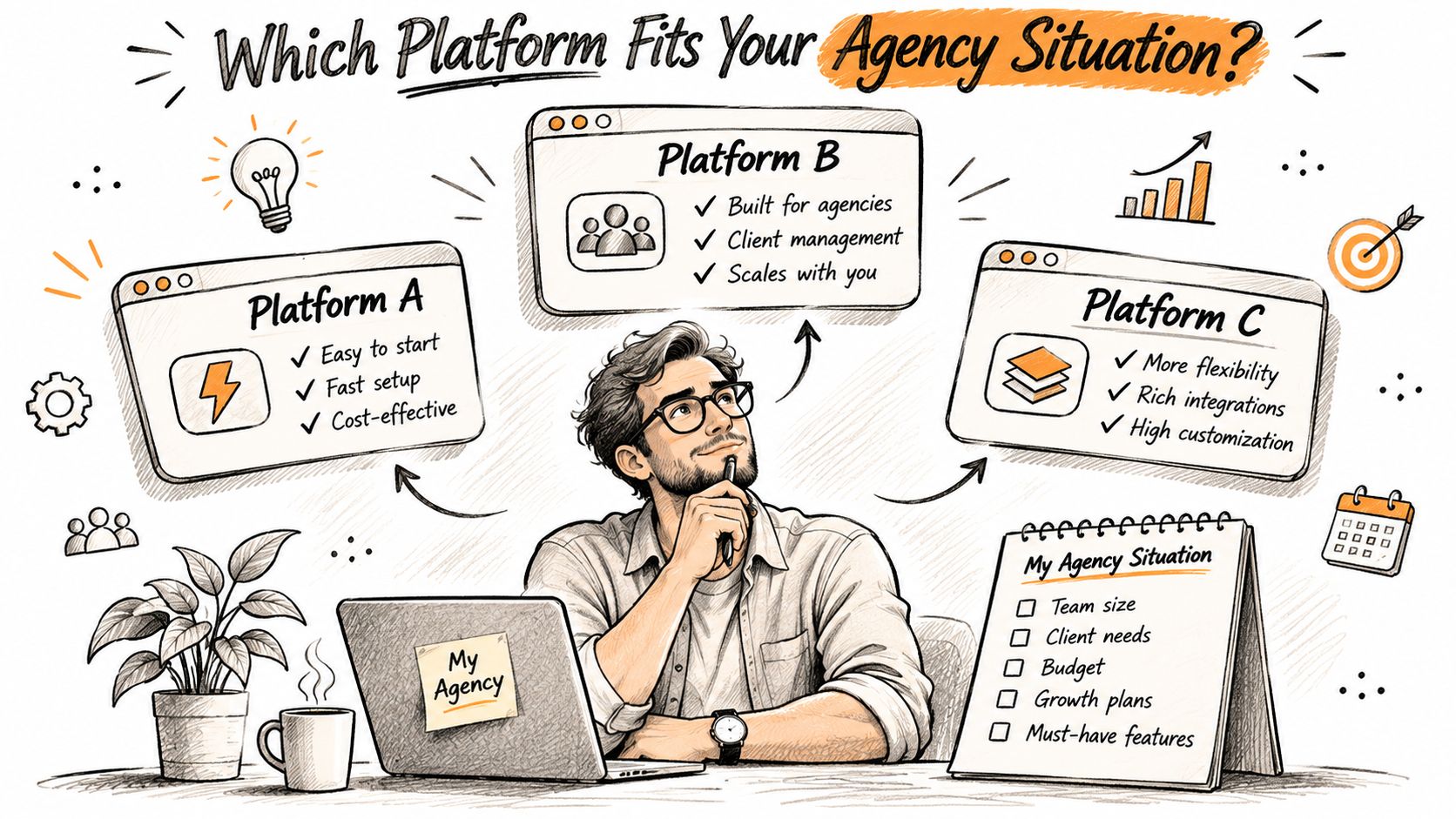
WebinOne fits agencies that have outgrown patchwork stacks and systems integrators delivering client platforms on AWS. It is less useful for a single static brochure site with no plans to scale or manage multiple clients, where a lightweight builder gets you online with less setup. For agencies and integrators building recurring revenue across real client estates, the decision turns on operating profile, run cost, and who carries the maintenance load.
Solo Operators Carrying Plugin Update Loads
If you run a lean studio and spend Monday mornings chasing plugin updates, SSL renewals, and backup alerts, your bottleneck isn't design talent. It's unbilled maintenance. WebinOne replaces the usual stack of CMS, Ecommerce, CRM, forms, and hosting with a single platform, with no plugins required. Compare a fixed per-site monthly plan against the hours you currently lose to upkeep, then migrate one live client site first to measure the drop in weekly overhead before moving the rest.
Mid-Size Agencies Scaling Margin and White-Label Delivery
Agencies growing from ten sites toward fifty or more need consistent margins and a brand clients recognize as their own. Through the WebinOne reseller program, partners deliver white-label login, custom admin branding, and centralized template, site, staff, and billing management across their roster. Support is a commercial detail to pin down before signing, not a slogan. Ask what each support tier covers, how tickets are routed, and who answers when a high-value client site hits an issue on a weekend. The Agency Portal gives one dashboard for templates, sites, development, staff, branding, and billing, which matters when several clients expect the same operating standard.
Systems Integrators Delivering on AWS
Integrators replacing aging open-source estates or custom builds need cloud credibility that survives enterprise procurement reviews. WebinOne is an AWS Partner, has passed the AWS Foundational Technical Review, holds the AWS Qualified Software designation, is enrolled in the AWS Software and Services Paths, and is available on AWS Marketplace.
The managed platform runs across 6 AWS regions, with dedicated server options available by agreement, and reports 99.99% uptime over the last 12 months. It also states a 99.95% availability commitment in its published SLA. For qualifying systems integrators, a licensed version running inside the SI's or customer's own AWS account is available by agreement, including AWS GovCloud. That is the right configuration to examine for government-facing work that requires deployment inside a controlled account. Start with a direct technical conversation about the target account, data residency, integration path, and the exact client requirements.
Enterprise and Public-Sector Multi-Site Teams
Large multi-brand organizations and regulated public-sector buyers should skip visual page-editing demos at the start. Test multi-site governance, per-brand cost scaling, and migration scope first. Buyers in regulated fields should verify regional data residency, platform approval trails, and licensed deployment options inside their own AWS account, including AWS GovCloud, before locking in a multi-year architecture. The operating question is straightforward: who owns templates, access, billing, and changes after launch, and can those controls be applied across every brand without adding a new vendor for each one.
Confirm Your Shortlist Through the Reseller Program
The clearest next step is to bring your shortlist and real client numbers to the WebinOne reseller program, where we confirm pricing, white-label terms, and migration scope for your agency. Reading comparisons only takes you halfway; a shortlist only pays off when one platform passes live testing on a real client site.
Before your review call, pull together five concrete inputs so the conversation stays grounded in your actual P&L:
- Your site count and plan mix: List active client sites alongside which ones need content-only plans, multisite domains, or ecommerce.
- Your portfolio cost model: Bring your completed seven-line operating cost worksheet covering hosting, licences, patching hours, and vendor overhead.
- Your five-criteria test notes: Flag which export, API, bulk-publish, or rollback requirements matter most to your developers.
- A prioritized migration list: Rank candidate sites by maintenance pain and retainer margin rather than alphabetically.
- Your upcoming client pipeline: Note the larger projects or retainers you want to pitch once platform bottlenecks are out of the way.
Bring four sharp questions to the session as well: how multisite costs scale as your portfolio grows, which governance controls apply across separate client brands, what migration scope fits your first wave, and how white-label login and admin branding operate on the reseller tier. You can also review our breakdown of how the partner reseller program works for growing agencies ahead of time.
Start by reviewing the WebinOne reseller program to align terms for your agency, or request a live walkthrough with an existing WebinOne partner to see how another operator runs client portfolios on the platform day to day.