White Label Client Portal: The Agency Guide (2026)

Most advice about a white-label client portal starts in the wrong place—we've seen agencies treat logos as the product. They are told to replace the logo, connect a custom domain, and remove the vendor footer. That produces a branded screen, not a branded client experience.
A portal becomes strategic infrastructure only when the agency controls the full journey, including authentication, tenant access, email notifications, billing, support, auditability, and data location. Cosmetic branding helps a sales demo. Operational ownership protects renewals, margins, and enterprise trust.
Table of Contents
- Why Most White Label Portals Fail Before They Launch
- The Market Case for White Label Client Portals
- Core Features Every Agency Portal Must Include
- White-Label Client Portal Features for Agency Workflows
- Governance and Security Beyond Cosmetic Branding
- How WebinOne Delivers White Label Portal Infrastructure
- Managed Platform Versus Plugin Sprawl
- Migration and Operational Readiness Checklist
- White Label Client Portal Questions Agencies Ask
- What is the difference between a white-label client portal and a white-label client dashboard?
- When is it appropriate to adopt a white-label client portal?
- What can you customize in a white-label portal's interface?
- How should client domains work under a white-label portal?
- How do you give your own staff access without sharing one login?
- Can clients pay for their site inside the portal?
- What changes when you manage 50 or 80 client sites instead of five?
- Your Next Step Toward a Scalable Client Portal
Why Most White Label Portals Fail Before They Launch
The common assumption is that white labeling is a design task. In practice, many portal projects fail because the agency treats the visible interface as the product while leaving the operational system fragmented underneath. A client may see an agency logo at login, then receive a notification from an unfamiliar sender, follow a vendor-branded password-reset link, and discover that billing lives in another system.

That inconsistency creates support work. Clients ask where to find documents, which login to use, and whether a notification is legitimate. Internal teams then maintain exceptions, manually reconcile records, and explain limitations that should have been solved before launch.
The surface-level branding trap
A genuine white-label client portal is an agency-owned experience layer. It can bring together dashboards, project management, communication, invoicing, and approval workflows, whereas white-label reporting is limited to the analytics and dashboard portion of that experience, as ALM Corp's distinction between client portals and reporting makes clear.
The difference matters because every module introduces a trust boundary. A portal that hides the vendor logo but exposes vendor email identities hasn't removed the vendor from the client relationship. Independent coverage of white-label portal controls highlights the same issue. True end-to-end branding requires control over the logo, colors, URL, and email sender identity, not merely a footer or custom domain, as explained in this white-label portal FAQ.
Practical rule: If clients can identify the underlying vendor through login links, sender IDs, error pages, invoices, or support messages, the portal isn't fully white labeled.
What agencies underestimate
The difficult work usually sits behind the interface:
- Tenant boundaries: Each client must see only its own records, files, invoices, and conversations.
- Notification ownership: Email templates, sender domains, password recovery, and workflow alerts must remain consistent.
- Operational routing: Support tickets and approval requests need clear internal ownership.
- Billing continuity: Invoices and payment flows shouldn't send clients into an unrelated brand experience.
- Scalability: Provisioning another client shouldn't require bespoke development or manual database work.
A portal launched without these controls can still look polished. That's precisely the danger. The surface creates confidence while the underlying system creates risk, rework, and vendor dependence.
The Market Case for White Label Client Portals
Client portals have moved beyond a niche agency add-on. One 2026 estimate places the worldwide client portal software market at USD 2,186.54 million in 2025, with a projection of USD 5,566.10 million by 2032 and a 14.3% CAGR over that period, according to PMR's worldwide client portal software market estimate. A separate estimate places the global market at about USD 1.8 billion in 2024, projecting USD 2.6 billion by 2030, with the U.S. at USD 486.6 million in 2024 and China projected at USD 550.0 million by 2030, using the same market reference.
In our review of agency portal platforms, the ones that stuck weren't the flashiest—they were the ones that survived daily use across 50+ client sites. The figures aren't just scale; they show where buyers now expect a unified operational environment rather than loose tool integrations.
Why the category is durable
The modern white-label client portal emerged from two major business shifts: the movement from locally installed software to cloud services and the expansion of distributed digital work. By 2024, the global digital-agency population had reached at least 179,000 agencies according to an industry count, with particularly large concentrations in Europe and India, per Promethean Research's digital-agency industry report. Agencies increasingly need a repeatable way to manage many clients, websites, approvals, support requests, files, and billing relationships without exposing the underlying technology vendor.
One analysis describes the market growing from roughly USD 1.12 billion in 2020 to about USD 2.19 billion in 2025, while another estimate places it at USD 1.7 billion in 2023 and projects growth beyond USD 3.5 billion by 2032 at over 8% CAGR, as summarized in Noloco's white-label portal glossary.
The figures differ because market definitions and methodologies differ. The consistent signal is more useful than false precision: portals are becoming a durable customer-experience layer. Agencies that still deliver reporting through PDFs, shared folders, email threads, and separate payment tools are competing against firms that present one controlled environment.
Adoption should be measured by operating model
No verified dataset supports reliable adoption rates or retention lifts by agency segment. A responsible buying team shouldn't fill that gap with invented benchmarks. Instead, it should evaluate where a portal fits operationally.
| Agency Segment | Portal Adoption Rate | Average Client Retention Lift | Primary Use Case |
|---|---|---|---|
| Marketing and performance agencies | Not established in the verified data | Not established in the verified data | Reporting, approvals, deliverables |
| Professional services firms | Not established in the verified data | Not established in the verified data | Secure documents and communication |
| Managed service providers | Not established in the verified data | Not established in the verified data | Requests, tickets, recurring work |
| Enterprise and multi-brand teams | Not established in the verified data | Not established in the verified data | Governance, permissions, shared operations |
The commercial case comes from control, not a promised percentage. A branded portal can consolidate client interactions, support recurring services, and reduce the number of systems an agency must explain and maintain. It also gives the agency ownership of the customer relationship instead of making the software vendor the most recognizable part of delivery.
For a developer's perspective on what the software must handle under the hood, see the PostPulse guide to white-label agency software.
Core Features Every Agency Portal Must Include
A production portal needs a feature set that serves both sides of the relationship. Clients need a clear, trustworthy place to complete work. Agency operators need reliable controls for provisioning, permissions, billing, support, and reporting.
Start with the client entry point
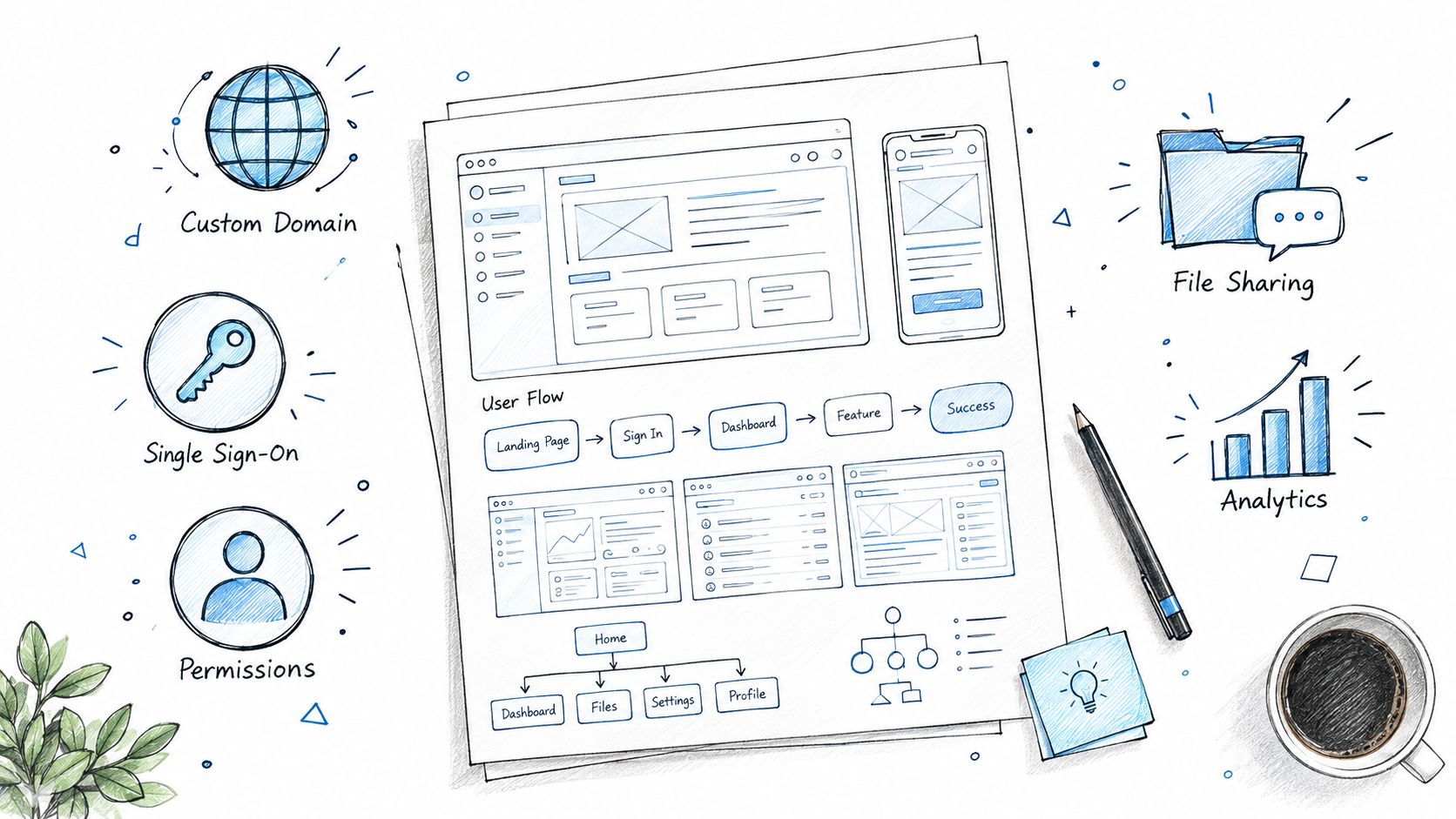
A custom domain is useful, but it's only the first checkpoint. A production-grade branded setup typically includes a custom domain through CNAME, enforced SSL/TLS, and authenticated outbound email identities using SPF and DKIM, according to Docsie's white-label portal glossary.
The client should encounter the agency's identity across login, password recovery, notifications, workflow links, invoices, exports, and error states. If only the login screen is branded, the experience is incomplete.
Build the workspace around work
The portal should make active work visible instead of turning into a passive file cabinet. Essential capabilities include:
- Client dashboards: Show status, upcoming actions, deliverables, and unresolved requests in one place.
- File sharing and collaboration: Keep documents, comments, approvals, and version context together.
- Project and task management: Assign responsibility internally and externally, with visible progress.
- Billing and invoices: Present invoice history, payment status, and receipts within the agency's experience.
- Support routing: Send requests to the team's actual workflow rather than creating another unmanaged inbox.
- Role-based permissions: Separate access for client administrators, contributors, finance users, reviewers, and agency staff.
- Multi-site management: Let operators provision and govern many client environments from a central control plane.
The most important test is operational. A feature belongs in the portal when it removes a handoff, prevents duplicate data entry, or gives a specific person clear responsibility.
Distinguish branding from white labeling
Cosmetic controls include logos, colors, typography, and a vanity URL. True white labeling extends to email sender IDs, notification templates, exported files, billing documents, help content, mobile surfaces, and support workflows.
A buying team should request a complete client journey during evaluation. Test account creation, password recovery, a file approval, an invoice notification, a support request, and an error page. The vendor should show which identity appears at every step, not just demonstrate a polished dashboard.
White-Label Client Portal Features for Agency Workflows
The plural reality is that agencies don't adopt one portal feature—they adopt a workflow system. When a portal works as intended, it replaces scattered inbox traffic with governed actions. The difference shows up in how approvals, communications, and billing flow through a single authenticated experience.
Automate client handoffs, not just documents
Manual email chains survive because workflows aren't explicit. A portal closes that gap by turning requests into structured records. When a client submits a brief, approves a deliverable, or raises a support ticket, the system should route it to the right owner and keep the client informed without the agency forwarding another message.
Research supports the shift. A recent compilation of portal research reports that 67% of customers prefer self-service through a portal for routine issues, while 91% would use a knowledge base or self-service portal if it were available and suited to their needs, according to AM World Group's customer-portal statistics. In B2B contexts, 75% of buyers reportedly prefer to self-serve throughout buying and renewal, with younger buyers showing even stronger preferences, as noted in the same client portal statistics report.
That behavior explains why portals reduce email volume. Clients don't need another thread when the portal can confirm receipt, track progress, and deliver outcomes in one place.
Approval routing and notification discipline
Portals that only store files still generate messages like "Can you check this?" and "Where is my invoice?". Better portals enforce explicit approval steps and time-boxed notifications.
- Files move to an awaiting client review state only after internal sign-off.
- Invoices trigger payment reminders automatically, with clear due dates and receipts inside the portal.
- Support tickets update clients on status changes without requiring a manual reply.
- Deadline approaches are communicated before they become incidents.
The result is fewer ambiguous touchpoints and clearer ownership. When a client knows exactly what action is expected and where to take it, the agency stops answering routine status questions.
Billing consolidation as a retention lever
One of the strongest reasons agencies adopt a white-label client portal is billing clarity. When invoices, receipts, and payment links live inside the branded portal, the vendor stops being the financial face of the relationship.
Agencies should ensure the portal can present plan details, commission structures, usage records, and payment history without redirecting clients to an external payment processor. Visibility into billing reduces disputes, decreases AR follow-up time, and reinforces the agency's role as the single point of commercial contact.
Governance and Security Beyond Cosmetic Branding
Enterprise buyers rarely reject a portal because the color palette is imperfect. They reject it because the agency can't answer where data is stored, who can access it, how access is recorded, and what happens after an incident.

Tenant isolation is the technical foundation. The application should derive tenant context from the authenticated session, apply tenant filters to every query, and use row-level security as a final defense. UI-only separation isn't sufficient because an application bug or misrouted request can expose another client's records, as outlined in this tenant-isolation guidance for white-label portals.
Isolation must exist below the interface
A portal can use shared infrastructure, separate schemas, or separate databases. The architecture matters less than the enforcement and evidence. Every request should carry a verified tenant context, every query should respect it, and privileged operations should be tested independently from the normal user interface.
The failure mode is tenant bleed. One client sees another client's invoice, file, contact, or activity record. That isn't a branding defect. It's a contractual, security, and reputational event.
In practice, tenant isolation failures usually surface after a migration, not during a demo. A clean test environment can hide permission overlaps that only appear when real client data, external identities, and edge-case workflows interact under load.
Data residency needs an explicit answer
Agencies should document where client data resides at rest and how it travels in transit. Data residency can affect procurement, contracts, public-sector delivery, and internal security reviews. It should be a platform decision that can be recorded and audited, not an assumption hidden in a vendor's infrastructure diagram.
The buyer-focused concerns identified in this governance guide for white-label portals include data residency, legal data ownership, tenant isolation, audit trails, and disclosure obligations after a security incident. These questions deserve more attention than a demo of custom colors.
Audit trails turn disputes into evidence
A usable audit trail records authentication events, permission changes, document uploads, downloads, approvals, billing actions, administrative changes, and support activity. Logs should be protected from casual alteration, retained according to contractual and regulatory requirements, and searchable by tenant and user.
Role-based access also needs more nuance than administrator versus viewer. Finance users may need invoices without project files. External reviewers may approve selected deliverables without seeing internal notes. Agency support staff may need diagnostic access without broad data privileges.
For a practical overview of platform security controls, agencies can review WebinOne's security overview. The point isn't to collect badges. It's to verify how policy, access, and evidence work together in production.
How WebinOne Delivers White Label Portal Infrastructure
WebinOne approaches the portal as part of a managed digital experience platform rather than as an isolated dashboard. The platform brings together agency portal functions, client sites, billing, branding, support tickets, CMS capabilities, ecommerce, CRM, email marketing, multi-site management, and a headless API under one managed system.
The delivery model matters because agencies usually struggle with the seams. A client domain, email identity, site environment, billing record, and support request should be provisioned as connected parts of one operating model, not maintained as unrelated vendor accounts.

Centralized control reduces agency overhead
The agency portal supports white-label branding across the admin interface, login screen, back office, and branded subdomains. A central console allows operators to manage client sites and multi-site estates without repeatedly switching between separate accounts.
The platform also supports custom modules, Liquid templating, forms, search, snippets, member areas, ecommerce, CRM cases and contacts, email marketing, redirects, backups, security headers, and headless delivery through 300+ APIs and webhooks. Ecommerce plans carry zero transaction fees, and pricing starts from $10 per month per site, according to the publisher's stated platform information.
Managed infrastructure changes the migration equation
WebinOne runs on AWS across 6 global data centers and reports 99.99% uptime over the last 12 months, with selectable data residency and dedicated server options. The platform is an AWS Partner, is live on AWS Marketplace, has an approved AWS Foundational Technical Review, and has completed an AWS Well-Architected Review.
When we tested multi-site provisioning, the time saved on DNS and email setup was measurable across 30+ client environments. That difference isn't cosmetic. It's the gap between a portal that requires manual coordination for each new client and one that treats multi-tenant onboarding as a repeatable process.
The migration proof is operational rather than cosmetic. WebinOne reports 3,000+ sites migrated, including complex live-site portfolios and large waves of sites moved during the Adobe Business Catalyst end-of-life. TeamOne stages migrations, tests before and after cutover, and uses controlled DNS-level transitions so agencies can move without treating every client launch as a high-risk event.
AgentOne adds a managed operating layer. It generates and operates sites inside the managed platform, with scoped permissions, transparent code, audit logs, and reviewable changes. That makes it materially different from an AI tool that generates an initial site and leaves the agency responsible for every deployment and maintenance decision.
Managed Platform Versus Plugin Sprawl
A plugin stack can be rational for a narrow use case. A single client with low compliance needs may prefer WordPress plus carefully selected tools, especially when an existing team already understands the environment. The problem begins when the same pattern becomes the agency's standard operating model across many tenants.
WordPress plugin exposure is substantial. WPSec's AttackSurface says it analyzes more than 122,000 WordPress plugins, illustrating the size of the ecosystem agencies must evaluate and maintain, as shown on the WPSec AttackSurface platform.
The trade-off is flexibility versus responsibility
Plugins provide choice, but the agency owns compatibility testing, updates, security review, backups, integration behavior, and incident response. A managed platform reduces that coordination burden, but it introduces vendor dependency and may not expose every low-level customization a specialist team wants.
| Factor | Managed Platform | Plugin Stack |
|---|---|---|
| Provisioning | Centralized and repeatable across client tenants | Often configured site by site |
| Updates | Platform operator coordinates core infrastructure | Agency coordinates plugins, themes, and integrations |
| Security model | Shared platform controls can be standardized | Controls vary by plugin and implementation |
| Customization | Governed extension points and APIs | Broad choice, with greater compatibility risk |
| Billing | Can remain connected to portal operations | Often depends on separate plugins or services |
| Support ownership | One managed escalation path | Multiple vendors and internal handoffs |
| Migration effort | Requires adapting to platform conventions | Existing stack may feel easier initially |
| Long-term risk | Vendor dependency and roadmap limits | Maintenance burden, plugin conflicts, and key-person risk |
The total cost of ownership isn't just subscription price. It includes engineering attention, testing, client support, security coordination, and the opportunity cost of keeping fragile integrations alive.
A practical vendor-consolidation framework helps agencies calculate that broader cost. Plugin sprawl remains acceptable when the portal is small and isolated. Managed infrastructure becomes the stronger choice when the agency must enforce tenant boundaries, operate many sites, support regulated clients, or maintain consistent branding across recurring workflows.
A hybrid model can work. Keep a specialized external system where it provides clear value, but avoid duplicating identity, billing, permissions, and client communication across several tools.
Migration and Operational Readiness Checklist
Portal migrations succeed when the agency treats them as operating-model changes, not content transfers. The software is only one workstream. Data ownership, permissions, DNS, email, training, support, and launch communications need named owners before any client receives an invitation.
Phase one, inventory and mapping
Create a tenant register for every client, site, user, document collection, workflow, invoice record, and integration. Map legacy roles to the new permission model, identify data that must be retained, and document residency or contractual restrictions.
Set a go or no-go condition for each tenant. No migration should proceed while ownership, access rules, or critical records remain ambiguous.
Phase two, staged migration
Move a representative set of content and records into a test environment. Validate tenant isolation, redirects, forms, search, billing reconciliation, notification templates, sender authentication, and user invitations.
Use a staged cutover plan such as the approach described in zero-downtime deployment strategies. The verified migration record from Blazity describes 15 monolithic WordPress sites moved to a centralized headless architecture with parallel environments and DNS-level cutover while maintaining zero downtime, as documented in its Iberion migration case study.
Phase three, launch and observe
Train internal account managers before clients enter the portal. Prepare support scripts for login issues, permission questions, file approvals, billing discrepancies, and escalation to the platform team.
During the first 30 days, review login activity, support volume, failed notifications, permission exceptions, and billing reconciliation qualitatively unless the agency has a reliable baseline. Migration outcomes should be measured from actual records, not assumed benchmarks.
Downtime needs a specific target. Upsun reports that migration work cut Easypara's downtime by 96%, providing a concrete example of why re-platforming can be preferable to endlessly patching a legacy stack, see the Easypara migration account.
White Label Client Portal Questions Agencies Ask
The sections above cover the operating model. The questions below are the ones agencies ask once they start evaluating a specific platform. The answers use WebinOne's published reseller terms as the worked example, because those are the terms we can state exactly.
What is the difference between a white-label client portal and a white-label client dashboard?
A white-label client dashboard shows the client information: reports, analytics, status. A white-label client portal is where the client does things: logs in, edits their site, approves work, manages their users and pays. A dashboard can sit inside a portal. A portal cannot be replaced by a dashboard, because the client still has to go somewhere else to do the work, and that somewhere else usually carries the vendor's name.
When is it appropriate to adopt a white-label client portal?
When clients logging in to someone else's product has started to cost you. That usually happens at one of three points: you carry enough client sites that support questions about "which login" and "who is this email from" take real hours; you bill clients monthly and want the relationship, not the vendor, on the invoice; or you resell a platform and need clients to see one brand from login to billing. If none of those is true yet, a branded dashboard may be enough for now.
What can you customize in a white-label portal's interface?
On WebinOne, white-labeling comes in two levels. From the Partner tier, the site admin and login page carry your own logo and background, and trial sites sit on a branded subdomain. On the Partner Agency tier, white-labeling becomes per-site and granular, so different clients can see different brands, and you get three branded subdomains. Whatever platform you use, test it the way a client meets it: the login screen, the password-reset email, notification senders and the invoice. That is where a vendor's name usually leaks through.
How should client domains work under a white-label portal?
Each client site should keep its own domain while you manage all of them from one place. That is how WebinOne's platform overview describes it: Partners manage all client sites from a single centralized portal, and each site has its own domain, template and configuration, with billing, support and user management consolidated. Every live site gets a free SSL certificate, so a new client domain does not add a certificate to buy and renew.
How do you give your own staff access without sharing one login?
Through separate portal users rather than a shared agency account. On WebinOne, portal users for your staff are part of the Partner Agency tier, and every content plan includes unlimited admin user roles on the client site itself. So a designer, a developer and an account manager can each have their own access, scoped to what they do.
Can clients pay for their site inside the portal?
Yes, if the platform supports direct billing. On WebinOne, direct billing lets clients pay for their site from their site admin, and it is available from the Partner tier up. On the Partner Agency tier, you can set your own commission on top of the plan price for any site a client pays for directly. If you'd rather invoice clients yourself, you can do that on any tier. For a comparison of the two models, see Web Development Reseller: Where the Per-Site Margin Actually Comes From.
What changes when you manage 50 or 80 client sites instead of five?
The portal stops being a convenience and becomes the only practical way to run the business. At that scale you need every site on one platform, one place to see them all, and the ability to export the site list when you need it for billing or reporting. WebinOne's reseller tiers raise the trial site limit to 30 on Partner and 100 on Partner Agency, and the reseller program page lists what each tier includes.
Your Next Step Toward a Scalable Client Portal
The strategic mistake is treating a white-label client portal as a presentation layer. The portal is part of the agency's delivery infrastructure. It determines how clients authenticate, exchange information, approve work, receive invoices, request support, and experience the agency after the sales process ends.
That makes the evaluation criteria straightforward. Confirm tenant isolation at the application and database layers. Establish data residency and ownership in writing. Test audit trails and incident workflows. Follow every brand touchpoint, including email sender identities and billing documents. Then assess whether the platform can provision new tenants without creating another custom project.
WebinOne fits this evaluation when an agency wants portal operations connected to a broader managed DXP. Its platform combines white-label agency management with CMS, ecommerce, CRM, email marketing, multi-site governance, APIs, and managed AWS infrastructure. The right next step isn't a generic product tour. It's a working session focused on the agency's tenant model, migration inventory, data requirements, branding standards, and launch sequence.
WebinOne provides a managed, white-label platform for agencies and enterprise teams that need to consolidate client portals, sites, commerce, CRM, and ongoing operations without plugin sprawl. Visit WebinOne to review the platform and start a conversation about a tenant-safe migration plan built around the agency's actual client portfolio.