Headless CMS vs Traditional CMS Which Wins Now
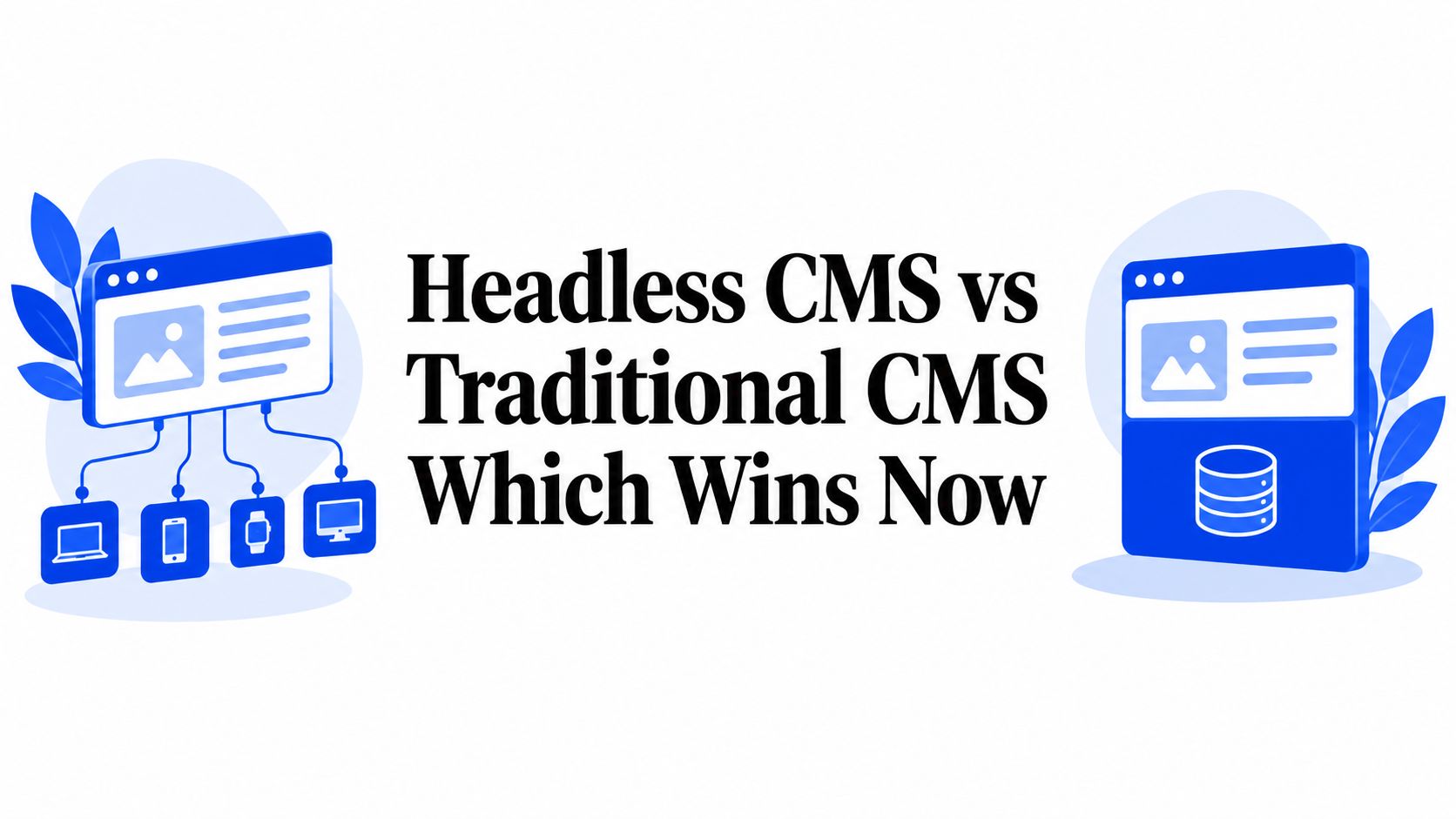
An agency's WordPress portfolio rarely fails all at once. One site needs a plugin replacement, another depends on a custom theme nobody wants to touch, and a third has become the only place where a former developer understands how forms, analytics, ecommerce, and redirects fit together. Enterprise teams face the same problem at a larger scale, with fragmented brand sites, disconnected data, and separate release processes.
That's why headless CMS vs traditional CMS isn't a feature checklist. It's an ownership decision. The architecture determines how quickly teams can publish, how safely they can govern multiple sites, and how much margin remains after developers, agencies, and vendors maintain the stack.
The market has already moved beyond experimentation. Research and Markets' 2021 forecast valued the headless CMS software market at US$328.5 million in 2019 and projected US$1.6286 billion by 2027, representing a 22.6% CAGR from 2020 to 2027 (market forecast and historical inflection). A later market report estimated that 44% of organizations already operate a headless CMS environment, while more than 74% of digital decision-makers planned to migrate from traditional CMS platforms within the next 24 months (headless CMS adoption and migration projection).
WebinOne's position is direct. Decoupling pays when an organization has multiple channels, brands, integrations, or frontend teams. It creates unnecessary coordination when a small team only needs one straightforward marketing site. The right choice isn't the newest label. It's the platform that leaves the fewest ownership problems after launch.
Table of Contents
- Introduction Why This Comparison Matters Now
- How Headless and Traditional CMS Architectures Actually Differ
- Performance Scalability and Delivery Compared
- Developer Experience and Marketing Workflows in Practice
- Integrations Governance and Total Cost of Ownership
- When to Choose Headless Traditional or Hybrid
- Migration Path and Your Next Step with WebinOne
Introduction Why This Comparison Matters Now
A marketing team can still launch a straightforward site efficiently with a traditional CMS. An editor opens a page, changes the copy, previews the result, and publishes without managing APIs, rendering modes, or deployment pipelines. For one site with limited integrations, that operating model keeps ownership simple.
The cost appears after the site becomes a platform. WordPress customization can grow into themes, plugins, custom fields, scripts, and agency-specific conventions. Guidance on WordPress plugin bloat and performance recommends regular audits, staging-based deactivation, and removing overlapping tools rather than continuing to add extensions. The concern is operational, not ideological. Every plugin can affect updates, security, troubleshooting, and the next migration.
Headless addresses a different ownership problem. It separates structured content from the frontend, allowing websites, mobile apps, kiosks, and other endpoints to consume the same content through APIs. That makes frontend replacement less disruptive, but it adds coordination across content modeling, API contracts, frontend code, preview, testing, and deployment.
| Ownership factor | Headless CMS | Traditional CMS |
|---|---|---|
| Content delivery | APIs serve multiple frontends and channels | Page-centric rendering is usually built around one website |
| Frontend freedom | Teams choose frameworks and rendering strategies | Themes and templates control most presentation |
| Editorial simplicity | Depends on preview, workflow, and integration quality | Usually familiar and tightly integrated |
| Performance path | Static generation, SSR, caching, and edge delivery | Server rendering, caching, and optimization within the CMS stack |
| Governance | Centralized models can support reuse across sites | Multiple instances can create duplicated administration |
| Migration burden | Requires content modeling and frontend coordination | Can become difficult when themes, plugins, and customizations accumulate |
Use traditional CMS when one team owns one primary site and publishing speed matters more than channel reuse. Choose headless when the organization already has multiple frontends, brands, or integration owners who can maintain the contracts between systems. A headless build creates hidden coordination costs. A traditional build creates plugin-sprawl lock-in when extensions become the only way to change the site.
The decision is about long-term ownership. A fast architecture that nobody can govern is an expensive architecture.
How Headless and Traditional CMS Architectures Actually Differ
A team managing one primary website can publish quickly with a traditional CMS. The same setup becomes harder to own when every new channel depends on themes, plugins, custom code, and the original page model. A headless CMS reverses that dependency, but it introduces coordination work that the organization must be ready to maintain.
A traditional CMS combines content storage, editorial controls, templates, business logic, and page rendering in one application. WordPress and Drupal commonly use this model. An editor changes content in the same system that assembles the page, applies the theme, loads extensions, and returns the rendered experience.
That integration reduces handoffs and keeps publishing familiar. It also binds content to presentation. A product description built for a website may require transformation or duplication before an app, kiosk, or other endpoint can use it.
A headless CMS separates content from presentation. Editors manage structured entries, while frontend applications request them through APIs. The same content can serve a website and mobile app, with each frontend using its own design system and release cycle. The benefit is reuse without forcing every channel into the same page template.
The headless architecture guidance explains this separation and its effect on channel expansion and re-platforming.
Coupled rendering
In a coupled system, the CMS owns more of the request path. Its database, templates, plugins, and server work together to produce the page. Editorial changes feel direct, yet frontend changes can depend on backend updates and extension compatibility.
Choose this model when the website is the dominant channel and publishing speed matters more than independent frontend releases. Its risk appears later, as extensions multiply and plugin-specific behavior becomes the only practical way to change the site.
Decoupled delivery
In a decoupled system, the CMS supplies content and the frontend decides how to present it. Static generation, server-side rendering, and client-side rendering create different implementation and ownership requirements. The frontend team must maintain the API contract, preview experience, testing, and deployment path.
Multi-site means managing multiple websites from one CMS. Multi-tenant architecture means one application instance serves multiple tenants or sites with isolated data, as explained in this guide to regulated website governance.
For organizations combining content and commerce, the 2026 guide to headless commerce provides context on supporting different customer-facing experiences.
Hybrid delivery
Hybrid, or progressively decoupled, architecture keeps the traditional editorial and rendering workflow for selected areas while exposing structured content where reuse matters. It suits organizations that need an app, campaign frontend, or commerce experience without rebuilding every legacy page.
Set the boundaries before choosing the label. Identify reusable content, frontends that need independent releases, and pages where coupled publishing remains the better trade-off. Choose headless only when the organization can own those contracts across teams. A fast architecture that nobody can govern is an expensive architecture.
Performance Scalability and Delivery Compared
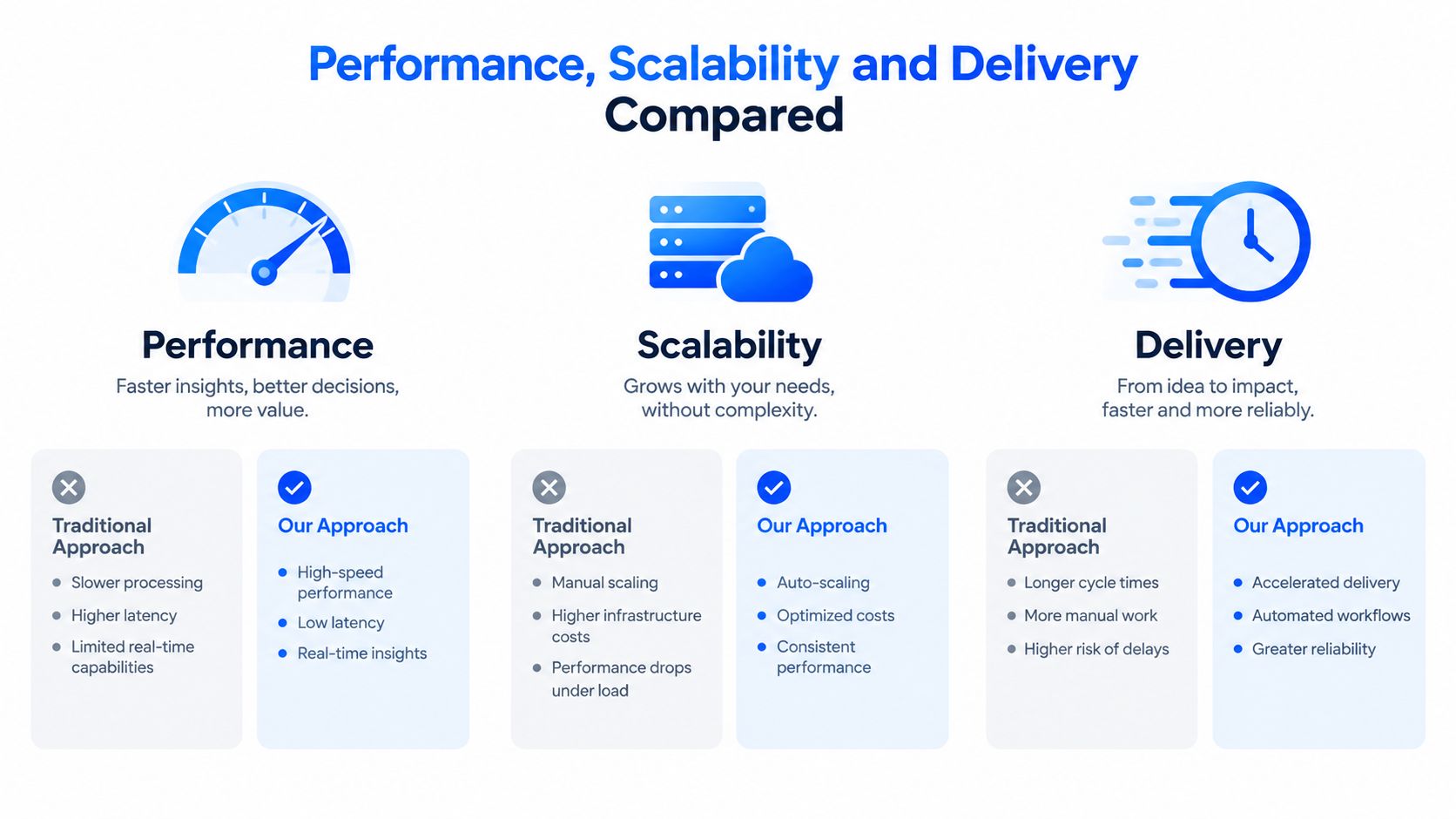
A headless CMS can deliver faster pages, but only when the frontend team chooses and operates the delivery model well. Static generation with edge or CDN delivery keeps much of the CMS backend out of the live request path. Server-side rendering can perform well, though each request still requires server work. Client-side rendering can delay the first useful view when the browser must assemble too much content before displaying it.
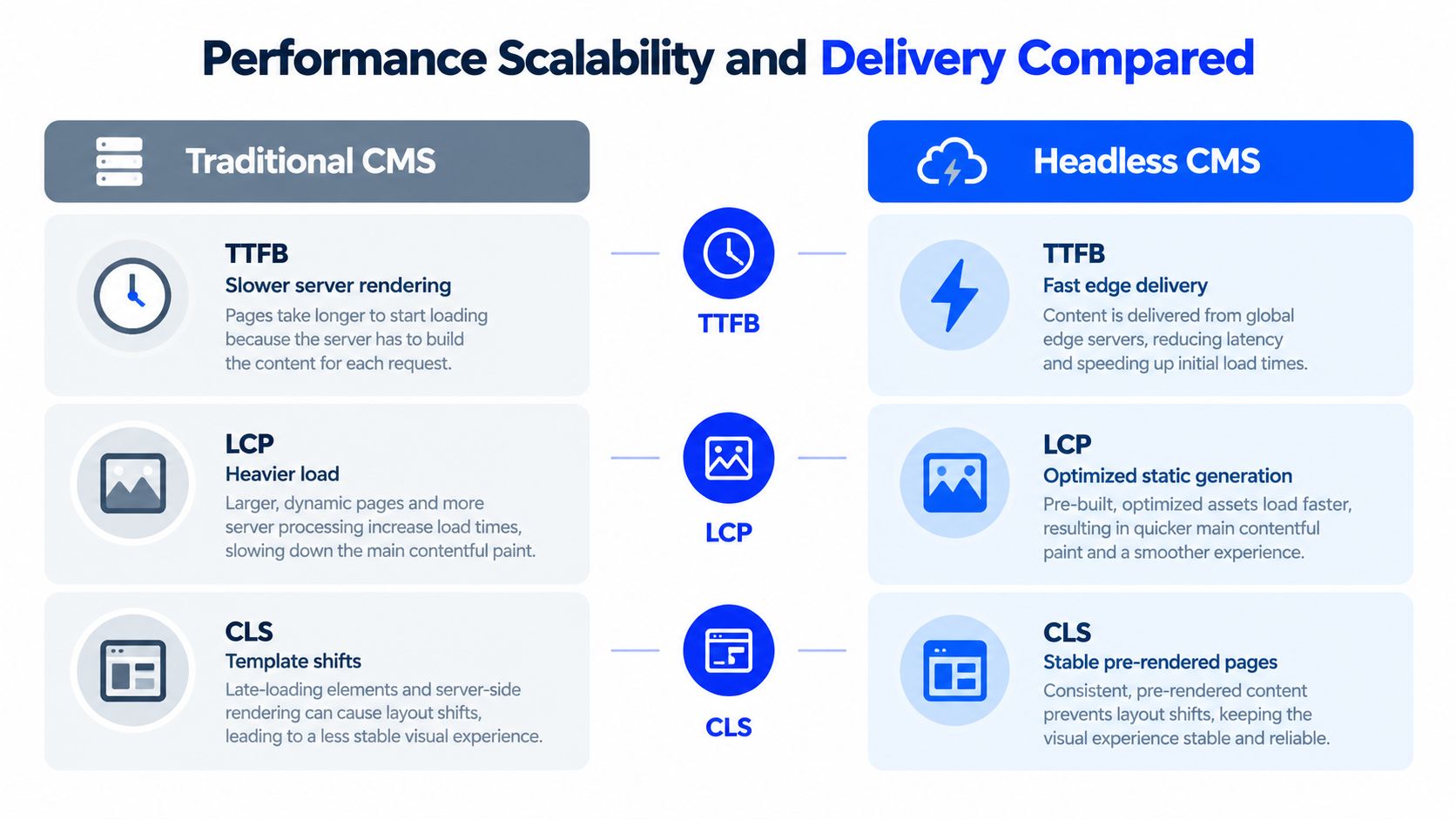
An independent performance benchmark summary reported average TTFB of 89ms for headless CMS with static generation and 156ms for headless CMS with server-side rendering. The comparison reported 847ms for traditional WordPress on shared hosting and 923ms for traditional Drupal on shared hosting. It also reported LCP of 1.1 seconds for headless with static generation, compared with 2.8 seconds for optimized WordPress, and CLS of 0.05 versus 0.18 for traditional CMS setups. These results support pre-rendering, stable layouts, caching, and edge delivery, but they do not make architecture the sole performance factor.
Rendering strategy decides the result
A poorly implemented headless site can lose to a well-optimized traditional CMS. Heavy client-side JavaScript, multiple service calls before rendering, weak caching, and oversized assets can turn decoupling into extra network and processing work. Technical SEO also requires crawlable markup, metadata controls, canonical handling, structured data, redirects, and reliable rendering.
Review the complete delivery path:
- Rendering mode: Choose static generation, SSR, or client-side rendering according to content freshness and user experience requirements.
- Caching behavior: Confirm what the edge can cache and how publishing triggers invalidation.
- Frontend payload: Remove unnecessary JavaScript, third-party scripts, and oversized assets.
- SEO implementation: Validate server-rendered content, metadata, sitemaps, redirects, schema, and internal linking.
- Operational ownership: Assign responsibility for monitoring and regression testing after launch.
Use this performance optimization guidance to assess those implementation details instead of assuming a CMS category guarantees speed.
Scalability is an operations question
A decoupled frontend can scale separately from the content backend, especially when static assets and cached responses sit close to users. Each added service also creates another ownership surface. Teams must maintain deployment controls, observability, content model discipline, API versioning, and an incident process.
Managed infrastructure can reduce that work. WebinOne runs on AWS across 6 global data centers, has recorded 99.99% uptime over the last 12 months, and has completed an AWS Well-Architected Review while holding AWS Foundational Technical Review approval. These facts describe operational foundations, not a guarantee that every implementation will be fast. The frontend still needs competent architecture, and the organization must budget for the coordination that headless delivery requires.
Developer Experience and Marketing Workflows in Practice
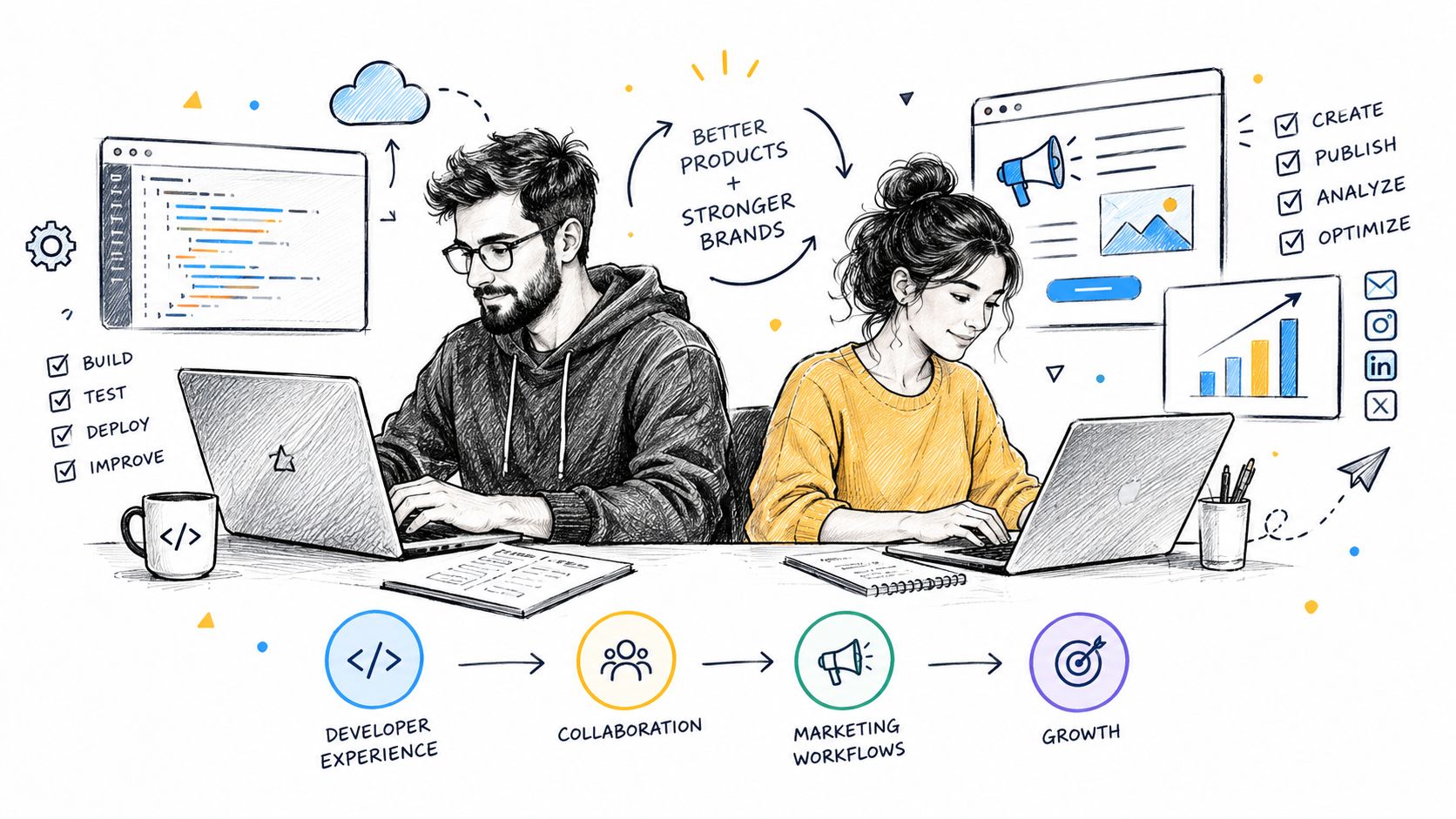
A migration succeeds when developers and marketers can work without blocking each other. Developers need frontend control, clean APIs, reusable components, and the freedom to change presentation without rebuilding content. Marketers need live editing, accurate previews, forms, SEO controls, approvals, and publishing that does not depend on a developer fixing a template.
Traditional CMS platforms make editorial work familiar because the editing environment and rendered site usually sit together. That convenience can conceal long-term ownership costs. Custom requirements accumulate as plugins, theme overrides, and tightly coupled dependencies. A single update can affect the editor, frontend, forms, search, analytics, or checkout.
The developer's trade-off
Headless gives frontend teams control over frameworks, rendering, deployment, and interaction patterns. Content arrives through APIs, so an agency can deliver distinct brand experiences from one content foundation. That flexibility pays off when the organization has the engineering capacity to own the surrounding system.
The coordination bill arrives with it. Developers must maintain content models, API contracts, preview environments, rendering logic, deployment workflows, and integrations. A field change may require synchronized updates in the CMS and frontend. If preview routes are incomplete, marketers publish without confidence or send routine work to an engineering queue.
WebinOne supports a middle position through Liquid templating, custom modules, 300+ APIs, webhooks, and headless delivery to external frontends. The managed platform also includes an On-Site Editor, forms, SEO controls, snippets, search, and member areas. Agencies can give developers frontend flexibility while keeping routine editorial work with marketers.
The marketer's trade-off
Traditional CMS platforms usually shorten the path from editing to publishing. Headless can provide the same working experience, but the team must deliberately design previews, permissions, workflows, and content models around actual campaign work.
Run these tests before approving either architecture:
- Campaign editing: Can a marketer change a headline, image, call to action, and metadata without opening a ticket?
- Preview confidence: Does the preview show the correct frontend, personalization state, and responsive behavior?
- Reuse controls: Can one approved content item appear across sites without uncontrolled duplication?
- Governance: Can regional and brand teams work within permissions that protect shared content?
- Rollback: Can an editor reverse a bad change without developer involvement?
Practical rule: If marketers need developers for routine publishing, the operating model is broken, whether the CMS is headless or traditional.
Assign ownership explicitly. Developers own systems, components, and integrations. Marketers own content and campaigns. Governance defines the handoffs, approval rules, and change boundaries between them. Choose headless when that coordination is funded and staffed. Choose traditional when editorial speed matters more than frontend independence, then control plugin growth before it becomes the next migration burden.
Integrations Governance and Total Cost of Ownership
A CMS can look inexpensive at purchase and expensive to own. The bill includes integration maintenance, hosting, security updates, plugin review, deployment coordination, content operations, support, and the work required to extract a business from a platform filled with exceptions.
Traditional CMS ownership becomes risky when extensions accumulate without a clear review process. A site that combines SEO, forms, caching, security, ecommerce, membership, and analytics plugins is no longer a simple application. It is a negotiated relationship between independently updated components. Treat more than 15 active plugins as a governance warning, not a universal failure line. Review ownership, update history, dependencies, and rollback plans before adding another extension. The earlier plugin audit guidance applies here as an operating rule, not just a performance check.
Headless removes many presentation-layer constraints, but it creates service dependencies of its own. Large enterprises held 72.39% of the headless CMS market in 2025, while services were projected to grow faster than software through 2031 (headless CMS market structure). The practical consequence is ongoing implementation, integration, and governance work after migration. Headless does not remove ownership burden. It moves that burden into APIs, content models, frontend releases, observability, and coordination between teams.
Governance scales only when ownership is explicit
A multi-site estate needs shared content models, roles, approvals, environments, analytics conventions, redirects, security policies, and release standards. Separate CMS instances preserve local autonomy but duplicate administration and make consistency harder. A centralized platform improves control when it still gives brands and regions clear boundaries.
Multi-tenant design matters for agencies and regulated organizations. The platform must show which users can edit which sites, which assets are shared, and which changes require central approval. Without those rules, a single console creates a wider blast radius for mistakes. Assign an owner for every integration, approval path, and exception before migration begins.
Total Cost and Governance Comparison
| Ownership Factor | Headless CMS | Traditional CMS |
|---|---|---|
| Frontend changes | Independent frontend releases, with API and model coordination | Faster within existing templates, but changes can affect the coupled stack |
| Extensions | Integrations are usually planned as services or APIs | Plugins and modules can be quick to add, but create compatibility obligations |
| Editorial operations | Requires strong preview and workflow design | Often familiar from the start |
| Multi-site control | Central models and APIs can support reuse across brands | Multiple instances can create duplicated content and administration |
| Hosting | Often distributed across frontend, API, and delivery layers | Usually concentrated in the CMS application and hosting stack |
| Ecommerce economics | Depends on commerce architecture and payment arrangements | Depends on platform, plugins, and payment arrangements |
| Platform pricing | Varies by provider, implementation, and usage | Varies by hosting, extensions, support, and development |
| Migration risk | Content modeling and frontend rebuild are significant work | Plugin, theme, database, and custom-code extraction can be difficult |
WebinOne lists pricing from $10/month per site and offers zero transaction fees on ecommerce, with AWS hosting across 6 global data centers. Use those figures in the model, then add implementation, governance, support, and integration labor. A lower subscription price does not fix an unmanaged operating model.
Use this guide to reducing total cost of ownership to separate platform fees from labor, coordination, and migration risk. The right comparison is not headless versus traditional in isolation. It is the ownership model each architecture demands, and whether your team can fund that model for the long term.
When to Choose Headless Traditional or Hybrid
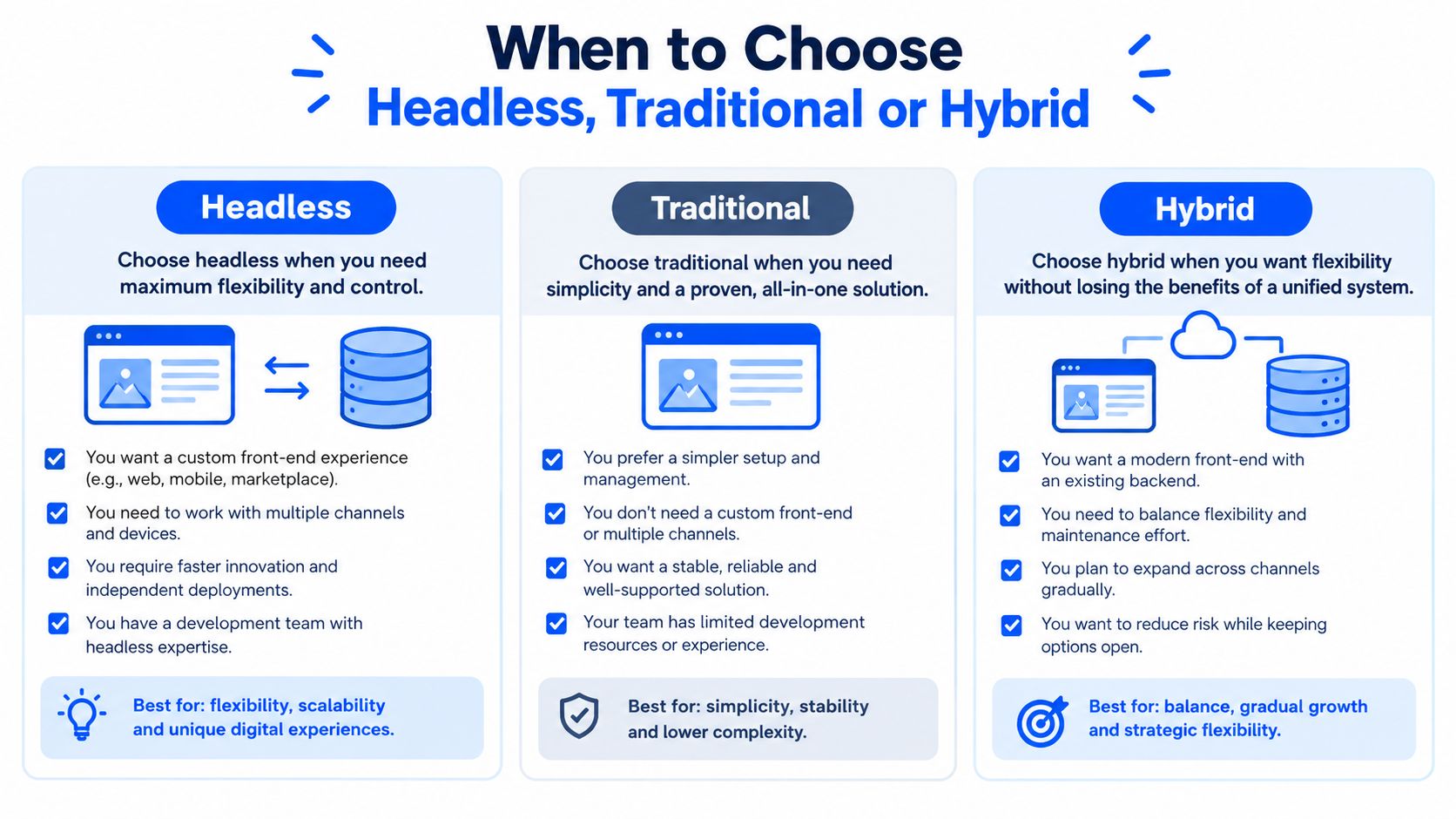
Choose headless when the business must own content separately from its presentation layer. That applies to organizations serving several channels, supporting multiple frontend teams, managing multiple brands, or planning apps, kiosks, commerce experiences, and other endpoints. The architecture gives those teams release independence, but it also creates a long-term coordination obligation.
A headless build is a poor fit for a contained marketing site with one primary channel, a small editorial team, limited integrations, and no need for independent frontend releases. In that situation, the business may inherit API contracts, preview workflows, SEO rendering, and deployment ownership without gaining a meaningful business advantage. Flexibility can become migration burden.
Choose headless for channel expansion
A retailer serving a website, mobile app, and kiosk network should not force every experience through one page template. A financial group with multiple brands and regional sites should not duplicate core content and governance rules across disconnected installations.
The price is technical coordination. The team must maintain API contracts, content models, preview, deployment, and SEO rendering. Headless earns that cost when the organization can support those capabilities and reuse content across channels. Without that capacity, it shifts work from the CMS into engineering, governance, and vendor coordination.
Stay traditional for editorial simplicity
A small organization publishing mainly to one website may gain more from integrated editing than from architectural flexibility. Traditional CMS also fits teams without frontend engineering capacity or an immediate need for additional channels.
The risk is plugin-sprawl lock-in. Keep extensions limited, maintain staging and backups, document customizations, and review every addition. A traditional CMS should remain a controlled publishing system, not an ungoverned application marketplace that only one specialist can maintain.
Use hybrid for controlled transition
Hybrid suits teams where migration risk exceeds the immediate value of a complete rebuild. Expose selected content through APIs, introduce a new frontend for a high-value journey, or move campaign and commerce experiences first while stable editorial areas remain in place.
Use the pilot as an operating test. If the organization cannot govern one decoupled experience, a full headless estate will multiply the coordination problem. If the pilot improves release control and reuse without harming editorial output, the next migration wave has evidence behind it.
The market projection supports headless as a serious replacement path, but market growth does not replace a capacity assessment. Choose the architecture your team can operate, govern, and migrate again when the business changes.
Migration Path and Your Next Step with WebinOne
A successful re-platform starts with inventory, not a redesign. The migration team should map content types, templates, plugins, integrations, redirects, forms, user roles, analytics, ecommerce behavior, and ownership before selecting the target architecture.
The safest sequence is staged:
- Audit the existing estate. Identify duplicated content, abandoned plugins, custom code, critical integrations, and pages that still generate business value.
- Define the target operating model. Decide which teams own content, components, approvals, SEO, integrations, and incident response.
- Model and migrate content. Separate reusable content from presentation-specific fragments, then establish validation rules and governance.
- Build and test the delivery layer. Validate rendering, accessibility, structured data, redirects, forms, search, performance, and analytics before launch.
- Run a controlled cutover. Use parallel testing, monitored redirects, rollback plans, and a zero-downtime release process.
- Operate after launch. Review performance, permissions, content quality, integrations, and technical debt rather than treating migration as the finish line.
That last step separates a platform migration from a temporary rebuild. Teams escaping WordPress plugin sprawl or agency lock-in need a managed operating model, not another stack that only one specialist understands.
WebinOne combines CMS, ecommerce, CRM, email marketing, multi-site management, and a headless API in one managed platform. It hosts on AWS, reports 99.99% uptime over the last 12 months, and has AWS Partner status with WebinOne live on AWS Marketplace, alongside AWS Foundational Technical Review approval and a completed AWS Well-Architected Review. TeamOne has migrated 3,000+ sites, giving agencies and enterprise teams a route to assess portfolio migrations rather than rebuilding every site as an isolated project.
AgentOne extends that model after deployment. Its Managed Vibe Coding approach operates sites inside the managed platform, handling development, content updates, optimizations, and automations with scoped permissions, audit logs, and transparent, reviewable code. That's the standard AI-assisted operations should meet. Generating a site and abandoning it at launch isn't a platform strategy.
The next step is a migration assessment that identifies which sites should move first, which content should become reusable, and whether headless, traditional, or hybrid delivery fits each workload. A staged evaluation will expose the coordination burden before the organization commits to a full estate migration.
WebinOne gives agencies and enterprise teams a managed path out of plugin-heavy, fragmented CMS stacks, with traditional editing, headless APIs, multi-site governance, ecommerce, and post-launch operations in one platform. Visit WebinOne to start a migration conversation, evaluate a trial, or ask TeamOne to scope a staged zero-downtime re-platform.