CMS Migration Service That Moves Sites Without Downtime
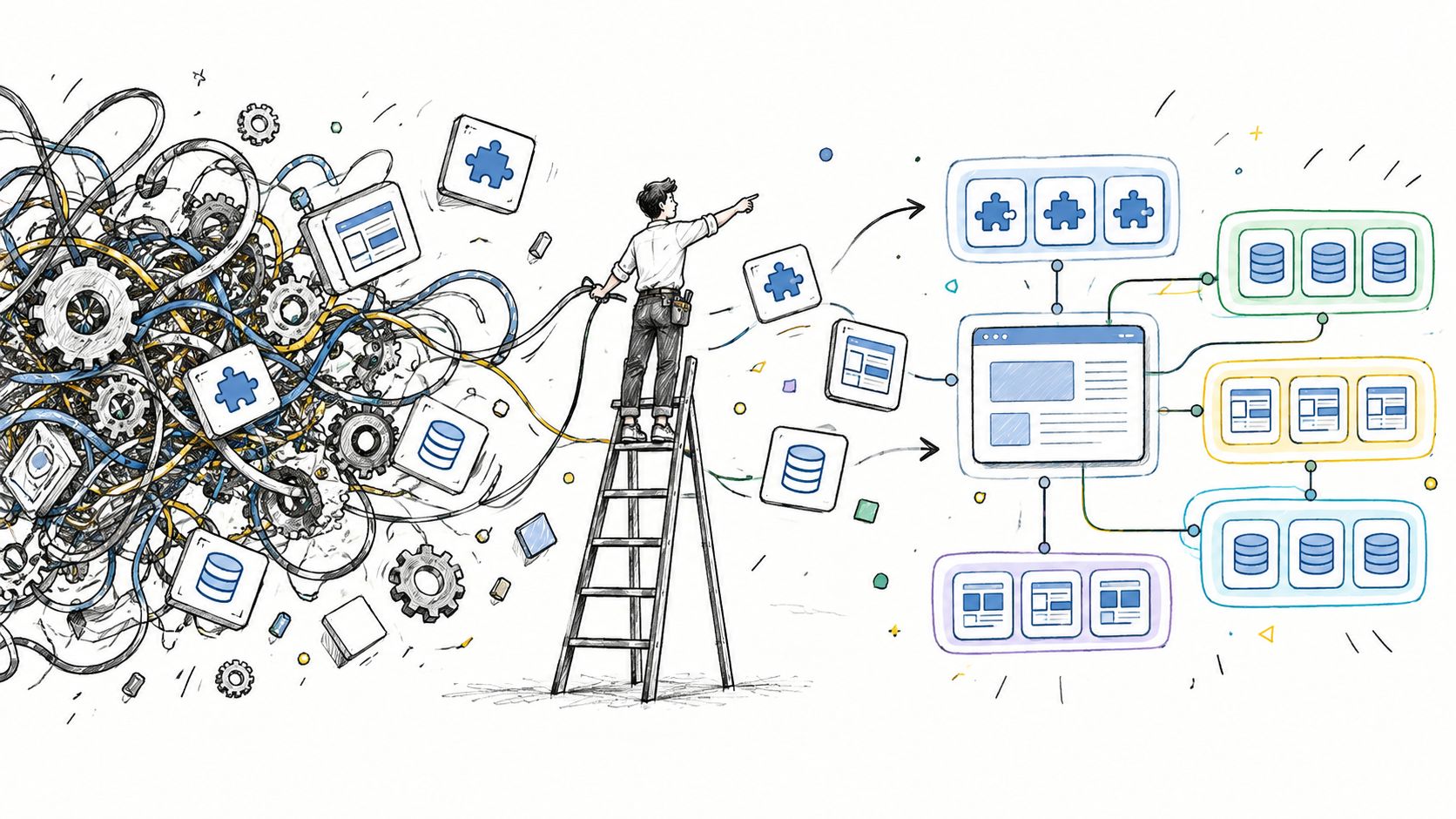
The site is still live, but the stack behind it is already failing. A plugin update breaks a form, the only developer who understands the custom content model is unavailable, and every brand site needs a separate login, deployment process, and vendor conversation. The business calls that “maintenance.” In practice, it's a governance problem waiting for a deadline.
A CMS migration service should do more than copy pages into a new interface. It should remove dependency chains, preserve search equity, establish clear ownership, and leave the team with a platform that remains operable after the launch team leaves. WebinOne's position is direct: staying on a patched, ungovernable stack is often the riskier decision than moving it.
Table of Contents
- Why a CMS Migration Service Is an Operating Model Decision
- Discovery and Mapping Before You Move Anything
- How a Staged Zero-Downtime Migration Actually Runs
- Protecting SEO and Data Integrity Through Cutover
- Costs Timelines and Pitfalls That Derail Migrations
- After Launch Who Owns the Platform and Keeps It Governable
Why a CMS Migration Service Is an Operating Model Decision
Many teams treat migration as a platform swap. That framing is too narrow for agencies, system integrators, and multi-brand enterprises. The question isn't whether pages can be exported and imported. It's whether the organization can publish, govern, secure, and improve its digital estate without relying on tribal knowledge.
WordPress plugin sprawl is a familiar example. Each plugin may solve a local problem, but the combined stack creates update conflicts, inconsistent permissions, duplicated data, and uncertainty about what can safely change. Page builders create a different constraint. They may accelerate an individual build, yet become difficult to govern when multiple brands, markets, editors, and approval paths share the estate.
Legacy systems create the same problem through different mechanisms. A monolithic CMS may contain years of custom code, undocumented integrations, and workflows that only one or two people understand. The platform still works, but the organization no longer controls it.
CMS-powered sites account for more than half of the web, up from 42% in 2021, according to an industry guide to CMS migration costs and platform turnover. That scale doesn't make every migration easy. It shows that platform change is normal, especially as sites outgrow older architectures. The same guide reports that WordPress's share moved from 65.2% in January 2022 to around 60.7% by late 2025, a sign of continued platform turnover rather than a fixed market.
Staying put has a cost
The cost of remaining on a fragile stack rarely appears as one invoice. It appears as delayed launches, duplicated agency work, emergency fixes, slow approvals, and revenue risk when a critical component fails. An organization can spend less on migration and more on avoiding change, while still paying the higher total cost.
A migration service earns its place when it addresses four operating questions:
- Who owns the platform? Someone must control permissions, releases, integrations, and escalation paths.
- Who governs content? Editors need repeatable workflows across brands, regions, and teams.
- Who maintains the data model? Content types and fields need documented rules, not personal memory.
- Who operates the site after launch? Security, performance, backups, monitoring, and ongoing improvements need assigned owners.
The practical test: A migration succeeds when the next editor can safely change the site without calling the person who built it.
That's why managed services support belongs in the migration conversation. A new CMS won't fix an old operating model if the organization carries forward the same unclear ownership, disconnected tooling, and approval bottlenecks.
The right outcome is a stable, governable platform with defined responsibilities. The migration itself is only the first delivery milestone.
Discovery and Mapping Before You Move Anything
The most expensive migration mistakes happen before development starts. Teams approve a rebuild without knowing which URLs attract organic traffic, which content drives conversions, which integrations write to the database, or which custom fields editors use. The project then discovers its scope through production incidents.
Discovery should produce a migration blueprint, not a slide deck. The baseline needs to describe the current estate in enough detail that another team can reproduce its important behavior.
Establish the baseline
Start with a complete URL inventory. Capture page type, status, canonical target, indexation intent, internal links, media dependencies, and redirect history. Add organic traffic by section, rankings, conversion rates, Core Web Vitals, and content velocity. The point isn't to preserve every page. It's to distinguish valuable content from obsolete content before migration effort turns obsolete content into a permanent liability.
The content audit should also cover information that basic exports miss:
- Content models: Record content types, custom fields, taxonomies, relationships, and reusable components.
- User and member data: Identify accounts, permissions, gated content, preferences, and consent requirements.
- Integrations: Inventory search, forms, CRM connections, commerce, analytics, email, authentication, and external APIs.
- Custom behavior: Document code-driven templates, scheduled jobs, webhooks, calculators, and business rules.
- Media dependencies: Trace image variants, documents, video embeds, downloads, and legacy file paths.
A useful resource on the wider discipline is this guide to managed IT data migration benefits. CMS work is a specialized form of data migration, and the same principle applies: data quality and ownership matter as much as the transfer mechanism.
Decide what deserves a future
Every URL should receive a deliberate disposition. Migrate content that remains useful, archive content with retention value, and rebuild content whose structure or purpose no longer fits the future platform. Copying the entire estate is not diligence. It's scope creep disguised as completeness.
Redirect mapping belongs in discovery. Map each retired or changed URL to its most relevant destination, avoid redirect chains, and define the intended canonical URL before templates are built. Staging should contain representative content, including unusual page types and long-tail examples, because a clean homepage tells nothing about how the system handles edge cases.
The baseline also becomes the comparison set for launch. Without it, teams can't tell whether a ranking change, missing conversion, broken form, or slow template is new or pre-existing.
Discovery feels slow only when compared with an unplanned rebuild. Compared with recovery work after lost URLs, missing fields, and broken integrations, it's the fastest part of the project.
How a Staged Zero-Downtime Migration Actually Runs
A zero-downtime migration isn't a dramatic launch event. It's a controlled sequence in which the new environment becomes trustworthy before traffic is sent to it. TeamOne-style delivery treats each stage as a gate, with rollback readiness maintained until the new system proves parity.
Build and migrate in a controlled environment
The first build happens in staging. Developers recreate the information architecture, templates, components, permissions, integrations, and content rules without exposing unfinished work to visitors. Production remains available while the new platform takes shape.
Content and data then move through repeatable export and import routines. Repeatability matters for portfolio migrations because the same process can be tested, corrected, and rerun without relying on manual copying. It also supports a final delta sync, which captures changes made on the source site while the migration team was building the destination.
Quality assurance needs more than visual approval. Test content parity, forms, search, member areas, commerce behavior, analytics events, structured data, media, accessibility behavior, and editorial workflows. Compare representative pages rather than checking only a short list of showcase URLs.
Run both environments before cutover
Parallel running gives stakeholders a controlled way to validate the destination while the source site continues serving visitors. Editors can test real publishing tasks. Search specialists can inspect redirects, canonicals, sitemaps, robots handling, internal links, and rendered output. Developers can test integrations under realistic conditions.
The Adobe Business Catalyst shutdown illustrates why operational readiness matters. Adobe announced the end of development on March 26, 2018, scheduled hosting to stop on March 26, 2020, then extended the shutdown to March 26, 2021 and warned customers to migrate before data deletion, as documented in the CMS market industry report. A fixed platform deadline turns planning into execution quickly. A repeatable process is what lets agencies handle that pressure without treating every site as a bespoke emergency.
Cut over with a rollback plan
Cutover should use a controlled window, a final content sync, preapproved validation checks, and a rollback decision. The destination must be ready before the traffic switch, not assembled during it. Teams should verify key journeys immediately after the change, then keep the source environment available until the acceptance criteria are met.
This approach has supported WebinOne migrations across 3,000+ sites, including complex live-site portfolios and rescues from WordPress, Drupal, and self-built systems. The relevant proof point isn't a claim that every migration is simple. It's that a staged process can be repeated at scale while preserving service continuity.
Further detail on zero-downtime deployment strategies reinforces the operational principle: deployment safety comes from preparation, parallel validation, and recovery controls, not from optimism at launch.
Protecting SEO and Data Integrity Through Cutover
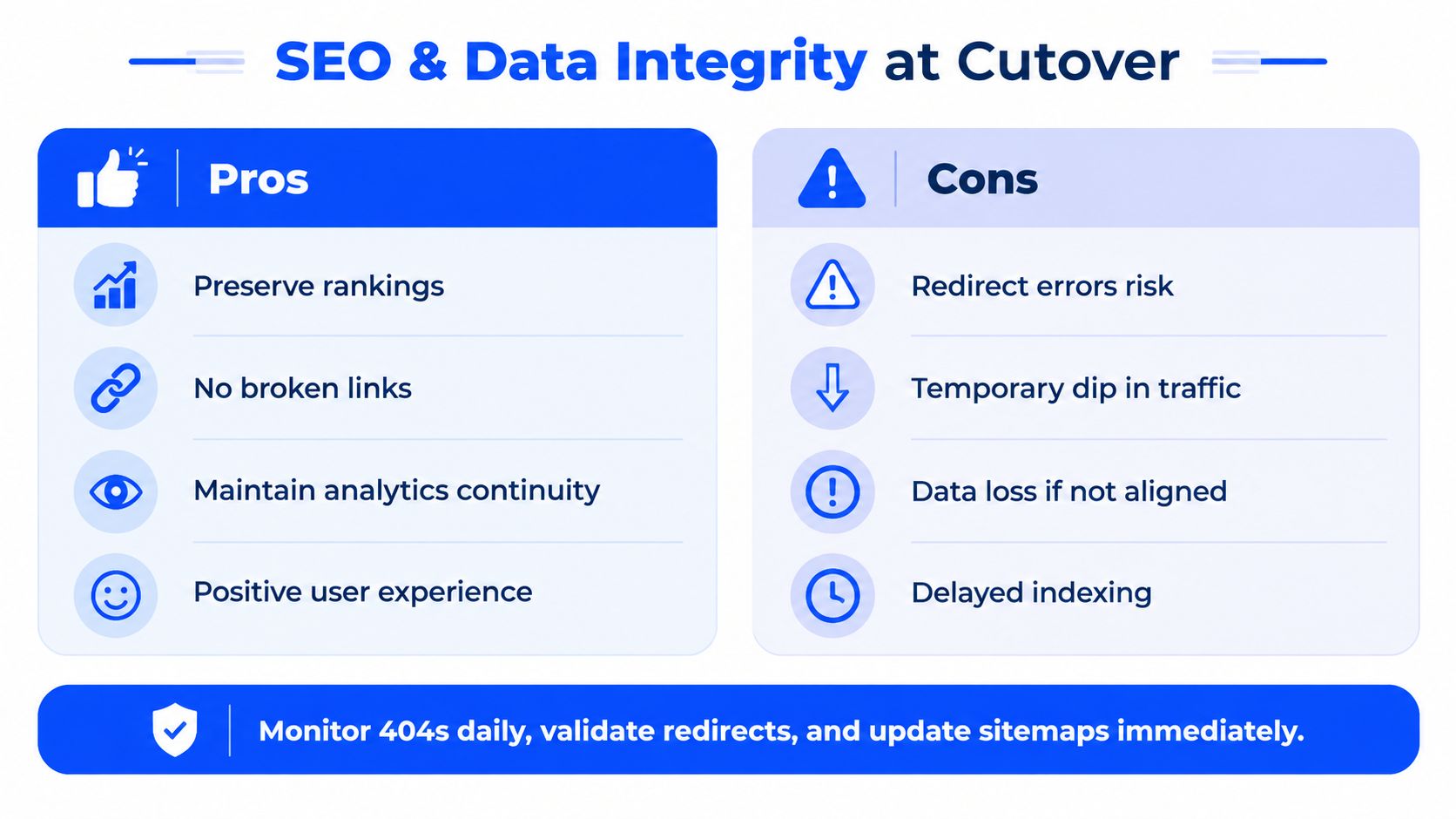
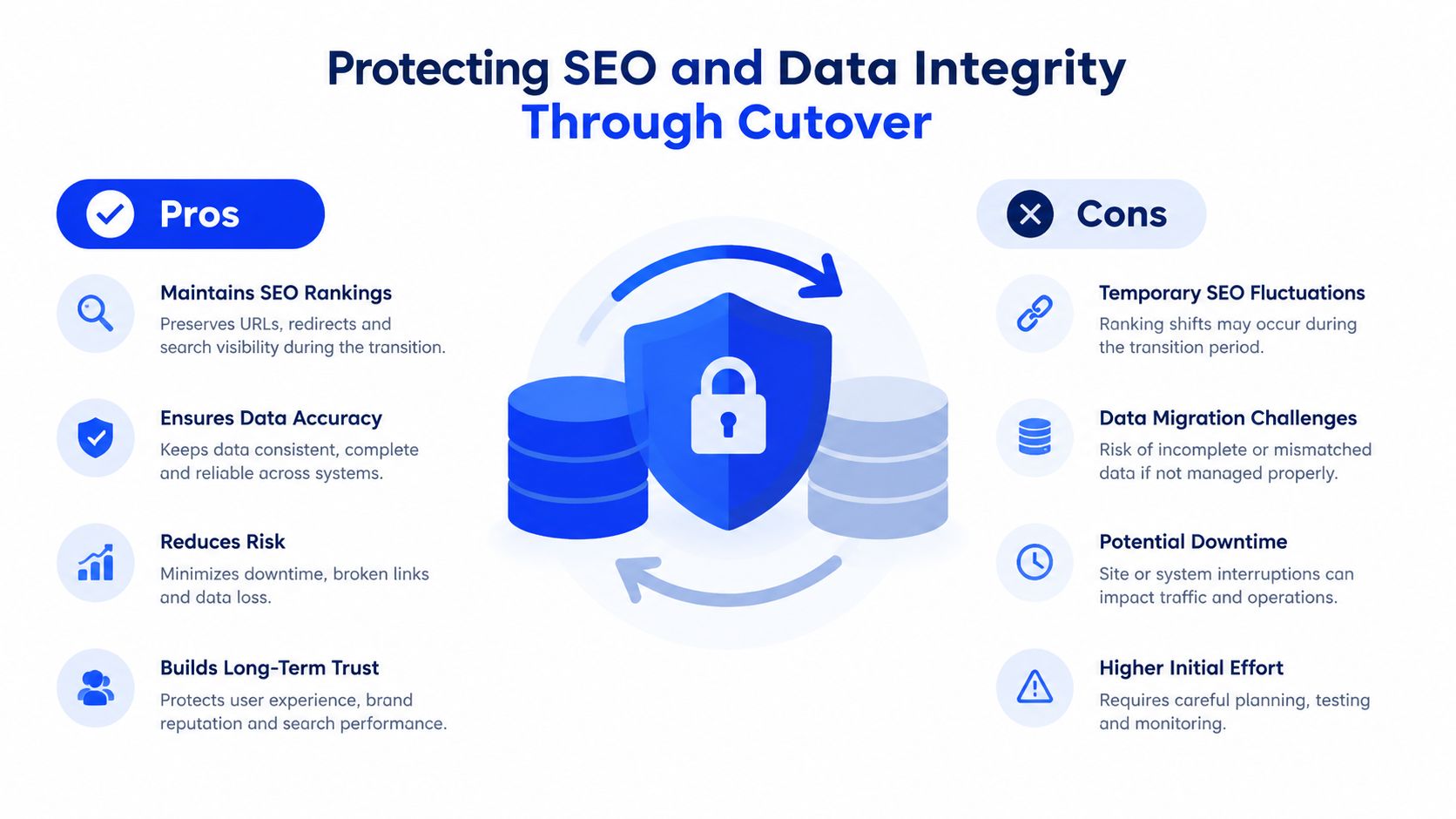
SEO failure usually comes from transition mechanics, not from the visual redesign. A faster template can't compensate for missing redirects, inconsistent canonicals, or a sitemap that still describes the old estate.
Industry summaries report that only about 10% of website migrations improve search rankings, while poorly executed migrations can cause around 50% traffic loss and take an average of 523 days to recover, according to a technical analysis of legacy-to-modern CMS migrations. The same source cites missing or poorly mapped 301 redirects as the root cause in roughly 9 out of 10 failed migrations. Those figures make prioritization clear. Redirect parity is not a finishing task.
Treat redirects as a release control
Every changed URL needs a relevant one-hop 301 redirect. The destination should match user intent, not point to the homepage. Redirect rules need testing in staging, including old URLs, query variants where relevant, trailing-slash behavior, case handling, and common legacy patterns.
Canonical consistency matters just as much. The canonical tag, internal links, sitemap entries, and preferred public URL should agree. If those signals conflict, search engines receive an ambiguous description of the new site.
The same QA pass should verify:
- Internal links: Update links so the new site doesn't depend unnecessarily on redirects.
- Sitemaps: Publish the current canonical URL set and remove retired paths.
- Robots handling: Confirm that staging restrictions don't accidentally persist in production.
- Analytics continuity: Preserve measurement plans, events, goals, and campaign attribution.
- Structured data: Check that schema reflects the new templates and business entities.
- Broken links: Crawl pages, media, downloads, forms, and navigation after launch.
Monitor after the switch
Cutover validation catches obvious failures. It doesn't reveal every issue that appears when crawlers, editors, customers, and integrations interact with the new platform. Post-launch monitoring should track 404s, redirect hits, indexation, rankings, organic landing pages, conversion paths, form submissions, performance, and user activity.
The monitoring period needs named owners and escalation rules. A dashboard no one checks is not a control. The site migration SEO checklist provides a useful reference for organizing those checks, but each estate still needs a custom URL map and acceptance criteria.
SEO rule: A launch isn't safe because the homepage loads. It's safe when old entry points, important journeys, and search signals behave as designed.
Data integrity deserves equal attention. Compare record counts, relationships, permissions, timestamps, media references, order states, and form destinations where those systems exist. A migration can preserve page copy while damaging the operational data that makes the site useful.
Costs Timelines and Pitfalls That Derail Migrations
Migration budgets fail when teams price page movement and ignore system behavior. A small marketing site with clean content and limited integrations is a different project from an enterprise or ecommerce estate with custom fields, member data, product relationships, and multiple publishing teams.
A 2026 industry guide estimates real migration costs at about $10,000 for a small marketing site and $30,000 to $80,000 or more for enterprise or ecommerce moves, with the ranges documented in its CMS migration cost guide. Those figures are directional, not a substitute for discovery. Custom code, undocumented integrations, content quality, redesign scope, and governance requirements push the estimate more than raw page count does.
| Project Profile | Typical Cost Range | Typical Timeline | Key Cost Drivers |
|---|---|---|---|
| Small marketing site | About $10,000 | Depends on discovery, rebuild, testing, and approval scope | Content cleanup, templates, forms, redirects, analytics |
| Enterprise or ecommerce move | $30,000 to $80,000+ | Depends on integrations, data models, portfolio complexity, and cutover controls | Custom code, commerce data, member records, multi-site governance, parallel QA |
The most common budget traps are predictable. Plugin conflicts surface during rebuild. Custom code has no documentation. Content audits happen after templates are approved. Stakeholders add redesign requests to a migration that was scoped as a transfer. The team also forgets to budget for post-launch monitoring and ownership.
Compare the operating choices
| Approach | Risk Profile | Delivery Speed | Long-Term Run Cost |
|---|---|---|---|
| DIY migration with fragmented tools | High dependency on internal knowledge and manual validation | Can start quickly, but slows when exceptions appear | Often rises through maintenance, vendor coordination, and rework |
| Fragmented agency delivery | Depends on handoffs between hosting, development, SEO, and content teams | Variable, with coordination becoming the constraint | Difficult to forecast across multiple vendors |
| White-label managed DXP approach | Centralized ownership, platform controls, and defined operating procedures | Better suited to repeatable portfolio work | Easier to manage when hosting, CMS, support, and governance are consolidated |
Operational safeguards should be evaluated alongside migration capability. WebinOne runs on AWS across 6 global data centers and has recorded 99.99% uptime over the last 12 months, with those figures documented in the publisher's platform information. It's also an AWS Partner, live on AWS Marketplace, with an AWS Foundational Technical Review approved and an AWS Well-Architected Review completed. Those controls don't replace migration QA, but they reduce infrastructure uncertainty after launch.
The platform also lists pricing from $10 per month and zero transaction fees on ecommerce, as described in its product information. Buyers should still model total operating cost, including migration labor, support, governance, content operations, and integrations. A low license price won't rescue a high-friction operating model.
After Launch Who Owns the Platform and Keeps It Governable
The quiet failure happens after launch. Editors return to old workarounds, permissions drift, agencies rebuild one-off components, and no one decides who approves model changes. The site remains online, but the new platform gradually recreates the old bottleneck.
Migration success should therefore be measured through post-launch editability and governance stability, not only through a clean cutover or zero downtime. Can editors publish without developer intervention? Can a brand team reuse approved components without breaking another market? Can IT audit changes, control access, and understand integrations? Can an agency support the estate without hiding its operation inside one specialist's memory?
Assign ownership before the handoff
A durable operating model needs named roles for platform administration, content governance, SEO controls, integration ownership, incident response, and release approval. Training should use real publishing scenarios, not a generic feature tour. Documentation should cover data models, permissions, redirect processes, component rules, and escalation paths.
Multi-site teams also need centralized governance with local flexibility. Shared templates and modules should enforce brand and accessibility standards, while local teams retain authority over approved content areas. Auditability matters when multiple people and automated systems can make changes.
That's where AgentOne's managed vibe coding model fits the operating problem. AgentOne operates inside the managed platform, handling development, content updates, optimizations, and automations through scoped permissions and audit logs. Changes remain visible, reviewable, and reversible instead of becoming unmaintainable generated output.
TeamOne provides the migration and delivery layer, including staged rebuilds, testing before and after cutover, and ongoing platform operations. The resulting system can support CMS, ecommerce, CRM, email marketing, multi-site management, and headless delivery through one managed environment.
A migration should leave the organization with fewer dependencies, clearer accountability, and a platform that teams can operate months after the launch team has moved on. That's the standard agencies and enterprises should demand from a CMS migration service.
WebinOne provides staged, zero-downtime migration delivery through TeamOne, with managed operations and AgentOne working inside the platform after launch. Visit WebinOne to scope a portfolio migration, start a trial, or speak with the team about replacing an ungovernable CMS stack.